Looking for updated Brookhaven RP scripts for PC and mobile? This page collects Brookhaven RP script hubs with no-key and key-system access, including teleports, FPS boost, avatar customization, movement options and extra roleplay features.
Each script card includes the access type, supported platforms, compatibility notes, main features and latest update information. Scripts can stop working after Roblox updates, Brookhaven RP updates or executor changes, so always check the status and changelog before using anything.
Game link: Brookhaven RP

Brookhaven RP scripts comparison
Use this quick comparison to choose a Brookhaven RP script by access type, device support and main feature category.
| Script | Access | PC | Mobile | Main features | Status |
|---|---|---|---|---|---|
| SP Hub | No Key | Yes | Yes | Teleports, avatar tools, movement and utility features | Checked |
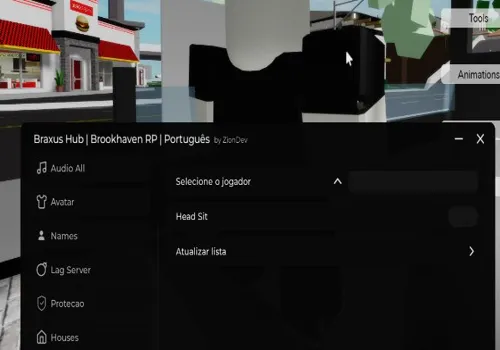
| Braxus Hub | No Key | Yes | Yes | Avatar copy, RGB options and player tools | May be outdated |
| Manox Hub | No Key | Yes | Yes | Movement, teleports, anti-lag and avatar features | Added June 2026 |
| RedZ Hub | No Key | Yes | Yes | Utility and roleplay tools | May be outdated |
| Admin Script | No Key | Yes | Yes | Speed, jump, teleport and sit options | Checked |
| Avatar Size FE Script | No Key | Yes | Yes | Avatar body customization | Checked |
| HD Admin Menu | No Key | Yes | Yes | Command menu, speed, jump and reset tools | Added June 2026 |
| Gaming_Spirit | No Key | Yes | Yes | Music features | Added June 2026 |
| Rado Hub | No Key | Yes | Yes | ESP, noclip, anti-void and utility features | Added June 2026 |
| Overflow Hub | Key System | Yes | Yes | General Brookhaven RP tools | Checked |
| Salvatore Hub | Key System | Yes | Yes | General Brookhaven RP tools | Checked |
| Vense Hub | Key System | Yes | Yes | Large feature set, teleports, avatar and local-player tools | Added June 2026 |
No-key Brookhaven RP scripts
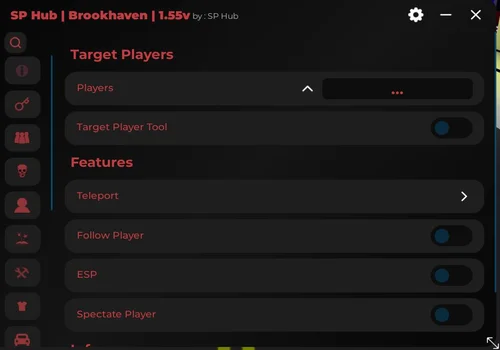
SP Hub
Show script
loadstring(game:HttpGet("https://raw.githubusercontent.com/as6cd0/SP_Hub/refs/heads/main/Brookhaven"))()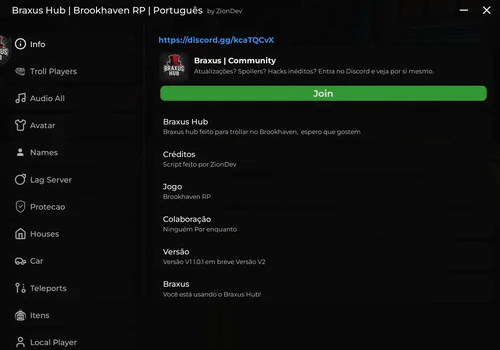
Braxus Hub
Show script
loadstring(game:HttpGet("https://raw.githubusercontent.com/Lindao10/BRUXUS-HUB/refs/heads/main/BRUXUS%20HUB.LUA"))()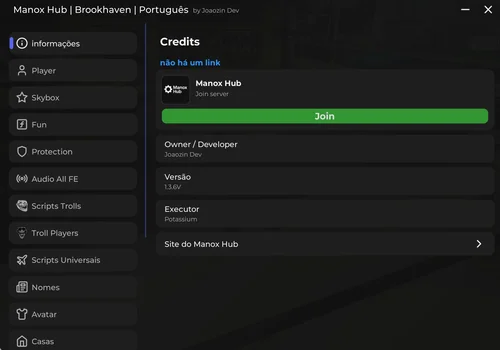
Manox Hub
Show script
loadstring(game:HttpGet("https://raw.githubusercontent.com/JAGAMES94ez/Manox-Hub/refs/heads/main/Brookhaven", true))()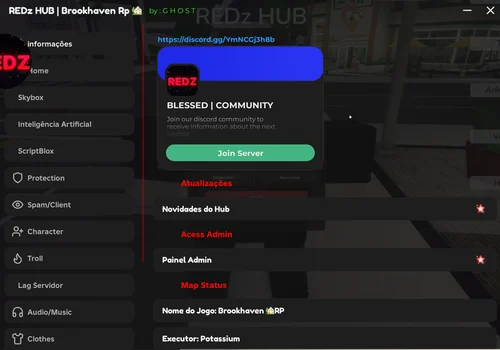
RedZ Hub
Show script
loadstring(game:HttpGet("https://pastefy.app/9OoVFBCU/raw"))()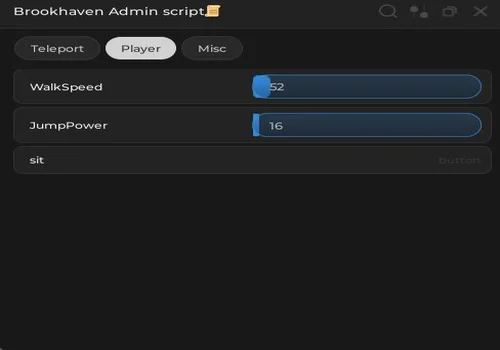
Admin Script
Show script
loadstring(game:HttpGet("https://gist.githubusercontent.com/TreeByte403/9bd0c89931954270681c454dd5728c0c/raw/ef264adbaf83486e785d91be748710e3e512938b/brookhaven.lua"))()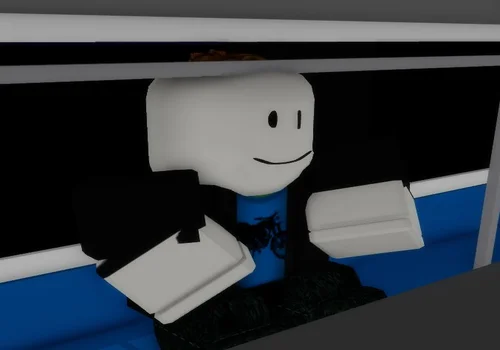
Avatar Size FE Script
Show script
local ReplicatedStorage = game:GetService("ReplicatedStorage")
local dataTable = {81881085814072, 79115019295211, 106740492797177, 81153927159685, 88668275797583, 115379341593655}
local RemoteEvents = ReplicatedStorage.Remotes
local remoteName = "ChangeCharacterBody"
RemoteEvents[remoteName]:InvokeServer(dataTable)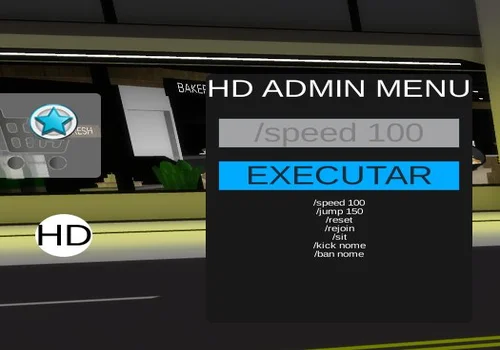
HD Admin Menu
Show script
loadstring([[
local Players = game:GetService("Players")
local TeleportService = game:GetService("TeleportService")
local LocalPlayer = Players.LocalPlayer

pcall(function()
    LocalPlayer.PlayerGui:FindFirstChild("HD_GUI"):Destroy()
end)

local banned = {}

local ScreenGui = Instance.new("ScreenGui")
ScreenGui.Name = "HD_GUI"
ScreenGui.Parent = LocalPlayer:WaitForChild("PlayerGui")
ScreenGui.ResetOnSpawn = false

-- BOTÃO HD
local Button = Instance.new("TextButton")
Button.Parent = ScreenGui
Button.Size = UDim2.new(0,60,0,60)
Button.Position = UDim2.new(0.03,0,0.45,0)
Button.BackgroundColor3 = Color3.fromRGB(255,255,255)
Button.Text = "HD"
Button.TextColor3 = Color3.new(0,0,0)
Button.TextScaled = true
Button.Active = true
Button.Draggable = true

local BC = Instance.new("UICorner",Button)
BC.CornerRadius = UDim.new(1,0)

-- MENU
local Menu = Instance.new("Frame")
Menu.Parent = ScreenGui
Menu.Size = UDim2.new(0,280,0,350)
Menu.Position = UDim2.new(0.1,0,0.3,0)
Menu.BackgroundColor3 = Color3.fromRGB(25,25,25)
Menu.Visible = false

local MC = Instance.new("UICorner",Menu)

-- TITULO
local Title = Instance.new("TextLabel")
Title.Parent = Menu
Title.Size = UDim2.new(1,0,0,40)
Title.BackgroundTransparency = 1
Title.Text = "HD ADMIN MENU"
Title.TextColor3 = Color3.new(1,1,1)
Title.TextScaled = true

-- CAIXA
local Box = Instance.new("TextBox")
Box.Parent = Menu
Box.Size = UDim2.new(0.9,0,0,40)
Box.Position = UDim2.new(0.05,0,0.18,0)
Box.PlaceholderText = "/speed 100"
Box.Text = ""
Box.TextScaled = true

-- BOTÃO EXECUTAR
local Execute = Instance.new("TextButton")
Execute.Parent = Menu
Execute.Size = UDim2.new(0.9,0,0,40)
Execute.Position = UDim2.new(0.05,0,0.35,0)
Execute.Text = "EXECUTAR"
Execute.TextScaled = true
Execute.BackgroundColor3 = Color3.fromRGB(0,170,255)

-- OUTPUT
local Output = Instance.new("TextLabel")
Output.Parent = Menu
Output.Size = UDim2.new(0.9,0,0,160)
Output.Position = UDim2.new(0.05,0,0.5,0)
Output.BackgroundTransparency = 1
Output.TextColor3 = Color3.new(1,1,1)
Output.TextWrapped = true
Output.TextYAlignment = Enum.TextYAlignment.Top
Output.TextScaled = false
Output.Text =
"/speed 100\n/jump 150\n/reset\n/rejoin\n/sit\n/kick nome\n/ban nome"

-- ABRIR MENU
Button.MouseButton1Click:Connect(function()
    Menu.Visible = not Menu.Visible
end)

-- PERSONAGEM
local function getCharacter()
    return LocalPlayer.Character or LocalPlayer.CharacterAdded:Wait()
end

-- PEGAR PLAYER
local function getPlayer(name)
    for _,plr in pairs(Players:GetPlayers()) do
        if string.lower(plr.Name):sub(1,#name) == string.lower(name) then
            return plr
        end
    end
end

-- EXECUTAR
Execute.MouseButton1Click:Connect(function()

    local txt = Box.Text
    local args = txt:split(" ")

    -- SPEED
    if args[1] == "/speed" then
        local num = tonumber(args[2])

        if num then
            getCharacter():WaitForChild("Humanoid").WalkSpeed = num
            Output.Text = "Speed alterada para "..num
        end

    -- JUMP
    elseif args[1] == "/jump" then
        local num = tonumber(args[2])

        if num then
            getCharacter():WaitForChild("Humanoid").JumpPower = num
            Output.Text = "Jump alterado para "..num
        end

    -- RESET
    elseif args[1] == "/reset" then
        getCharacter():BreakJoints()

    -- REJOIN
    elseif args[1] == "/rejoin" then
        TeleportService:Teleport(game.PlaceId, LocalPlayer)

    -- SIT
    elseif args[1] == "/sit" then
        getCharacter():WaitForChild("Humanoid").Sit = true

    -- KICK
    elseif args[1] == "/kick" then
        local target = getPlayer(args[2])

        if target then
            target:Kick("Você foi kickado.")
            Output.Text = target.Name.." foi kickado."
        else
            Output.Text = "Player não encontrado."
        end

    -- BAN
    elseif args[1] == "/ban" then
        local target = getPlayer(args[2])

        if target then
            banned[target.UserId] = true
            target:Kick("Você foi banido.")
            Output.Text = target.Name.." foi banido."
        else
            Output.Text = "Player não encontrado."
        end

    else
        Output.Text = "Comando não encontrado."
    end
end)

-- SISTEMA BAN
Players.PlayerAdded:Connect(function(plr)
    if banned[plr.UserId] then
        plr:Kick("Banido.")
    end
end)

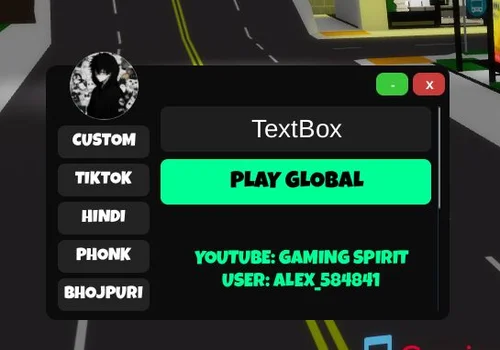
]])()
Gaming_Spirit
Show script
loadstring(game:HttpGet("https://pastebin.com/raw/6EUYRiXE"))()
Rado Hub
Show script
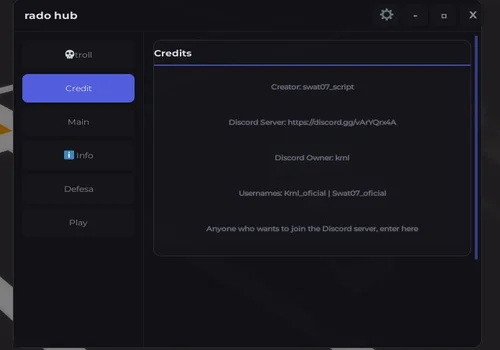
loadstring(game:HttpGet("https://gist.githubusercontent.com/marcossilvasilva3456789-commits/253b43255ba03492f9380f4a10fbbe2a/raw/89e8dd58e6daaa7c9fe138b3f6472941058f7aaa/Script%2520brookhaven"))()Brookhaven RP scripts with key system
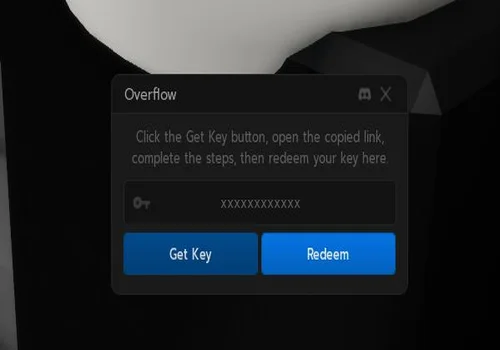
Overflow hub
Show script
loadstring(game:HttpGet("https://overflow.cx/loader.html"))()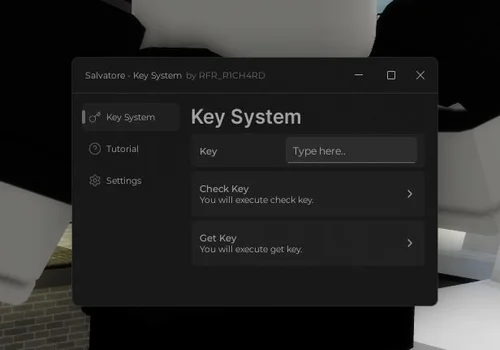
Salvatore Hub
Show script
loadstring(game:HttpGet("https://raw.githubusercontent.com/RFR-R1CH4RD/Loader/main/Salvatore.lua"))()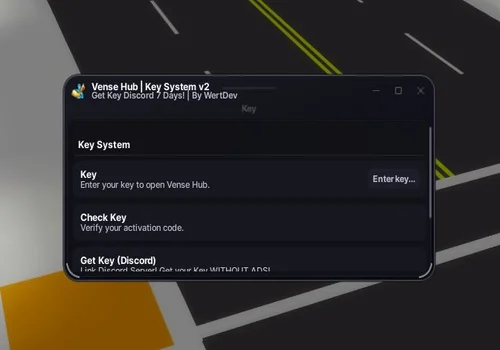
Vense Hub
Show script
loadstring(game:HttpGet("https://raw.githubusercontent.com/Wertdev-X/Vense-Hub-/refs/heads/main/Brookhaven%20RP%20-%20luaU"))()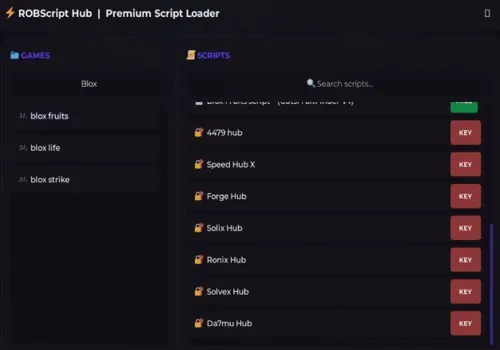
Robscript hub
Show script
loadstring(game:HttpGet('https://raw.githubusercontent.com/artas01/robscript/refs/heads/main/loader.lua'))()Script list updates
June 2026 updates
- Updated: The page structure, introduction, comparison table and FAQ were improved.
- Removed (NO KEY): Dragon, Hexagon, Electronics Center.
- Removed (KEY SYSTEM): Project Santerium.
- Added (NO KEY): Gaming_Spirit, Manox Hub, HD Admin Menu and Rado Hub.
- Added (KEY SYSTEM): Vense Hub.
- Checked: All remaining scripts were reviewed at the time of the latest update.
How to use scripts?
- Copy the script and paste it into any executor. (Delta, Solara, Arceus X, Fluxus, Synapse X)
- Click execute.
- The script is working!
How to choose a Brookhaven RP script
Start with the comparison table and check the access type, supported device, compatibility tags and latest update notes. A no-key script is usually easier to test, while a key-system script may require extra steps before the menu opens.
- Choose scripts marked for your device: PC, mobile or both.
- Check whether the script is no-key or uses a key system.
- Read the feature list before choosing a script hub.
- Use the changelog to see what was added, removed or checked recently.
Important safety notes
Third-party scripts can stop working, behave differently after updates or create account risks. Be careful with unknown downloads, key websites and tools that ask for personal account information.
- Use an alternate account if you decide to test third-party scripts.
- Do not use scripts to harm other players, disrupt servers or break Roblox rules.
- Never enter your Roblox password into any script, executor, Discord bot or key website.
- Download executors and tools only from sources you personally trust.
- We are not responsible for how third-party scripts are used or maintained.
Brookhaven RP Scripts FAQ
Are these Brookhaven RP scripts no key?
The page includes both no-key scripts and key-system scripts. Check the access type inside each script card before choosing one.
Do Brookhaven RP scripts work on mobile?
Many scripts listed on this page are marked as PC and mobile compatible. Mobile support can still depend on the executor, device and latest Roblox updates.
Why is a Brookhaven RP script not working?
A script may stop working because of a Roblox update, Brookhaven RP update, executor issue, removed remote function or change made by the script developer.
What is the difference between no-key and key-system scripts?
No-key scripts usually load without an extra unlock step. Key-system scripts may require completing a key process before the script interface becomes available.
Which Brookhaven RP script should I choose?
Choose a script based on your device, access type and required features. For a simple option, start with scripts marked as no-key and checked recently.
Are Brookhaven RP scripts safe?
Third-party scripts always carry risk. Avoid unknown downloads, password requests, suspicious key websites and tools that ask for personal account information.
How often is this page updated?
The script list is updated when scripts are added, removed, checked or replaced. See the changelog section for the latest page changes.
![🌲99 Nights in the Forest scripts 2026 – [NO KEY]](https://robscript.com/wp-content/uploads/2025/08/99-Nights-in-the-Forest-scripts.webp)