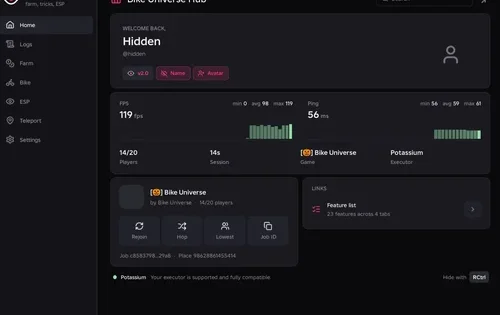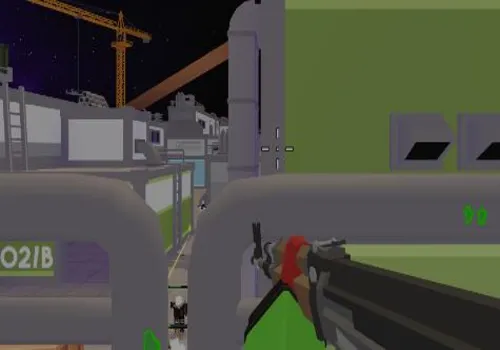
Hypershot is a fast-paced Roblox FPS with Team Deathmatch, Capture the Flag, Gun Game, duels, weapons, skins, and ability-based combat. On this page, you can find working Hypershot scripts with features such as ESP, Aimbot, Silent Aim, Gun Mods, No Recoil, Bot Farm, Auto Buy Cases, and utility tools for PC and mobile executors.
Scripts are listed by access type, risk level, supported executors, and update status. Some combat features can be risky in FPS games, so avoid using high-risk options such as Hitbox Expander on your main account.
Game link: Hypershot

Best Hypershot script right now
If you want a simple no-key option, start with the 717 exe / XVC Hub script. It includes FPS-focused features such as ESP, Silent Aim, Gun Mods, No Recoil, Bot Farm, and Auto Buy Cases. For safer use, avoid Hitbox Expander and other high-risk features on your main account.
Hypershot developers may ban script users very quickly
Hypershot is an active competitive FPS game, and its developers may react quickly to suspicious behavior. Using scripts, exploits, aimbot, silent aim, hitbox changes, no recoil, kill aura, or other combat advantages can lead to fast reports, detection, or account penalties.
- Do not use scripts on your main Roblox account.
- Avoid Hitbox Expander, Kill Aura, Kill All, Silent Aim, and No Recoil in public matches.
- Scripts can stop working or become unsafe after any Hypershot, Roblox, or executor update.
- RobScript does not control third-party scripts and is not responsible for bans, data loss, or account penalties.
KEYLESS Hypershot scripts
717 exe
Show script
loadstring(game:HttpGet("https://raw.githubusercontent.com/arcadeisreal/717exe_Hypershot/refs/heads/main/loader.lua"))()Risky Hypershot scripts
The scripts in this section include features that may carry a higher ban risk or may be unstable in live matches. Use them only on alternate accounts and avoid aggressive combat features if you want to reduce detection risk.
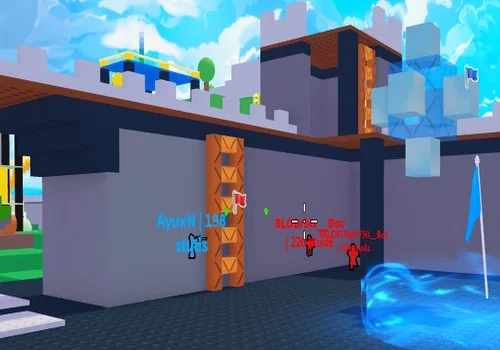
Kracer_Wusr ver 1.0
Show script
--[[======================================================
                ESP ONLY SCRIPT
                    by Kracer_Wusr

    👁 ESP (подсветка игроков и мобов):
    [ E ] — включить / выключить ESP
    • Синие — игроки
    • Красные — мобы
    • Отображается дистанция

======================================================]]

local Players = game:GetService("Players")
local UserInputService = game:GetService("UserInputService")
local RunService = game:GetService("RunService")
local LocalPlayer = Players.LocalPlayer
local MobsFolder = workspace:WaitForChild("Mobs")

local ESPEnabled = true
local BillboardGuis = {}

-- =========================
-- Функции для ESP
-- =========================
local function createESP(character, isMob)
    local hrp = character:FindFirstChild("HumanoidRootPart")
    if not hrp then return end

    -- Highlight
    if not character:FindFirstChild("HighlightESP") then
        local highlight = Instance.new("Highlight")
        highlight.Name = "HighlightESP"
        highlight.FillColor = isMob and Color3.fromRGB(255,0,0) or Color3.fromRGB(0,170,255)
        highlight.OutlineColor = Color3.new(0,0,0)
        highlight.FillTransparency = 0.3
        highlight.OutlineTransparency = 0
        highlight.DepthMode = Enum.HighlightDepthMode.AlwaysOnTop
        highlight.Parent = character
        highlight.Adornee = character
    end

    -- BillboardGui
    if not BillboardGuis[character] then
        local billboard = Instance.new("BillboardGui")
        billboard.Name = "ESPBillboard"
        billboard.Adornee = hrp
        billboard.Size = UDim2.new(0,100,0,50)
        billboard.StudsOffset = Vector3.new(0,3,0)
        billboard.AlwaysOnTop = true

        local text = Instance.new("TextLabel")
        text.Size = UDim2.new(1,0,1,0)
        text.BackgroundTransparency = 1
        text.TextColor3 = isMob and Color3.fromRGB(255,0,0) or Color3.fromRGB(0,170,255)
        text.TextScaled = true
        text.Font = Enum.Font.SourceSansBold
        text.Parent = billboard

        billboard.Parent = hrp
        BillboardGuis[character] = text
    end
end

local function updateESP()
    for char,text in pairs(BillboardGuis) do
        if char:FindFirstChild("HumanoidRootPart") and ESPEnabled and LocalPlayer.Character and LocalPlayer.Character:FindFirstChild("HumanoidRootPart") then
            local dist = (LocalPlayer.Character.HumanoidRootPart.Position - char.HumanoidRootPart.Position).Magnitude
            text.Text = char.Name .. " | " .. math.floor(dist) .. " studs"
            text.Visible = true
        elseif text then
            text.Visible = false
        end
    end
end

-- =========================
-- Обновление персонажа
-- =========================
local function updateCharacter(character, isMob)
    local hrp = character:FindFirstChild("HumanoidRootPart")
    if hrp then
        createESP(character,isMob)
    end
end

-- =========================
-- Управление клавишами
-- =========================
UserInputService.InputBegan:Connect(function(input, gameProcessed)
    if gameProcessed then return end
    if input.KeyCode == Enum.KeyCode.E then
        ESPEnabled = not ESPEnabled
    end
end)

-- =========================
-- RenderStepped для обновления ESP
-- =========================
RunService.RenderStepped:Connect(function()
    updateESP()
end)

-- =========================
-- Подписка на игроков и мобов
-- =========================
local function setupPlayer(player)
    if player.Character then updateCharacter(player.Character,false) end
    player.CharacterAdded:Connect(function(char) updateCharacter(char,false) end)
end

for _, player in ipairs(Players:GetPlayers()) do setupPlayer(player) end
Players.PlayerAdded:Connect(setupPlayer)

for _, mob in ipairs(MobsFolder:GetChildren()) do updateCharacter(mob,true) end
MobsFolder.ChildAdded:Connect(function(mob) updateCharacter(mob,true) end)
Kracer_Wusr ver 2.0
Show script
--[[======================================================
                ENHANCED ESP SCRIPT
                    by Kracer_Wusr

    👁 УЛУЧШЕННЫЙ ESP:

    🎮 УПРАВЛЕНИЕ:
    [ E ]   — включить/выключить ESP
    [ R ]   — переключить режим отображения (Имя/Здоровье/Дистанция)
    [ F ]   — переключить тип подсветки (Highlight/Box/Оба)

    🎨 ФУНКЦИИ:
    • Игроки — синий цвет
    • Мобы — красный цвет
    • Друзья/команда — зелёный цвет
    • Отображение здоровья (%)
    • Отображение дистанции
    • Настраиваемый стиль рамки
    • Фильтрация по дистанции
    • Настройка прозрачности

======================================================]]

-- =========================
-- НАСТРОЙКИ
-- =========================
local CONFIG = {
    ESP = {
        Enabled = true,
        Mode = 1,  -- 1: Имя+Дистанция, 2: Здоровье+Дистанция, 3: Имя+Здоровье+Дистанция
        Style = 1, -- 1: Highlight, 2: Box, 3: Оба
        MaxDistance = 500,  -- Максимальная дистанция отображения
        Transparency = 0.3,  -- Прозрачность подсветки (0-1)
        TeamColorEnabled = true,  -- Подсвечивать команду зелёным
        ShowHealth = true,
        ShowDistance = true,
        ShowName = true
    }
}

local Players = game:GetService("Players")
local UserInputService = game:GetService("UserInputService")
local RunService = game:GetService("RunService")
local LocalPlayer = Players.LocalPlayer
local MobsFolder = workspace:FindFirstChild("Mobs")
local Teams = game:GetService("Teams")

local ESPObjects = {}  -- Хранилище объектов ESP
local BoxCache = {}    -- Кэш боксов для оптимизации

-- =========================
-- ВСПОМОГАТЕЛЬНЫЕ ФУНКЦИИ
-- =========================
local function isTeammate(player)
    if not CONFIG.ESP.TeamColorEnabled then return false end
    if player == LocalPlayer then return false end
    if LocalPlayer.Team and player.Team and LocalPlayer.Team == player.Team then
        return true
    end
    return false
end

local function getCharacterColor(character, isMob, player)
    if isMob then
        return Color3.fromRGB(255, 50, 50)  -- Красный для мобов
    elseif player and isTeammate(player) then
        return Color3.fromRGB(50, 255, 50)  -- Зелёный для тиммейтов
    else
        return Color3.fromRGB(0, 170, 255)  -- Синий для врагов
    end
end

-- =========================
-- СОЗДАНИЕ РАМКИ (BOX ESP)
-- =========================
local function createBoxEsp(character, color)
    -- Проверяем, есть ли уже бокс
    if BoxCache[character] then
        BoxCache[character].Color = color
        return
    end

    -- Создаём группу для бокса
    local boxGroup = Instance.new("Model")
    boxGroup.Name = "BoxESP"
    boxGroup.Parent = character

    -- Верхняя рамка
    local topBox = Instance.new("SelectionBox")
    topBox.Name = "TopBox"
    topBox.Adornee = character:FindFirstChild("Head") or character:FindFirstChild("HumanoidRootPart")
    topBox.Color3 = color
    topBox.LineThickness = 0.05
    topBox.Transparency = CONFIG.ESP.Transparency
    topBox.Parent = boxGroup

    -- Нижняя рамка (для всего тела)
    local fullBox = Instance.new("SelectionBox")
    fullBox.Name = "FullBox"
    fullBox.Adornee = character:FindFirstChild("HumanoidRootPart") or character:FindFirstChild("Head")
    fullBox.Color3 = color
    fullBox.LineThickness = 0.08
    fullBox.Transparency = CONFIG.ESP.Transparency
    fullBox.Parent = boxGroup

    BoxCache[character] = {
        TopBox = topBox,
        FullBox = fullBox,
        Color = color
    }
end

-- =========================
-- СОЗДАНИЕ HIGHLIGHT
-- =========================
local function createHighlight(character, color)
    local highlight = character:FindFirstChild("HighlightESP")
    if not highlight then
        highlight = Instance.new("Highlight")
        highlight.Name = "HighlightESP"
        highlight.OutlineColor = Color3.new(0, 0, 0)
        highlight.FillTransparency = CONFIG.ESP.Transparency
        highlight.OutlineTransparency = 0
        highlight.DepthMode = Enum.HighlightDepthMode.AlwaysOnTop
        highlight.Parent = character
        highlight.Adornee = character
    end
    highlight.FillColor = color
    return highlight
end

-- =========================
-- СОЗДАНИЕ ТЕКСТА
-- =========================
local function createTextEsp(character, isMob, player)
    local hrp = character:FindFirstChild("HumanoidRootPart") or character:FindFirstChild("Head")
    if not hrp then return end

    if ESPObjects[character] and ESPObjects[character].Billboard then
        return ESPObjects[character].Billboard
    end

    local billboard = Instance.new("BillboardGui")
    billboard.Name = "ESPBillboard"
    billboard.Adornee = hrp
    billboard.Size = UDim2.new(0, 200, 0, 60)
    billboard.StudsOffset = Vector3.new(0, 2.5, 0)
    billboard.AlwaysOnTop = true
    billboard.ResetOnSpawn = false

    local frame = Instance.new("Frame")
    frame.Size = UDim2.new(1, 0, 1, 0)
    frame.BackgroundTransparency = 0.5
    frame.BackgroundColor3 = Color3.fromRGB(0, 0, 0)
    frame.BorderSizePixel = 1
    frame.BorderColor3 = Color3.fromRGB(255, 255, 255)
    frame.Parent = billboard

    local textLabel = Instance.new("TextLabel")
    textLabel.Size = UDim2.new(1, 0, 1, 0)
    textLabel.BackgroundTransparency = 1
    textLabel.TextColor3 = getCharacterColor(character, isMob, player)
    textLabel.TextScaled = true
    textLabel.Font = Enum.Font.GothamBold
    textLabel.TextStrokeTransparency = 0.5
    textLabel.TextStrokeColor3 = Color3.fromRGB(0, 0, 0)
    textLabel.Parent = frame

    local healthBar = Instance.new("Frame")
    healthBar.Name = "HealthBar"
    healthBar.Size = UDim2.new(1, 0, 0.2, 0)
    healthBar.Position = UDim2.new(0, 0, 1, 0)
    healthBar.BackgroundColor3 = Color3.fromRGB(255, 0, 0)
    healthBar.BorderSizePixel = 0
    healthBar.Visible = CONFIG.ESP.ShowHealth
    healthBar.Parent = frame

    local healthFill = Instance.new("Frame")
    healthFill.Name = "HealthFill"
    healthFill.Size = UDim2.new(1, 0, 1, 0)
    healthFill.BackgroundColor3 = Color3.fromRGB(0, 255, 0)
    healthFill.BorderSizePixel = 0
    healthFill.Parent = healthBar

    billboard.Parent = hrp

    ESPObjects[character] = {
        Billboard = billboard,
        Text = textLabel,
        HealthBar = healthFill,
        LastHealth = 100
    }

    return billboard
end

-- =========================
-- ОБНОВЛЕНИЕ ТЕКСТА
-- =========================
local function updateText(character, isMob, player)
    if not ESPObjects[character] then return end

    local hrp = character:FindFirstChild("HumanoidRootPart")
    local humanoid = character:FindFirstChild("Humanoid")

    if not hrp or not humanoid then return end

    local distance = (LocalPlayer.Character and LocalPlayer.Character:FindFirstChild("HumanoidRootPart") and
                     (LocalPlayer.Character.HumanoidRootPart.Position - hrp.Position).Magnitude) or 0

    if distance > CONFIG.ESP.MaxDistance then
        ESPObjects[character].Billboard.Enabled = false
        return
    else
        ESPObjects[character].Billboard.Enabled = CONFIG.ESP.Enabled
    end

    local text = ""

    if CONFIG.ESP.Mode == 1 then
        if CONFIG.ESP.ShowName then text = character.Name end
        if CONFIG.ESP.ShowDistance then text = text .. (text ~= "" and " | " or "") .. math.floor(distance) .. "м" end
    elseif CONFIG.ESP.Mode == 2 then
        local healthPercent = math.floor((humanoid.Health / humanoid.MaxHealth) * 100)
        if CONFIG.ESP.ShowHealth then text = "❤️ " .. healthPercent .. "%" end
        if CONFIG.ESP.ShowDistance then text = text .. (text ~= "" and " | " or "") .. math.floor(distance) .. "м" end
    elseif CONFIG.ESP.Mode == 3 then
        if CONFIG.ESP.ShowName then text = character.Name end
        local healthPercent = math.floor((humanoid.Health / humanoid.MaxHealth) * 100)
        if CONFIG.ESP.ShowHealth then text = text .. (text ~= "" and " ❤️ " or "❤️ ") .. healthPercent .. "%" end
        if CONFIG.ESP.ShowDistance then text = text .. (text ~= "" and " | " or "") .. math.floor(distance) .. "м" end
    end

    -- Обновление полоски здоровья
    if CONFIG.ESP.ShowHealth and ESPObjects[character].HealthBar then
        local healthPercent = math.max(0, (humanoid.Health / humanoid.MaxHealth))
        ESPObjects[character].HealthBar.Size = UDim2.new(healthPercent, 0, 1, 0)

        -- Меняем цвет полоски здоровья
        if healthPercent > 0.6 then
            ESPObjects[character].HealthBar.BackgroundColor3 = Color3.fromRGB(0, 255, 0)
        elseif healthPercent > 0.3 then
            ESPObjects[character].HealthBar.BackgroundColor3 = Color3.fromRGB(255, 255, 0)
        else
            ESPObjects[character].HealthBar.BackgroundColor3 = Color3.fromRGB(255, 0, 0)
        end
    end

    ESPObjects[character].Text.Text = text
end

-- =========================
-- ОБНОВЛЕНИЕ ВСЕГО ESP
-- =========================
local function updateESP(character, isMob, player)
    if not character or not character.Parent then return end

    local hrp = character:FindFirstChild("HumanoidRootPart") or character:FindFirstChild("Head")
    if not hrp then return end

    local color = getCharacterColor(character, isMob, player)

    -- Обновляем подсветку в зависимости от стиля
    if CONFIG.ESP.Style == 1 or CONFIG.ESP.Style == 3 then
        createHighlight(character, color)
    elseif CONFIG.ESP.Style == 2 and ESPObjects[character] and ESPObjects[character].Highlight then
        ESPObjects[character].Highlight:Destroy()
    end

    -- Обновляем рамку
    if CONFIG.ESP.Style == 2 or CONFIG.ESP.Style == 3 then
        createBoxEsp(character, color)
    elseif CONFIG.ESP.Style == 1 and BoxCache[character] then
        BoxCache[character].TopBox:Destroy()
        BoxCache[character].FullBox:Destroy()
        BoxCache[character] = nil
    end

    -- Обновляем текст
    createTextEsp(character, isMob, player)
    updateText(character, isMob, player)
end

-- =========================
-- УДАЛЕНИЕ ESP ПРИ СМЕРТИ
-- =========================
local function removeESP(character)
    if ESPObjects[character] then
        if ESPObjects[character].Billboard then
            ESPObjects[character].Billboard:Destroy()
        end
        ESPObjects[character] = nil
    end

    if BoxCache[character] then
        if BoxCache[character].TopBox then
            BoxCache[character].TopBox:Destroy()
        end
        if BoxCache[character].FullBox then
            BoxCache[character].FullBox:Destroy()
        end
        BoxCache[character] = nil
    end

    local highlight = character:FindFirstChild("HighlightESP")
    if highlight then
        highlight:Destroy()
    end
end

-- =========================
-- ОБНОВЛЕНИЕ ПЕРСОНАЖА
-- =========================
local function setupCharacter(character, isMob, player)
    if not character then return end

    -- Очищаем старые объекты
    removeESP(character)

    -- Добавляем новые
    updateESP(character, isMob, player)

    -- Отслеживаем изменения здоровья
    local humanoid = character:FindFirstChild("Humanoid")
    if humanoid then
        humanoid:GetPropertyChangedSignal("Health"):Connect(function()
            updateText(character, isMob, player)
        end)
    end

    -- Отслеживаем смерть
    character.AncestryChanged:Connect(function()
        if not character.Parent then
            removeESP(character)
        end
    end)
end

-- =========================
-- ОБРАБОТЧИКИ ИГРОКОВ
-- =========================
local function setupPlayer(player)
    if player.Character then
        setupCharacter(player.Character, false, player)
    end

    player.CharacterAdded:Connect(function(character)
        wait(0.5) -- Небольшая задержка для стабильности
        setupCharacter(character, false, player)
    end)

    player.CharacterRemoving:Connect(function(character)
        removeESP(character)
    end)
end

-- =========================
-- ОБРАБОТЧИКИ МОБОВ
-- =========================
local function setupMobs()
    if not MobsFolder then return end

    for _, mob in ipairs(MobsFolder:GetChildren()) do
        setupCharacter(mob, true, nil)
    end

    MobsFolder.ChildAdded:Connect(function(mob)
        setupCharacter(mob, true, nil)
    end)

    MobsFolder.ChildRemoved:Connect(function(mob)
        removeESP(mob)
    end)
end

-- =========================
-- ФУНКЦИЯ ОБНОВЛЕНИЯ ВСЕХ ОБЪЕКТОВ
-- =========================
local function refreshAllESP()
    for _, player in ipairs(Players:GetPlayers()) do
        if player ~= LocalPlayer and player.Character then
            setupCharacter(player.Character, false, player)
        end
    end

    if MobsFolder then
        for _, mob in ipairs(MobsFolder:GetChildren()) do
            setupCharacter(mob, true, nil)
        end
    end
end

-- =========================
-- УПРАВЛЕНИЕ С КЛАВИАТУРЫ
-- =========================
UserInputService.InputBegan:Connect(function(input, gameProcessed)
    if gameProcessed then return end

    if input.KeyCode == Enum.KeyCode.E then
        CONFIG.ESP.Enabled = not CONFIG.ESP.Enabled
        refreshAllESP()

        -- Визуальный отклик
        if CONFIG.ESP.Enabled then
            print("✅ ESP включен")
        else
            print("❌ ESP выключен")
        end

    elseif input.KeyCode == Enum.KeyCode.R then
        CONFIG.ESP.Mode = (CONFIG.ESP.Mode % 3) + 1
        local modes = {"Имя+Дистанция", "Здоровье+Дистанция", "Имя+Здоровье+Дистанция"}
        print("🔄 Режим отображения: " .. modes[CONFIG.ESP.Mode])
        refreshAllESP()

    elseif input.KeyCode == Enum.KeyCode.F then
        CONFIG.ESP.Style = (CONFIG.ESP.Style % 3) + 1
        local styles = {"Highlight", "Box", "Highlight + Box"}
        print("🎨 Стиль подсветки: " .. styles[CONFIG.ESP.Style])
        refreshAllESP()
    end
end)

-- =========================
-- ОСНОВНОЙ ЦИКЛ ОБНОВЛЕНИЯ
-- =========================
RunService.RenderStepped:Connect(function()
    if not CONFIG.ESP.Enabled then return end

    for _, player in ipairs(Players:GetPlayers()) do
        if player ~= LocalPlayer and player.Character then
            updateText(player.Character, false, player)
        end
    end

    if MobsFolder then
        for _, mob in ipairs(MobsFolder:GetChildren()) do
            updateText(mob, true, nil)
        end
    end
end)

-- =========================
-- ЗАПУСК
-- =========================
-- Инициализация существующих игроков
for _, player in ipairs(Players:GetPlayers()) do
    if player ~= LocalPlayer then
        setupPlayer(player)
    end
end

-- Инициализация мобов
setupMobs()

-- Подписка на новых игроков
Players.PlayerAdded:Connect(function(player)
    if player ~= LocalPlayer then
        setupPlayer(player)
    end
end)

print("✨ Улучшенный ESP загружен!")
print("🎮 Управление: [E] - вкл/выкл | [R] - режим текста | [F] - стиль подсветки")
Robscript hub
Show script
loadstring(game:HttpGet('https://raw.githubusercontent.com/artas01/robscript/refs/heads/main/loader.lua'))()How to use Hypershot scripts
- Choose a Hypershot script from the list above.
- Copy the script code.
- Open a compatible Roblox executor on PC or mobile.
- Paste the script into the executor.
- Join Hypershot and execute the script.
- If the script does not load, try another supported executor or check whether the game was recently updated.
Hypershot scripts FAQ
Are Hypershot scripts free?
Most Hypershot scripts listed on this page are free. Some scripts may use a key system, but the main listed option is marked as no key when available.
Do Hypershot scripts work on mobile?
Some Hypershot scripts support mobile executors such as Delta, Arceus X, Codex, or similar tools. Compatibility may change after Roblox or game updates.
Why is Hitbox Expander risky?
Hitbox Expander changes combat behavior in a very visible way. In FPS games like Hypershot, this can increase the chance of reports or account penalties.
What should I do if a Hypershot script is not working?
Try another executor, check whether Hypershot was recently updated, and avoid outdated script versions. If the script still does not work, report it so the page can be checked again.

![Скрипт Игра в Слова [🇷🇺] 2026 – (Автоподбор Слов)](https://robscript.com/wp-content/uploads/2026/10/ИграВСлова1-500x315.webp)