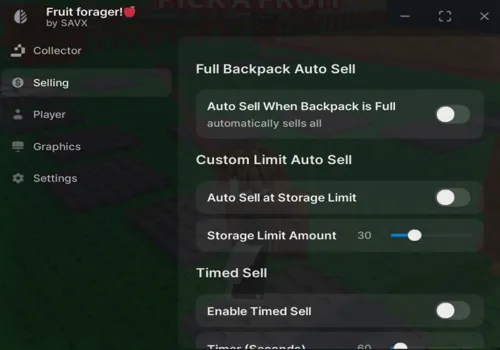
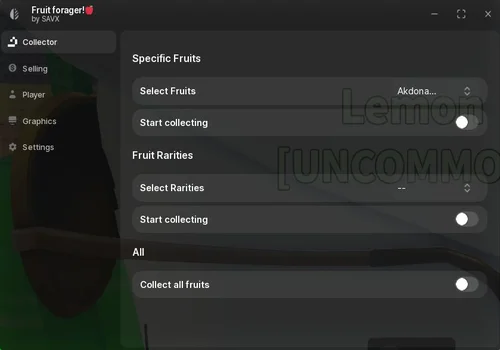
Savx handled the collecting part well, including our fruit and rarity filters. The problem came when the backpack filled up: it kept trying to collect, and none of the Selling settings emptied the bag. It is useful for picking up what you want, with selling left to you.
Savx: The Collector Is the Useful Part
Savx
- Auto Collect Specific Fruits
- Auto Collect by Rarity
- Collect All Fruits
- +5 more
Details
Savx functions
- Auto Collect Specific Fruits
- Auto Collect by Rarity
- Collect All Fruits
- Walk Speed
- Jump Power
- Noclip
- Solid Color Textures
- Hide Game GUI
Change history
- — RobScript check: collection and filters worked; Selling settings failed.
Script code
loadstring(game:HttpGet("https://pastebin.com/raw/y59N4wXv"))()
The collector worked properly in our check. We could choose specific fruits or set a rarity filter, and it collected according to those choices. Those controls are the reason we would use this script when hunting a particular fruit.
Our main complaint was what happened after the inventory filled up. Savx kept trying to farm fruit even though there was no room left. Every Selling setting we checked failed, including selling with a full backpack, at a custom storage limit, and on a timer. The collection-and-sale cycle therefore stops at the selling step.
Plan to stop collection and sell fruit yourself when you need space. We did not confirm whether it resumes automatically after a manual sale, so check the collector again before leaving it running.
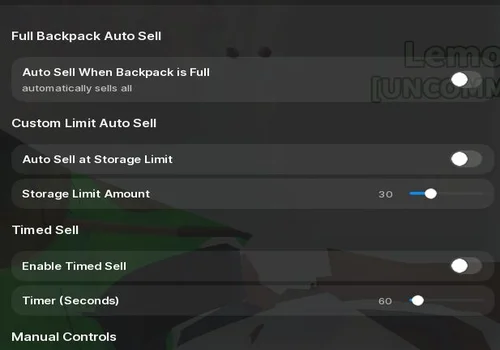
The working rarity filters control what gets collected. They do not confirm that selected or Unique fruits will be protected from selling. We did not verify a working keep-fruit filter in Selling.
Player and Graphics Settings
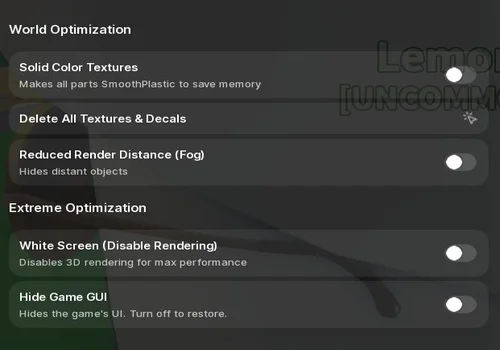
Walk Speed, Jump Power, and Noclip worked. The graphics options had mixed results, and White Screen was the awkward one to use.
MiloTech Systems: A List and Zone Teleports
MiloTech Systems
- Fruit Search Results List
- Teleport to Forest
- Teleport to Desert
- +4 more
Details
MiloTech Systems functions
- Fruit Search Results List
- Teleport to Forest
- Teleport to Desert
- Teleport to Tundra
- Teleport to Autumn Forest
- Teleport to Volcano
- Teleport to Mystic Forest
Change history
- — RobScript check: text search and all six listed zone teleports worked.
Script code
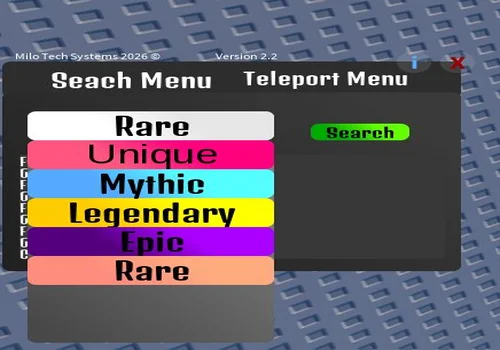
loadstring(game:HttpGet("https://raw.githubusercontent.com/MiloTechSystems/roblox-scripts/refs/heads/fruit-foragers/Fruit%20Forager%20Menu%20V3"))()We found the finder underwhelming. Select a rarity and press Search, and it puts matching names into a list inside the interface. That was all we got from the search: it did not show us fruit locations in the world or pick the fruit up.
The readable source explains the basic behavior: Search matches the selected word against object names and prints the results into the menu. Treat it as a list rather than a map of fruit locations.
The Teleport Menu was more useful. Teleports worked to Forest, Desert, Tundra, Autumn Forest, Volcano, and Mystic Forest. If you want to move between those areas, this is the reason we would use MiloTech; for collecting fruit, we would choose Savx.
Earlier entries: NWKZ and Pulsar X were not retested for this update. Their old loaders are outside the current recommendations; this is not a new failed-test verdict for either script.