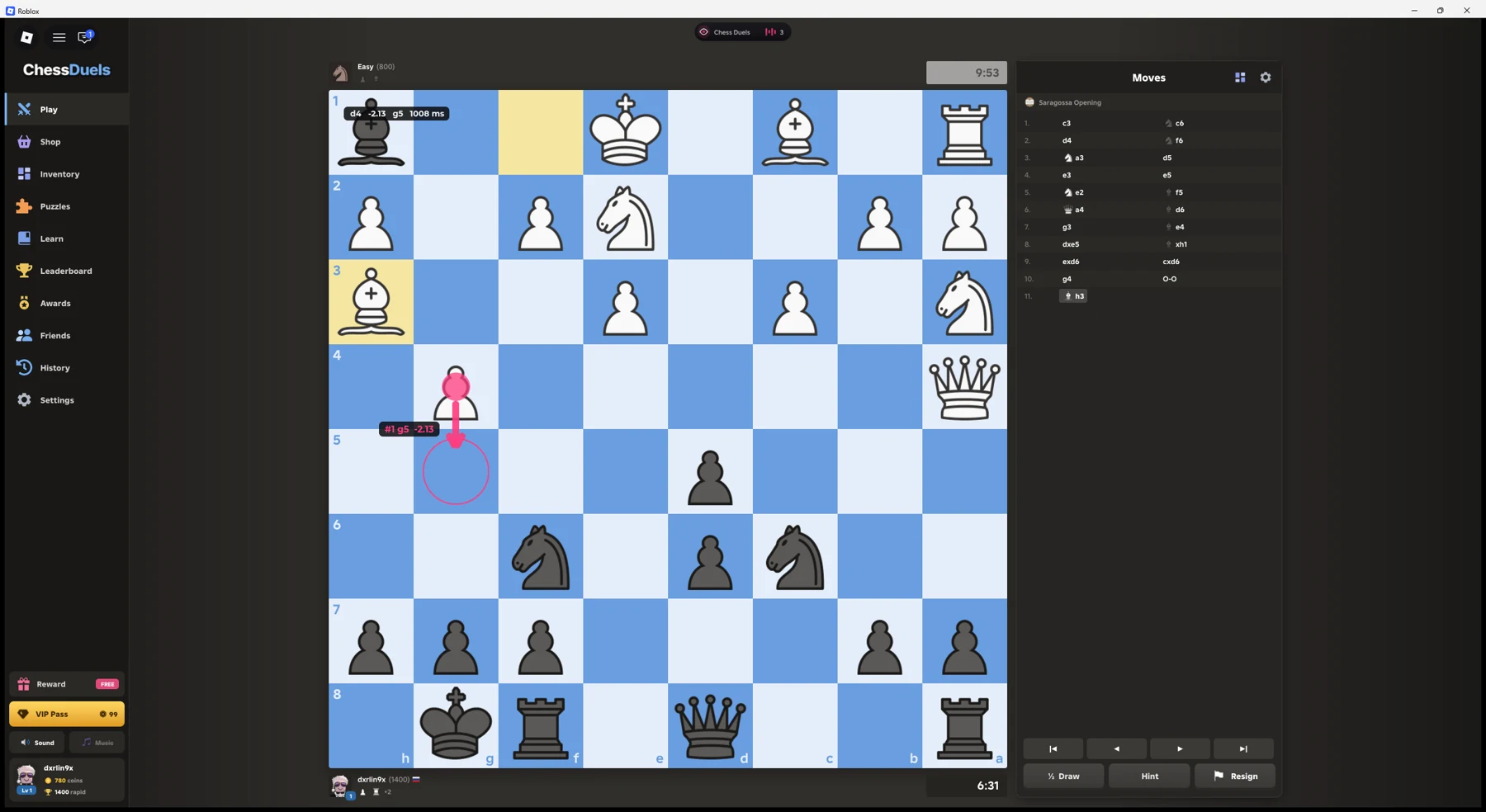
See the suggested move directly on the board, or let Auto play make it. Our Chess Duels script uses the game’s own chess engine, with optional alternative arrows and a position evaluation. We checked it against computer and human opponents on PC with Potassium.
Tested working — November 11, 2026, PC with Potassium. Copy the NO KEY script.
Robscript Team – Chess Duels
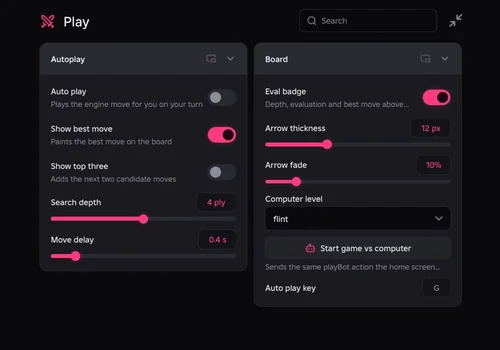
Show the engine's suggested move on the board, compare up to three candidates and optionally play automatically on your turn. Bot and human matches were tested; two bot games ended in checkmate wins.
- Auto Play — send the suggested legal move on your turn
- Best Move Arrow — mark the starting and target squares
- Top Three Candidates — show alternative move arrows
- +5 more
Details
Robscript Team – Chess Duels functions
- Auto Play — send the suggested legal move on your turn
- Best Move Arrow — mark the starting and target squares
- Top Three Candidates — show alternative move arrows
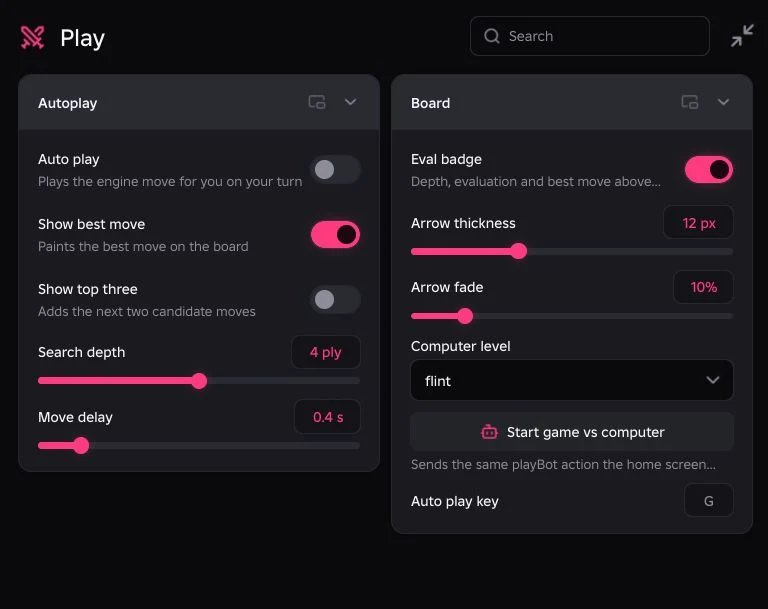
- Search Depth — choose how far the engine searches, from 2 to 6
- Move Delay — set a pause before automatic moves
- Position Evaluation — see the score, move, depth and search time
- Board Alignment — arrows follow normal and flipped boards
- Overlay Styling — adjust arrow thickness, fade and evaluation badge
Change history
- — We tested on PC with Potassium. Auto play and board arrows worked against computers and human opponents. Two recorded bot wins ended with Qc2# and Qxd2#. Arrow alignment was checked on a flipped board.
Script code
loadstring(game:HttpGet("https://raw.githubusercontent.com/bobloscript/scripts/refs/heads/main/ChessDuels"))()Join Chess Duels and run the code. RightControl opens the hub; G toggles Auto play by default, and you can change that bind. See our executor directory for setup options.
Higher depth still spends your clock
In our recorded starting position, depth 4 took about 139 ms and depth 5 about one second. Depth 4 took roughly 400–1,000 ms in middlegame positions. Those are session measurements, not fixed speeds. The delay slider is added to the search time, so setting it low does not make a deep search instant.
What was checked
Auto play completed games against the computer, including two recorded checkmate wins. Follow-up testing also confirmed it against human opponents. We checked the main arrow, alternative arrows and flipped-board alignment. Puzzles, Learn and Practice use different flows and remain unverified.
If the board has no arrows
- Enable Show best move and wait for the current search to finish.
- When loading during an existing match, let the hub pick up the position. If it stays empty, wait for the next move or start a fresh game.
- Return from the move-history view to the live position before expecting Auto play to act.
- Lower Search depth if analysis stalls or the client struggles. Two restarts were observed during testing; the cause was not isolated.
Analysis also includes a ranked-move list and Copy FEN for exporting a position. These are tools in the current build, not a promise of perfect chess. Using scripts carries a ban risk. Read the Chess Duels source for the current implementation.