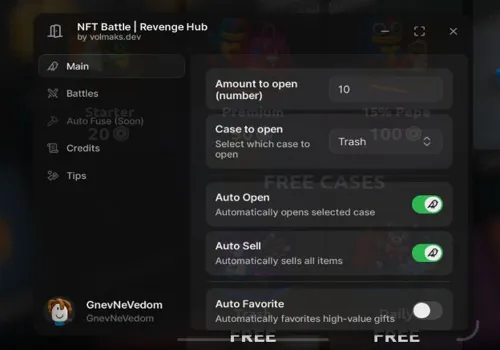
Set the selling limit before leaving a case opener running. This NFT Battle setup uses Robscript Team to alternate between selected cases and clear low-value drops along the way. BobloScript, further down, is the simpler option when you want to stay with one case.
Both scripts were developed by our team, and all listed functions are working in our checks. The BobloScript version was originally built for our other site.
1. Decide what Auto Sell may clear
2. Build the case rotation
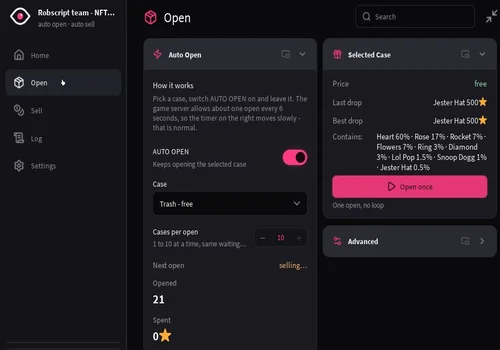
Robscript Team – Case Rotation & Inventory Dashboard
Use this hub for the mixed-case example below. The dashboard lets you follow the session’s spending, sales and drops as it runs.
- Case rotation with an opening count for each queue row
- Single-case Auto Open and manual Open once
- Opening batches of 1-10 cases
- +4 more
Details
Robscript Team – Case Rotation & Inventory Dashboard functions
- Case rotation with an opening count for each queue row
- Single-case Auto Open and manual Open once
- Opening batches of 1-10 cases
- Star reserve and Daily / Robux case skip controls
- Auto Sell with a price limit, sale preview and per-pass cap
- Inventory search, drop history and session totals
- Saved configs, themes, RightControl UI toggle and Unload hub
Change history
- – added to page
Script code
loadstring(game:HttpGet("https://raw.githubusercontent.com/bobloscript/robscript/refs/heads/main/NFTBattle", true))()3. Read the opening timer
Robscript Team spaces out opening requests to match the game server’s limit of about six seconds. A moving Next open countdown is normal. A larger batch can open during the same cycle; increasing the batch size does not remove the wait.
Staying with one case? Use BobloScript
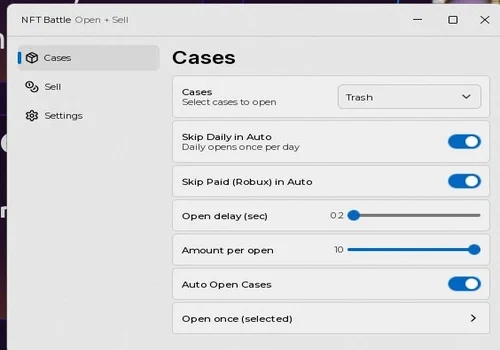
BobloScript – Auto Open & Auto Sell
A small setup for one chosen case. Set the timings once and let the opening-and-selling loop run.
- Repeat one selected case or open it once
- Adjust opening batch size and delay
- Skip Daily and paid Robux cases
- +2 more
Details
BobloScript – Auto Open & Auto Sell functions
- Repeat one selected case or open it once
- Adjust opening batch size and delay
- Skip Daily and paid Robux cases
- Sell automatically at a price limit or run one selling pass
- Adjust the inventory scan delay and print an inventory scan
Change history
- – added to page
Script code
loadstring(game:HttpGet("https://raw.githubusercontent.com/bobloscript/scripts/refs/heads/main/nftbattle", true))()