Use updated Pickaxe Tycoon scripts to automate the full tycoon farming loop: collecting ores, depositing resources, selling at better multipliers, buying pickaxes, merging pickaxes, upgrading furnace or anvil systems, collecting rewards, and managing chests. This page includes no-key and key-system scripts for PC and mobile executors, with feature details, compatibility information, update dates, and script cards for each available option.
Pickaxe Tycoon is built around scaling your plot through ores, pickaxes, upgrades, multipliers, rewards, and repeated farming actions. Scripts can reduce repetitive tasks, but they can also stop working after Roblox, executor, or game updates, so always check the access type, features, and compatibility before running anything.
Game link: Pickaxe Tycoon on Roblox
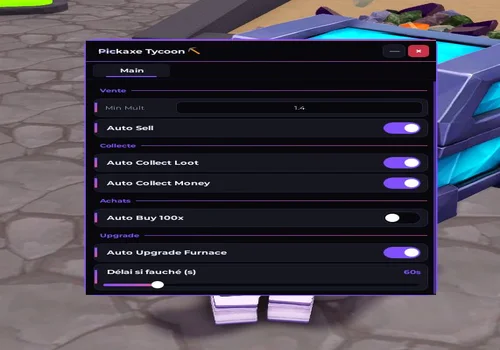
Pickaxe Tycoon Automation Loop
Most Pickaxe Tycoon scripts are designed around the same core loop: collect ores, deposit or sell them, use cash to buy more pickaxes, merge pickaxes into stronger tiers, upgrade your production systems, and repeat the process with better multipliers. The best scripts are useful because they automate several parts of this loop at once instead of only collecting resources.
- Ore collection: automatically collects ores or loot from your plot.
- Auto deposit and auto sell: sends ores or money through the correct tycoon systems with less manual input.
- Multiplier filtering: waits for selected ore or sell multipliers before depositing or selling.
- Pickaxe buying: buys pickaxes in bulk when enough cash is available.
- Pickaxe merging: combines pickaxes into higher tiers to improve your plot faster.
- Upgrade automation: helps upgrade furnace, anvil, or other progression systems.
- Chest and reward tools: can collect chests, offline income, group rewards, or passive bonuses when supported.
Keyless Pickaxe Tycoon Scripts

akkiwi
Show script
loadstring(game:HttpGet("https://raw.githubusercontent.com/femmehomme90-web/scripts/refs/heads/main/Pickaxe%20Tycoon"))()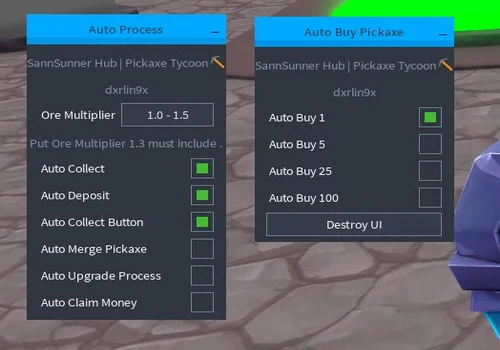
sannsunner hub
Show script
loadstring(game:HttpGet("https://raw.githubusercontent.com/X5Dermaster/Other-Script/refs/heads/main/PickaxeTycoon"))()
Pickaxe Tycoon Scripts with Key System
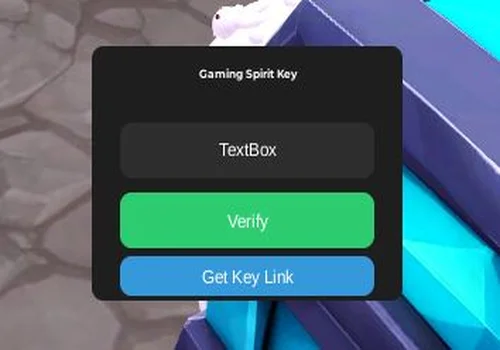
Gaming_Spirit
Show script
loadstring(game:HttpGet("https://pastebin.com/raw/pYTj7c0p"))()
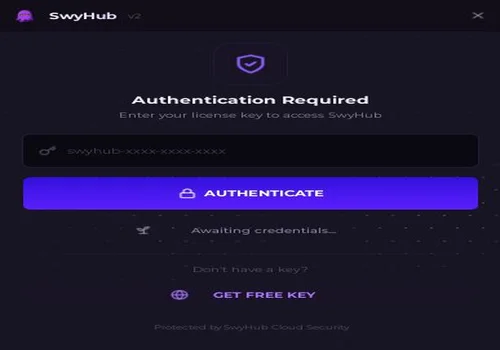
swy
Show script
loadstring(game:HttpGet("https://swyhub.site/exec"))()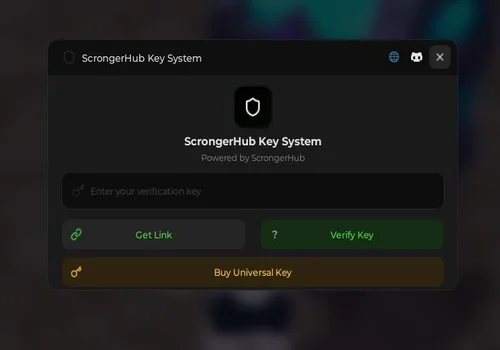
Scronger Hub
Show script
loadstring(game:HttpGet("https://api.jnkie.com/api/v1/luascripts/public/7157203a2f9b3309cb4f6ddc1ea2d88a669eafcf3615f4f9904055e3e963d2a7/download"))()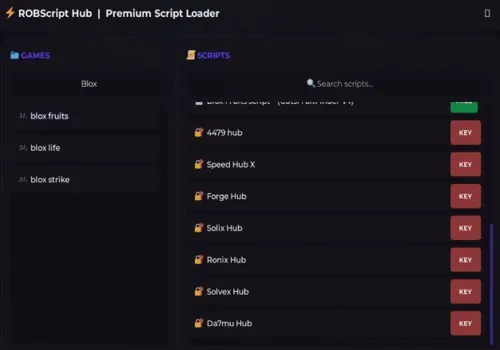
Robscript hub
Show script
loadstring(game:HttpGet('https://raw.githubusercontent.com/artas01/robscript/refs/heads/main/loader.lua'))()Multiplier-Based Selling Explained
Some Pickaxe Tycoon scripts include multiplier-based selling or deposit filters. Instead of selling immediately, the script can wait until the selected multiplier condition is reached, such as 1.2x, 1.3x, or 1.4x. This can make longer farming sessions more efficient because the script is not only collecting resources, but also trying to sell or deposit them at a better moment.
This feature is especially useful for players who want more control over farming efficiency. If a script supports multiplier settings, check the available threshold options before enabling auto sell or auto deposit.
No Key vs Key System Pickaxe Tycoon Scripts
No-key Pickaxe Tycoon scripts are usually easier to run because they do not require completing a key process before execution. They are useful when you only need basic farming automation such as collecting, selling, buying, merging, or upgrading.
Key-system scripts may take longer to open, but they often include larger hubs, more settings, better UI tools, chest filters, teleports, movement options, config saving, auto execute, or live farming stats. Choose the type based on how much automation you need and how comfortable you are with external key systems.
Pickaxe Tycoon Script Comparison
| Script | Best For | Access Type |
|---|---|---|
| akkiwi | Sell threshold, loot collection, money collection, furnace upgrades | No Key |
| sannsunner hub | Auto collect, multiplier filter, pickaxe buying, pickaxe merging | No Key |
| Gaming_Spirit | Simple farming, ore collection, chest collection | Key System |
| swy | Advanced all-in-one automation, UI, chests, rewards, teleports, stats | Key System |
| Scronger Hub | Ore farming, multiplier deposit, chest buying, upgrades, auto merge | Key System |
Which Pickaxe Tycoon Script Fits Your Farming Style?
Choose a script based on the part of the tycoon loop you want to automate. Some scripts are better for simple collecting and selling, while others are built for longer farming sessions with pickaxe merging, chest filters, teleports, settings, and background utility tools.
- akkiwi: a no-key option for selling by multiplier threshold, collecting loot and money, buying items in bulk, upgrading the furnace, and claiming group rewards.
- sannsunner hub: a no-key option for players who want auto collect, multiplier filters, auto deposit, auto upgrades, pickaxe buying, and pickaxe merging.
- Gaming_Spirit: a simple key-system option for basic auto farm, ore collection, and chest collection.
- swy: an advanced key-system hub for players who want a larger UI, auto buy, auto merge, ore pickup, chest filters, rewards, teleports, movement tools, configs, and live session stats.
- Scronger Hub: a farming-focused key-system option for ore collection, multiplier-based deposit, money collection, pickaxe buying, auto merge, rare chest buying, and upgrades.
Change Log
- 05/24/2026: Page created with the first Pickaxe Tycoon scripts, including akkiwi, sannsunner hub, Gaming_Spirit, swy, and Scronger Hub options.
How to Use Pickaxe Tycoon Scripts?
- Choose a Pickaxe Tycoon script from the list and check whether it is no-key or key-system.
- Check the supported executors, device tags, and feature list on the script card.
- Copy the script from the script card.
- Paste it into a compatible Roblox executor such as Delta, Codex, Arceus X, or another supported executor.
- Complete the key system if the selected script requires one.
- Execute the script and enable only the features you need, such as auto collect, auto sell, auto deposit, auto buy pickaxes, auto merge, chests, or upgrades.
Why a Pickaxe Tycoon Script May Not Work?
- Roblox or Pickaxe Tycoon was updated: updates can break auto collect, auto sell, auto merge, chest, or upgrade features.
- The script was patched: some functions may stop working until the developer updates the script.
- The executor is outdated or unsupported: use a compatible executor and check the compatibility field on the script card.
- The key system is not completed: key-system scripts may not load until the key process is finished.
- The script link was changed or removed: external loaders, Pastebin files, GitHub files, or Discord-based scripts can be updated, deleted, or moved by their creators.
Warning
- Third-party Roblox scripts can be risky and may violate Roblox rules.
- Use scripts at your own risk and avoid running files or executors from sources you do not trust.
- Scripts can stop working after Roblox, executor, or Pickaxe Tycoon updates.
- We are not responsible for how you use scripts or for any account issues caused by third-party tools.
Frequently Asked Questions
What are Pickaxe Tycoon scripts?
Pickaxe Tycoon scripts are third-party Roblox scripts that can add automation features such as auto collect, auto sell, auto deposit, auto buy pickaxes, auto merge, upgrade automation, chest tools, reward claiming, and movement utilities.
Do Pickaxe Tycoon scripts support auto merge?
Yes. Some Pickaxe Tycoon scripts include auto merge features that can combine pickaxes into higher tiers automatically. Check each script card to confirm whether auto merge is included.
What is multiplier-based auto sell?
Multiplier-based auto sell means the script can wait for a selected multiplier condition before selling or depositing. This can help improve farming efficiency during longer sessions.
Are there no-key Pickaxe Tycoon scripts?
Yes. This page includes no-key Pickaxe Tycoon scripts. No-key scripts are usually faster to start because they do not require completing a key system before execution.
What is the difference between no-key and key-system scripts?
No-key scripts can usually be executed faster. Key-system scripts require a key process first, but they may include larger hubs, more settings, better UI tools, teleports, chest filters, config saving, or extra automation features.
Which Pickaxe Tycoon script is best for buying and merging pickaxes?
Scripts such as sannsunner hub, swy, and Scronger Hub include pickaxe buying or merging features. Compare the script cards and the comparison table before choosing one.
Do Pickaxe Tycoon scripts work on mobile?
Some Pickaxe Tycoon scripts support mobile executors such as Delta, Codex, Arceus X, or other compatible tools. Always check the PC and mobile tags on each script card before using it.
Why is my Pickaxe Tycoon script not working?
The script may be patched, the game may have updated, the executor may be outdated, the key system may not be completed, or the original script link may have been changed by the developer.
Can Pickaxe Tycoon scripts collect chests and rewards?
Some scripts include chest collection, chest filtering, group rewards, offline income, or other reward automation. Check the feature list on each script card before running it.
Which executor do I need for Pickaxe Tycoon scripts?
The required executor depends on the script. Check the compatibility section on each card before running it. Some scripts support mobile executors, while others may work better on PC executors.
Can Pickaxe Tycoon scripts get patched?
Yes. Pickaxe Tycoon scripts can get patched after Roblox updates, game updates, executor updates, or changes made by the script developer.
Can I report a broken Pickaxe Tycoon script?
Yes. If a script is patched, suspicious, not loading, or has a key issue, use the report option on the script card so it can be reviewed.
You can also check the Roblox executor status page before choosing an executor for Pickaxe Tycoon scripts.

![Скрипт Игра в Слова [🇷🇺] 2026 – (Автоподбор Слов)](https://robscript.com/wp-content/uploads/2026/10/ИграВСлова1-500x315.webp)