Make your booth show what’s left to your goal and see how the session is going. Our keyless PLS DONATE Director updates the sign, tracks donations and runs a short show when a donation arrives. The interface switches between English and Russian.
Tested November 11, 2026 on PC with Potassium and Android with Delta. Copy the Director script · Szze Autofarm · Anti AFK.
Robscript Team – PLS DONATE Director
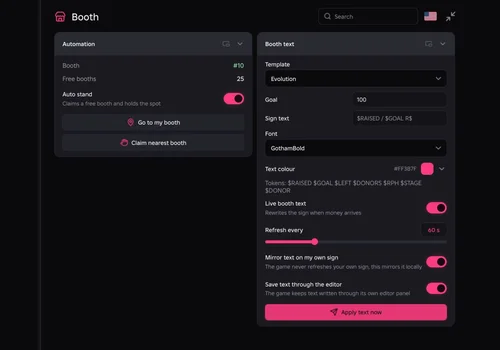
Claim a booth, update the sign as your goal changes, and track the session from the same menu. Switch between English and Russian in the header. Booth claiming, movement and donation handling draw on szze autofarm (tzechco / tvk1308).
- Auto Stand — claim a free booth, walk to it and return after respawn
- Live Booth Text — fill in the goal, raised amount and progress automatically
- Sign Styling — choose a font and color, save through the game editor or mirror locally
- +7 more
Details
Robscript Team – PLS DONATE Director functions
- Auto Stand — claim a free booth, walk to it and return after respawn
- Live Booth Text — fill in the goal, raised amount and progress automatically
- Sign Styling — choose a font and color, save through the game editor or mirror locally
- Living Booth — change the sign across eight stages as the displayed total grows
- Donation Show — spin, jump, dance or lower gravity, with a test button
- Session Stats — track amounts, hourly rate, nearby visitors and local history
- Server Activity — view booth occupancy, nearby players and an estimate of bot-like signs
- Server Hop — optional activity threshold and reload on supported executors
- Discord Alerts — optional donation and hop cards, ping threshold and test button
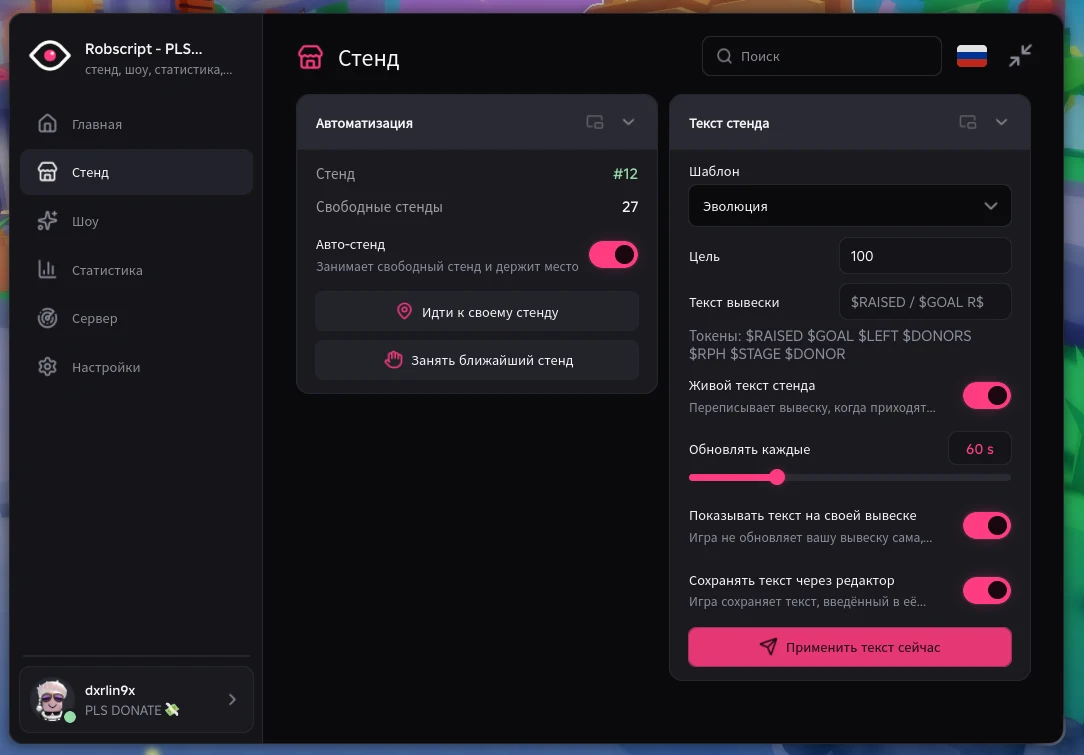
- English and Russian — switch the interface from the flag in the header
Change history
- — Checked on PC/Potassium and Android/Delta. In the recorded PC test, booth text saved through the game editor, the hub reloaded after a hop, and simulated donations drove the show and stats.
Script code
loadstring(game:HttpGet("https://raw.githubusercontent.com/bobloscript/robscript/refs/heads/main/PLSDonate"))()Join PLS DONATE and run the card’s code in your executor. In Director, open Booth and claim a stand. Tap or click the flag in the header to change the menu language. Executor directory.
Szze Autofarm
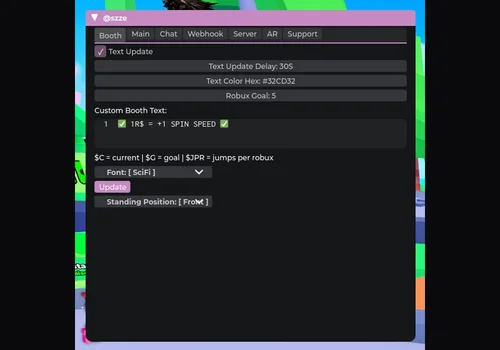
The original style of booth automation, with adjustable sign text, donation reactions, chat options and server hopping. The loader uses the entry linked by the ScriptBlox listing.
- Booth Setup — text updates, goal, font, color and standing position
- Donation Reactions — spin, jumps, lower gravity, dance and helicopter controls
- Chat Options — configurable thank-you messages, auto beg and reply settings
- +3 more
Details
Szze Autofarm functions
- Booth Setup — text updates, goal, font, color and standing position
- Donation Reactions — spin, jumps, lower gravity, dance and helicopter controls
- Chat Options — configurable thank-you messages, auto beg and reply settings
- Server Hop — timer and optional donation, goal or booth-text triggers
- Discord Alerts — webhook setup, hop notices and a test button
- Rendering Controls — FPS limit and optional rendering toggle
Change history
- — PC/Potassium and Android/Delta checks reported. Updated the card to the loader linked by the current listing.
Script code
loadstring(game:HttpGet("https://raw.githubusercontent.com/EuroFM/tzechco-PlsDonateAutofarmBackup/main/old.lua"))()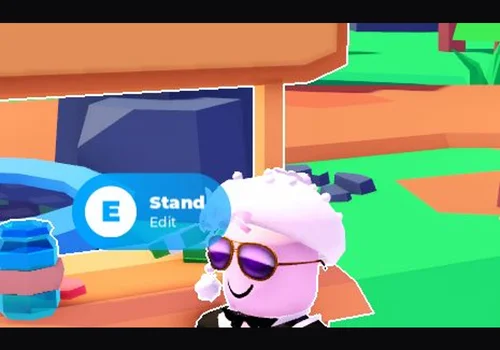
Slots Hub – Anti AFK
A standalone idle helper for players who already have a booth and only need a way to stay active while away.
- Anti AFK — attempts to keep the client active while idle
Details
Slots Hub – Anti AFK functions
- Anti AFK — attempts to keep the client active while idle
Change history
- — Standalone helper checked on PC/Potassium and Android/Delta.
Script code
local Players = game:GetService("Players")
local player = Players.LocalPlayer
local virtualUser = game:GetService("VirtualUser")

print("Slots Hub anti afk")

local function preventAFK()
    virtualUser:CaptureController()
    virtualUser:ClickButton2(Vector2.new())
end

local isCoroutineRunning = false

local function startPreventAFKCoroutine()
    if isCoroutineRunning then return end
    isCoroutineRunning = true
    coroutine.wrap(function()
        while true do
            wait(60)
            preventAFK()
        end
    end)()
end

player.Idled:Connect(function()
    preventAFK()
    startPreventAFKCoroutine()
end)

startPreventAFKCoroutine()Save the sign and check what others can see
In Booth, pick a template, font and color, then select Apply text now. For a custom sign, try $RAISED / $GOAL R$ or $LEFT R$ to go. Live booth text refreshes the values. The flag switches the menu language. Write your sign in the language you want visitors to read.
Keep Save text through the editor enabled to save the wording in the game. In our test, the wording was still present when we reopened the editor. Mirror text on my own sign updates your view locally. The editor can briefly take keyboard focus when the script saves.
Try the show without spending Robux
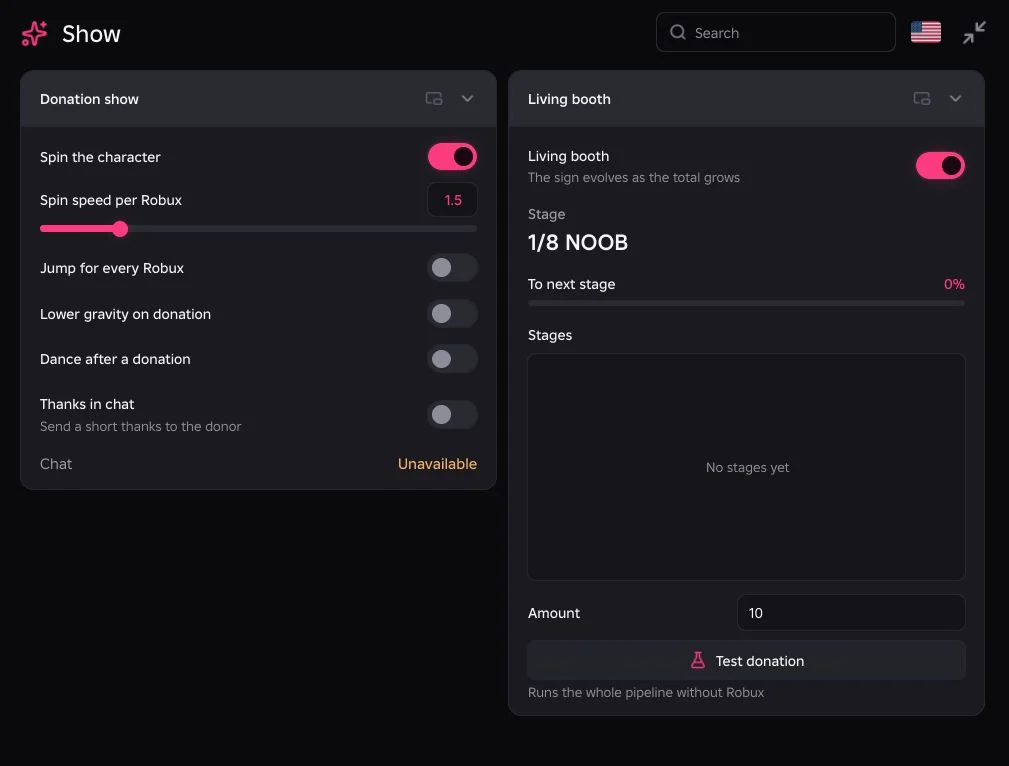
Enable Living booth to change the sign across eight stages. In the recorded test, simulated donations of 20 and 35 moved the booth from stage 1 to stage 3 and triggered the selected spin. The Show tab also offers jumps, dance and lower gravity.
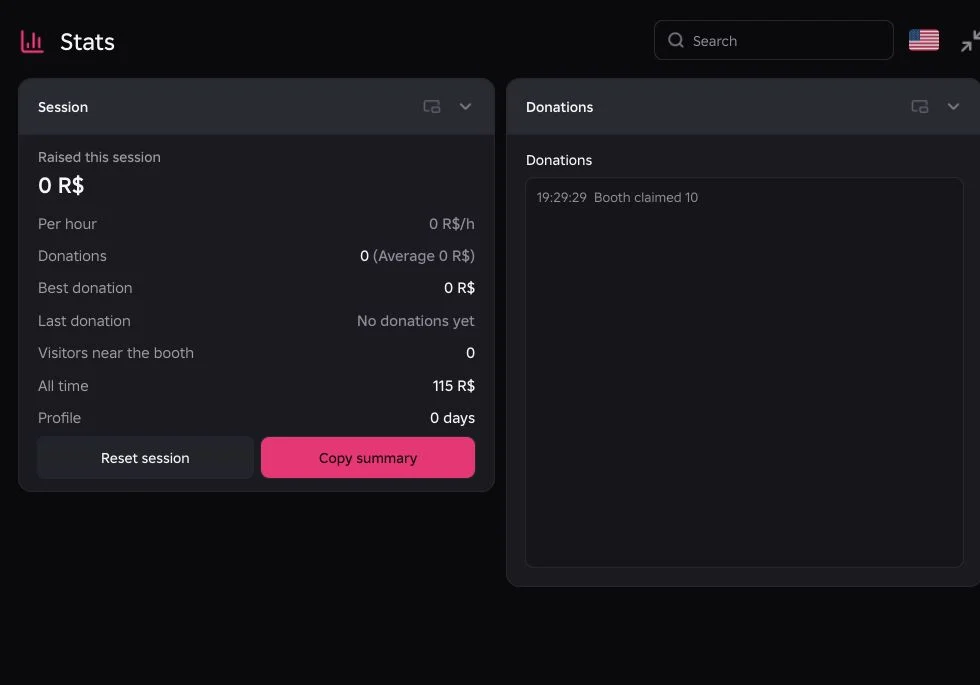
Stats shows the session amount, rate, best and average donation, and visitors nearby. All time comes from the hub’s saved history. If the game does not supply a donor name, Director can fall back to a nearby player, so treat the name as an estimate. Check your Roblox transactions for actual Robux. The test exercised donation reactions without a real transfer. Thanks in chat remains unverified because chat was unavailable on the test account.
Read server activity before hopping
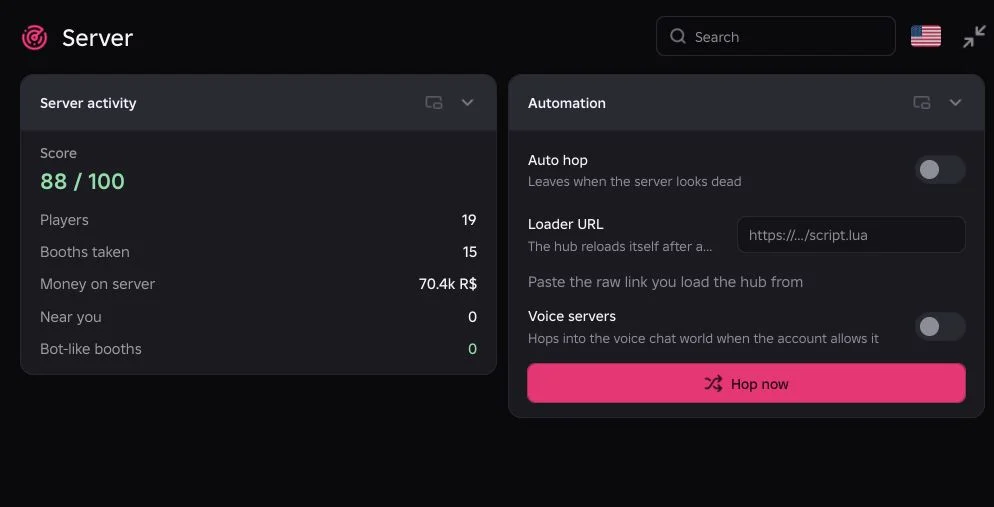
Director shows players, occupied booths, nearby visitors and signs that look like common bot templates. Use the score as a rough activity estimate. Similar text alone cannot identify a bot, and a busy server may still bring no donations. With supported reload and file saving, Director can reopen and recover your local profile after a hop.
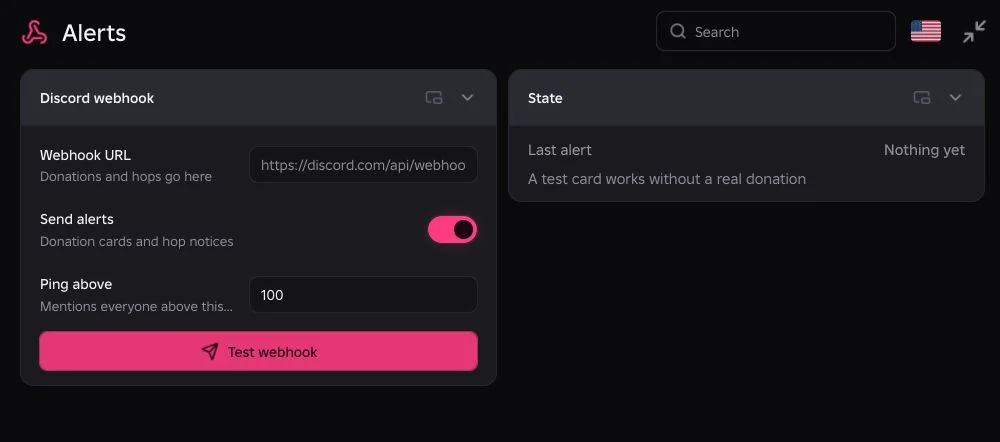
Alerts can send donation and hop cards through an optional Discord webhook. Use Test webhook to check delivery, and set the ping threshold only if you want everyone notified. A simulated donation can also trigger an alert when alerts are enabled.
Official references: PLS DONATE on Roblox, cross-experience sales change, Robux transfers, pending pass proceeds.