Pull a Sword does not always require scripts for normal gameplay, but some users still search for utility tools such as auto clicker, auto rebirth, sword collection, win farming, pet collection, and anti-AFK. This page keeps those scripts in one place for reference.
Because demand for this game is limited, scripts may be outdated, patched, or updated less often than scripts for active Roblox games.
Game link: Pull a Sword

Available Pull a Sword Scripts
KEYLESS Pull a Sword script – (Why Hub)
Script functions:
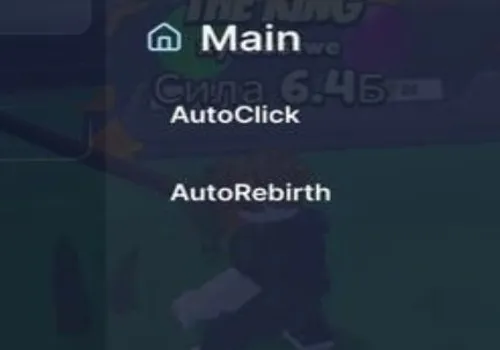
- Auto Click – Continuously clicks to train and gain strength.
- Auto Rebirth – Automatically rebirths to gain multipliers and reset progress.
- Anti AFK – Prevents being kicked for inactivity.
NO KEY
loadstring(game:HttpGet("https://raw.githubusercontent.com/JustLuaDeveloper/WhyHub/refs/heads/main/Loader.lua"))()Auto Clicker – Open Source
KEY SYSTEM
local player = game.Players.LocalPlayer
local ReplicatedStorage = game:GetService("ReplicatedStorage")
local RunService = game:GetService("RunService")
local UserInputService = game:GetService("UserInputService")
local VirtualUser = game:GetService("VirtualUser")
-- CONFIGS DE TEMA
local Themes = {Color3.fromRGB(0, 150, 255), Color3.fromRGB(0, 255, 255), Color3.fromRGB(255, 255, 255), Color3.fromRGB(15, 15, 15)}
local themeIdx = 1
local active, clicking, rebirthing, autoE = true, false, false, false
local isMinimized, isFull = false, false
local oldSize, oldPos = UDim2.new(0, 400, 0, 300), UDim2.new(0.5, -200, 0.4, 0)
-- CACHE DE REMOTES
local remotes = { clicks = {}, rebirths = {} }
for _, v in pairs(ReplicatedStorage:GetDescendants()) do
    if v:IsA("RemoteEvent") then
        local n = v.Name:lower()
        if n:find("click") or n:find("train") or n:find("strength") then table.insert(remotes.clicks, v) end
        if n:find("reb") then table.insert(remotes.rebirths, v) end
    end
end
-- UI RAYFIELD (V28 FIX)
local screenGui = Instance.new("ScreenGui", player.PlayerGui); screenGui.Name = "Rayfield_V28"; screenGui.ResetOnSpawn = false
local main = Instance.new("Frame", screenGui); main.Size = oldSize; main.Position = oldPos; main.BackgroundColor3 = Color3.fromRGB(15, 15, 15); main.Active = true; main.Draggable = true; main.ClipsDescendants = true; Instance.new("UICorner", main).CornerRadius = UDim.new(0, 10)
local stroke = Instance.new("UIStroke", main); stroke.Color = Themes[themeIdx]; stroke.Thickness = 2
-- SIDEBAR
local sidebar = Instance.new("Frame", main); sidebar.Size = UDim2.new(0, 100, 1, 0); sidebar.BackgroundColor3 = Color3.fromRGB(20, 20, 20); Instance.new("UICorner", sidebar)
local logo = Instance.new("TextLabel", sidebar); logo.Text = "SWORDnELITE"; logo.Size = UDim2.new(1, 0, 0, 60); logo.TextColor3 = Themes[themeIdx]; logo.Font = Enum.Font.GothamBold; logo.BackgroundTransparency = 1
-- CONTROLES
local function createCtrl(txt, pos, col)
    local b = Instance.new("TextButton", main); b.Text = txt; b.Size = UDim2.new(0, 25, 0, 25); b.Position = pos; b.BackgroundColor3 = col or Color3.fromRGB(30, 30, 30); b.TextColor3 = Color3.new(1,1,1); Instance.new("UICorner", b); return b
end
local closeBtn = createCtrl("X", UDim2.new(1, -30, 0, 5), Color3.fromRGB(150, 0, 0))
local fullBtn = createCtrl("▢", UDim2.new(1, -60, 0, 5))
local minBtn = createCtrl("-", UDim2.new(1, -90, 0, 5))
-- CONTAINER
local container = Instance.new("ScrollingFrame", main); container.Size = UDim2.new(1, -110, 1, -45); container.Position = UDim2.new(0, 105, 0, 40); container.BackgroundTransparency = 1; container.ScrollBarThickness = 0
local layout = Instance.new("UIListLayout", container); layout.Padding = UDim.new(0, 10); layout.HorizontalAlignment = Enum.HorizontalAlignment.Center
local function createBtn(txt, callback)
    local b = Instance.new("TextButton", container); b.Size = UDim2.new(0.95, 0, 0, 40); b.Text = "  "..txt; b.BackgroundColor3 = Color3.fromRGB(25, 25, 25); b.TextColor3 = Color3.new(1,1,1); b.Font = Enum.Font.GothamMedium; b.TextXAlignment = Enum.TextXAlignment.Left; Instance.new("UICorner", b)
    local s = Instance.new("UIStroke", b); s.Color = Themes[themeIdx]; s.Thickness = 1.2; s.Transparency = 0.8
    b.MouseButton1Click:Connect(function() callback(b, s) end)
    return b, s
end
local bTrain, sTrain = createBtn("AUTO TRAIN (T)", function() clicking = not clicking end)
local bE, sE = createBtn("AUTO PRESS E", function() autoE = not autoE end)
local bReb, sReb = createBtn("AUTO REBIRTH", function() rebirthing = not rebirthing end)
local bColor = createBtn("MUDAR COR", function() themeIdx = (themeIdx % #Themes) + 1; local c = Themes[themeIdx]; stroke.Color = c; logo.TextColor3 = c; sTrain.Color = c; sE.Color = c; sReb.Color = c end)
createBtn("By: nagizaronagi", function() end)
-- LOGICA JANELA
closeBtn.MouseButton1Click:Connect(function() active = false; screenGui:Destroy() end)
fullBtn.MouseButton1Click:Connect(function() isFull = not isFull; main:TweenSizeAndPosition(isFull and UDim2.new(1,0,1,0) or oldSize, isFull and UDim2.new(0,0,0,0) or oldPos, "Out", "Quad", 0.3, true) end)
minBtn.MouseButton1Click:Connect(function() isMinimized = not isMinimized; main:TweenSize(isMinimized and UDim2.new(0, 400, 0, 35) or oldSize, "Out", "Quad", 0.3, true); container.Visible = not isMinimized; sidebar.Visible = not isMinimized end)
-- LOOP AUTO CLICK (FIXED FOR OPEN UI)
RunService.Heartbeat:Connect(function()
    if not active or not clicking then return end
    if sTrain then sTrain.Transparency = 0 end

    -- Manda sinal de clique real para o centro da tela (ignora onde o mouse está para não bugar na UI)
    local viewportSize = workspace.CurrentCamera.ViewportSize
    local center = Vector2.new(viewportSize.X/2, viewportSize.Y/2)

    VirtualUser:Button1Down(center)
    VirtualUser:Button1Up(center)

    -- Ativa espada e Remotes em paralelo
    local t = player.Character and player.Character:FindFirstChildOfClass("Tool")
    if t then t:Activate() end
    for _, ev in ipairs(remotes.clicks) do ev:FireServer() end
end)
-- LOOP E + REBIRTH
task.spawn(function()
    while task.wait(0.1) do
        if not active then break end
        if sE then sE.Transparency = autoE and 0 or 0.8 end
        if sReb then sReb.Transparency = rebirthing and 0 or 0.8 end

        if autoE then
            VirtualUser:TypeKey("e")
            task.wait(0.85)
        end
        if rebirthing then for _, ev in ipairs(remotes.rebirths) do ev:FireServer() end end
    end
end)
UserInputService.InputBegan:Connect(function(i, p) if not p and i.KeyCode == Enum.KeyCode.T then clicking = not clicking end end)
player.Idled:Connect(function() VirtualUser:ClickButton2(Vector2.new(0,0)) end)
Nisulrocks Hub
KEY SYSTEM
loadstring(game:HttpGet("https://raw.githubusercontent.com/Nisulrocks/Pull-a-Sword/refs/heads/main/main"))()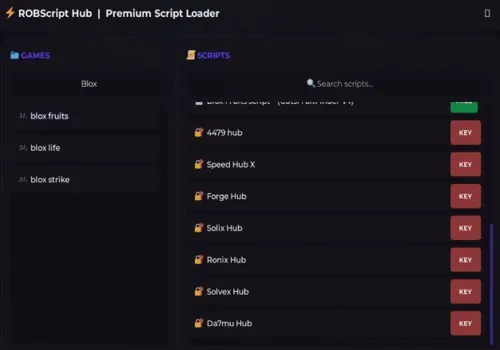
Robscript hub
Script
Show script
loadstring(game:HttpGet('https://raw.githubusercontent.com/artas01/robscript/refs/heads/main/loader.lua'))()
Copies
3087
Wicik hub
KEY SYSTEM
loadstring(game:HttpGet("https://raw.githubusercontent.com/Wic1k/Scripts/refs/heads/main/PaS.txt"))()How to use scripts?
- Copy the script and paste it into any executor. (Delta, Solara, Arceus X, Fluxus, Synapse X)
- Click execute.
- The script is working!
Warning:
- Use the script on alt accounts.
- We are not responsible for your use of scripts.
- You should be prepared that the script may not work.
FREQUENTLY ASKED QUESTIONS:
Do I need to buy scripts?
No, all scripts are either completely free or have a light key system with ads.
The script is not working, what should I do?
We update and check the scripts every week. Try using a different script.