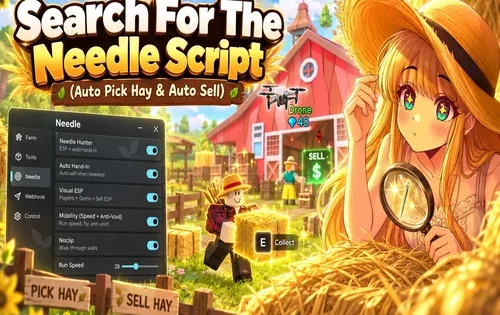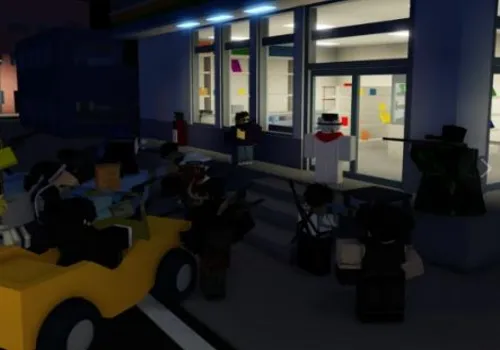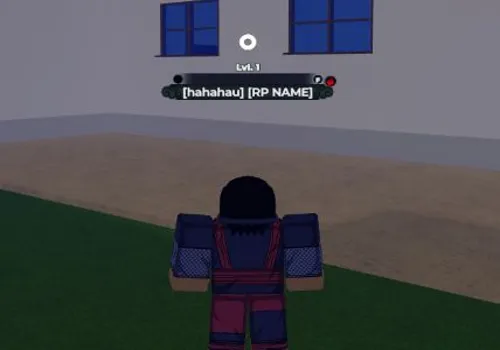
Embark on an epic ninja journey in Shindo Life, the expansive Roblox RPG where you explore vast worlds, battle spirits, and unlock powerful abilities and bloodlines! Take on bosses for unique rewards, rank up under mentors, and dominate in various game modes. With INF Spins, Auto Green Quest Farm, Auto Boss Quest Farm, Auto Scroll, Auto Stats, Auto Rank Up, Auto Dungeon Farm, and Auto Rell Coin Farming, your path to becoming a legendary shinobi is seamless. What destiny will you forge?
Game link: Shindo Life

List of working Shindo Life scripts:
KEYLESS Shindo Life script – (Alam)
Script functions:
- INF Spins gives you unlimited spins for bloodlines and abilities.
- Auto Green Quest Farm completes green-colored quests for rewards.
- Auto Boss Quest Farm farms boss-related quests for rare drops.
- Auto Scroll collects and uses scrolls for experience or abilities.
- Auto Stats allocates your stat points for optimal builds.
- Auto Rank Up completes requirements to increase your rank.
- Auto Dungeon Farm clears dungeon stages for loot and rewards.
- Auto Rell Coin Farming grinds for the in-game Rell currency.
KEY SYSTEM
loadstring(game:HttpGet("https://raw.githubusercontent.com/Nanana291/Main-Load/refs/heads/main/Load.lua"))()INF Spin
NO KEY
local Fluent = loadstring(game:HttpGet("https://github.com/dawid-scripts/Fluent/releases/latest/download/main.lua"))()
local SaveManager = loadstring(game:HttpGet("https://raw.githubusercontent.com/dawid-scripts/Fluent/master/Addons/SaveManager.lua"))()
local InterfaceManager = loadstring(game:HttpGet("https://raw.githubusercontent.com/dawid-scripts/Fluent/master/Addons/InterfaceManager.lua"))()
local Window = Fluent:CreateWindow({
    Title = "Infinite Spin - Shindo Life",
    SubTitle = "Auto spin for bloodlines",
    TabWidth = 160,
    Size = UDim2.fromOffset(580, 460),
    Acrylic = true,
    Theme = "Dark",
    MinimizeKey = Enum.KeyCode.LeftControl
})
local Tabs = {
    Main = Window:AddTab({ Title = "Main", Icon = "" }),
    Settings = Window:AddTab({ Title = "Settings", Icon = "settings" })
}
local Options = Fluent.Options
-- Variables
local tpsrv = game:GetService("TeleportService")
local elementwanted = {}
local slots = {"kg1", "kg2", "kg3", "kg4"}
local autoSpinEnabled = false
-- Function to get all element names from BossTab
local function getElementNames()
    local player = game:GetService("Players").LocalPlayer
    local bossTab = player.PlayerGui.Main.ingame.Menu.BossTab

    if bossTab then
        local elements = {}
        for _, frame in pairs(bossTab:GetChildren()) do
            if frame:IsA("Frame") and frame.Name then
                table.insert(elements, frame.Name)
            end
        end
        return elements
    end
    return {"boil", "lightning", "fire", "ice", "sand", "crystal", "explosion"} -- fallback
end
-- Function to start auto spin
local function startAutoSpin()
    print("Auto spin started!")

    repeat task.wait() until game:isLoaded()
    repeat task.wait() until game:GetService("Players").LocalPlayer:FindFirstChild("startevent")

    print("Game loaded, starting to spin...")
    game:GetService("Players").LocalPlayer.startevent:FireServer("band", "128")

    while autoSpinEnabled do
        task.wait(0.3)

        print("Checking elements and spinning...")

        -- Check if we got any desired elements
        for _, slot in pairs(slots) do
            if game:GetService("Players").LocalPlayer.statz.main[slot] and game:GetService("Players").LocalPlayer.statz.main[slot].Value then
                local currentElement = game:GetService("Players").LocalPlayer.statz.main[slot].Value
                print("Current element in " .. slot .. ": " .. currentElement)

                -- Check if this element is wanted
                local isWanted = false
                for _, element in pairs(elementwanted) do
                    if currentElement == element then
                        isWanted = true
                        break
                    end
                end

                -- Show notification for each element
                local wantedText = isWanted and "WANTED: TRUE" or "WANTED: FALSE"
                Fluent:Notify({
                    Title = slot:upper() .. " Spin Result",
                    Content = "Got: " .. currentElement .. " | " .. wantedText,
                    Duration = 2
                })

                -- If we got what we want, stop and kick
                if isWanted then
                    print("Got " .. currentElement .. " in " .. slot .. "!")
                    game:GetService("Players").LocalPlayer.startevent:FireServer("band", "Eye")
                    task.wait(1)
                    game.Players.LocalPlayer:Kick("Got " .. currentElement .. " in " .. slot .. "!")
                    return
                end
            end
        end

        -- Check if any slot has low spins
        local lowSpins = false
        if game:GetService("Players").LocalPlayer.statz.spins and game:GetService("Players").LocalPlayer.statz.spins.Value <= 1 then
            lowSpins = true
        end

        if lowSpins then
            print("Low spins detected, teleporting...")
            tpsrv:Teleport(game.PlaceId, game.Players.LocalPlayer)
        end

        -- Spin all slots
        print("Spinning slots:", table.concat(slots, ", "))
        for _, slot in pairs(slots) do
            game:GetService("Players").LocalPlayer.startevent:FireServer("spin", slot)
        end
    end

    print("Auto spin stopped!")
end
-- Function to stop auto spin
local function stopAutoSpin()
    autoSpinEnabled = false
    getgenv().atspn = false
    print("Auto spin disabled")
end
do
    -- Get element names
    local availableElements = getElementNames()

    -- Element selection dropdown
    local ElementDropdown = Tabs.Main:AddDropdown("ElementDropdown", {
        Title = "Select Bloodlines",
        Description = "Choose which bloodlines to auto-spin for",
        Values = availableElements,
        Multi = true,
        Default = {},
    })

    ElementDropdown:OnChanged(function(Value)
        elementwanted = {}
        for element, state in next, Value do
            if state then
                table.insert(elementwanted, element)
            end
        end
        print("Selected elements:", table.concat(elementwanted, ", "))
    end)

    -- Slot selection dropdown
    local SlotDropdown = Tabs.Main:AddDropdown("SlotDropdown", {
        Title = "Select Slots",
        Description = "Choose which slots to spin",
        Values = slots,
        Multi = true,
        Default = {"kg1", "kg2"},
    })

    SlotDropdown:OnChanged(function(Value)
        slots = {}
        for slot, state in next, Value do
            if state then
                table.insert(slots, slot)
            end
        end
        print("Selected slots:", table.concat(slots, ", "))
    end)

    -- Auto spin toggle
    local AutoSpinToggle = Tabs.Main:AddToggle("AutoSpinToggle", {
        Title = "Auto Spin",
        Description = "Automatically spin for selected bloodlines",
        Default = false
    })

    AutoSpinToggle:OnChanged(function()
        autoSpinEnabled = Options.AutoSpinToggle.Value
        print("Auto spin toggle changed to:", autoSpinEnabled)

        if autoSpinEnabled then
            getgenv().atspn = true
            Fluent:Notify({
                Title = "Auto Spin",
                Content = "Started auto spinning for selected bloodlines",
                Duration = 3
            })
            task.spawn(startAutoSpin)
        else
            stopAutoSpin()
            Fluent:Notify({
                Title = "Auto Spin",
                Content = "Stopped auto spinning",
                Duration = 3
            })
        end
    end)

    -- Manual spin button
    Tabs.Main:AddButton({
        Title = "Manual Spin",
        Description = "Spin once manually",
        Callback = function()
            if game:GetService("Players").LocalPlayer:FindFirstChild("startevent") then
                for _, slot in pairs(slots) do
                    game:GetService("Players").LocalPlayer.startevent:FireServer("spin", slot)
                end
                Fluent:Notify({
                    Title = "Manual Spin",
                    Content = "Spun all selected slots",
                    Duration = 2
                })
            else
                Fluent:Notify({
                    Title = "Error",
                    Content = "Game not loaded yet",
                    Duration = 3
                })
            end
        end
    })

    -- Save stats button
    Tabs.Main:AddButton({
        Title = "Save Stats",
        Description = "Save your current stats and progress",
        Callback = function()
            if game:GetService("Players").LocalPlayer:FindFirstChild("startevent") then
                game:GetService("Players").LocalPlayer.startevent:FireServer("band", "Eye")
                Fluent:Notify({
                    Title = "Stats Saved",
                    Content = "Your current stats have been saved!",
                    Duration = 3
                })
            else
                Fluent:Notify({
                    Title = "Error",
                    Content = "Game not loaded yet",
                    Duration = 3
                })
            end
        end
    })

    -- Refresh elements button
    Tabs.Main:AddButton({
        Title = "Refresh Elements",
        Description = "Refresh the list of available bloodlines",
        Callback = function()
            local newElements = getElementNames()
            ElementDropdown:SetValues(newElements)
            Fluent:Notify({
                Title = "Refresh",
                Content = "Updated bloodline list",
                Duration = 2
            })
        end
    })

    -- Status display
    Tabs.Main:AddParagraph({
        Title = "Status",
        Content = "Select your desired bloodlines and slots, then enable auto spin to start farming!"
    })
end
-- Addons setup
SaveManager:SetLibrary(Fluent)
InterfaceManager:SetLibrary(Fluent)
SaveManager:IgnoreThemeSettings()
SaveManager:SetIgnoreIndexes({})
InterfaceManager:SetFolder("InfiniteSpin")
SaveManager:SetFolder("InfiniteSpin/shindo-life")
InterfaceManager:BuildInterfaceSection(Tabs.Settings)
SaveManager:BuildConfigSection(Tabs.Settings)
Window:SelectTab(1)
Fluent:Notify({
    Title = "Infinite Spin",
    Content = "Script loaded successfully! Select your bloodlines and start spinning.",
    Duration = 5
})
SaveManager:LoadAutoloadConfig()Eclipse Auto Spin
NO KEY
--Script Made By: BankShot--
loadstring(game:HttpGet("https://gist.githubusercontent.com/ItsaBankShot/8705599ebe4328fdcb1bfedb98f5e9d2/raw/f28e2583b04136ab900d2128fda8e8551f37a043/Eclipse%2520Scripts%2520-%2520Shindo%2520Life%2520UN"))()Best Hub
KEY SYSTEM
loadstring(game:HttpGet("https://rscripts.net/raw/best-shindo-life-script-lots-of-features_1759797069870_PhV9TdX3Is.txt",true))()Alm1
KEY SYSTEM
script_key = "";
loadstring(game:HttpGet("https://api.luarmor.net/files/v3/loaders/34824c86db1eba5e5e39c7c2d6d7fdfe.lua"))()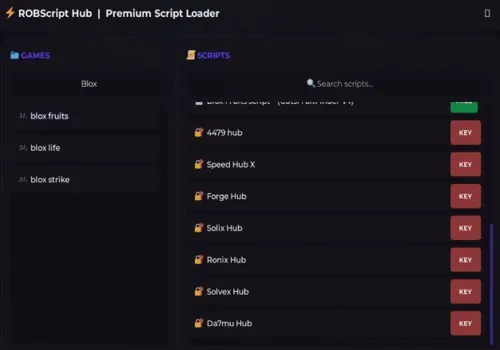
Robscript hub
Script
Show script
loadstring(game:HttpGet('https://raw.githubusercontent.com/artas01/robscript/refs/heads/main/loader.lua'))()
Copies
2489
How to use scripts?
- Copy the script and paste it into any executor. (Delta, Solara, Arceus X, Fluxus, Synapse X)
- Click execute.
- The script is working!
Warning:
- Use the script on alt accounts.
- We are not responsible for your use of scripts.
- You should be prepared that the script may not work.
FREQUENTLY ASKED QUESTIONS:
Do I need to buy scripts?
No, all scripts are either completely free or have a light key system with ads.
The script is not working, what should I do?
We update and check the scripts every week. Try using a different script.