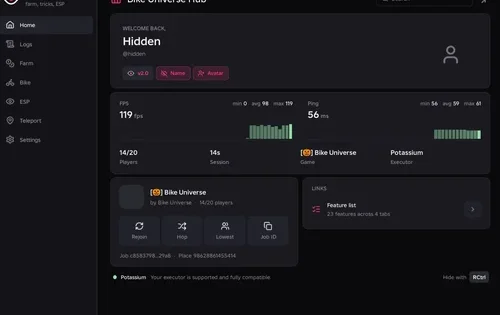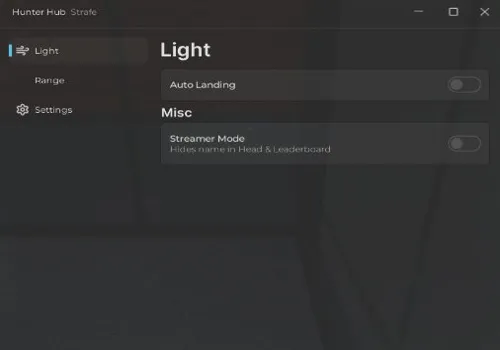
Looking for Auto Steal? We could not find a script we could recommend. Below are two NO KEY scripts with a few working features. We also show what failed.
Use the original Steal a Brainrot by BRAZILIAN SPYDER. A game with the same name or map can still be someone else’s copy.
Our test results · NO KEY scripts · Free admin commands · How to use
Why Only Two Scripts?
We tested many scripts, both with and without keys. Some did not work. Others set off BAC, the game’s anti-cheat. Adding more broken scripts would not help you.
Our BAC counter reached 2/3. We stopped because we did not want a third trigger. We do not usually play this game outside testing. Another strike just to check more broken scripts was not worth it.
Scripts get patched fast in this game. Whatever we think of the game itself, its developer keeps working on the anti-cheat. Getting a script key did not give us better results.
Keyless Steal a Brainrot Scripts We Tested
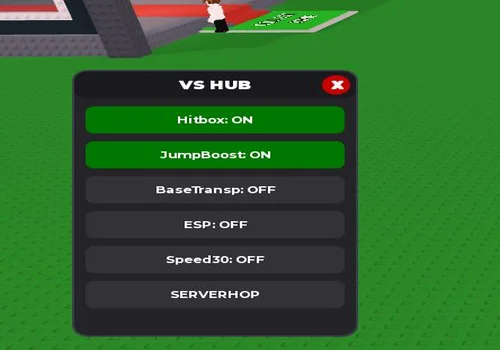
VS Hub
Low Jump Boost, Base Transparency and Server Hop worked. Hitbox, ESP and Speed30 did not.
- Low Jump Boost
- Base Transparency
- Server Hop
- +3 more
Details
Functions
- Low Jump Boost
- Base Transparency
- Server Hop
- Hitbox — not working
- ESP — not working
- Speed30 — not working
Change history
- – Review updated from the author’s tests: Low Jump Boost, Base Transparency and Server Hop worked; Hitbox, ESP and Speed30 failed.
Script code
loadstring(game:HttpGet("https://pastefy.app/4J8q1GQk/raw"))()
Low Jump Boost, Base Transparency and Server Hop worked. Base Transparency changes what you can see. Seeing through a base does not mean you can enter it. Hitbox, ESP and Speed30 did not work.
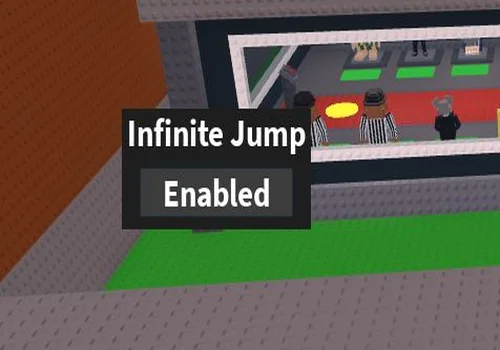
INF Jump
Infinite Jump worked. Use its button to turn it on or off.
- INF Jump
Details
Functions
- INF Jump
Change history
- – Review updated from the author’s test: Infinite Jump worked.
Script code
local Players = game:GetService("Players")
local UserInputService = game:GetService("UserInputService")

local lp = Players.LocalPlayer

local ijConn = nil
local ijOn = false

local function startIJ()
	if ijConn then ijConn:Disconnect() end
	ijOn = true

	ijConn = UserInputService.JumpRequest:Connect(function()
		local c = lp.Character
		if not c then return end

		local hum = c:FindFirstChildOfClass("Humanoid")
		local hrp = c:FindFirstChild("HumanoidRootPart")

		if hum and hrp and hum.Health > 0 then
			hrp.AssemblyLinearVelocity = Vector3.new(
				hrp.AssemblyLinearVelocity.X,
				50,
				hrp.AssemblyLinearVelocity.Z
			)
		end
	end)
end

local function stopIJ()
	if ijConn then
		ijConn:Disconnect()
		ijConn = nil
	end
	ijOn = false
end


local gui = Instance.new("ScreenGui")
gui.Name = "IJGui"
gui.ResetOnSpawn = false
gui.Parent = lp:WaitForChild("PlayerGui")

local frame = Instance.new("Frame")
frame.Size = UDim2.new(0,180,0,90)
frame.Position = UDim2.new(0.4,0,0.4,0)
frame.BackgroundColor3 = Color3.fromRGB(30,30,30)
frame.BorderSizePixel = 0
frame.Active = true
frame.Draggable = true
frame.Parent = gui

local title = Instance.new("TextLabel")
title.Size = UDim2.new(1,0,0,35)
title.BackgroundTransparency = 1
title.Text = "Infinite Jump"
title.TextColor3 = Color3.new(1,1,1)
title.TextScaled = true
title.Font = Enum.Font.SourceSansBold
title.Parent = frame

local button = Instance.new("TextButton")
button.Size = UDim2.new(0.8,0,0,35)
button.Position = UDim2.new(0.1,0,0.5,0)
button.BackgroundColor3 = Color3.fromRGB(60,60,60)
button.TextColor3 = Color3.new(1,1,1)
button.TextScaled = true
button.Font = Enum.Font.SourceSansBold
button.Text = "Disabled"
button.Parent = frame


button.MouseButton1Click:Connect(function()
	if ijOn then
		stopIJ()
		button.Text = "Disabled"
	else
		startIJ()
		button.Text = "Enabled"
	end
end)This script opens a small Infinite Jump window. Press its button until it says Enabled, then press jump again while in the air. Press the button again to switch it to Disabled and turn it off.
Free Admin Commands: Watch Out for Fake Games
We have no tested script that gives you free admin commands in the real Steal a Brainrot. A TikTok video showing commands is not enough to prove one works.
Here is the trick: someone records a copy of the game that they own. They can use admin commands there because they control that copy. The commands in the video may work, but they do not give you admin in the original game.
As Roblox explains, the game server checks what players are allowed to do. A menu on your screen does not give you admin access.
![Скрипт Игра в Слова [🇷🇺] 2026 – (Автоподбор Слов)](https://robscript.com/wp-content/uploads/2026/10/ИграВСлова1-500x315.webp)