Voxel Wars is a 15v15 war game where the map is not permanent: fire takes walls and bunkers down, then tanks and helicopters drive through the gaps. We ran four keyless hubs in it on 21 November 2026 — ESP worked in all four, the aimbot in two, and MunkeHub’s aim does not fight weapon recoil, so long shots land above the player. Game: Voxel Wars by Voxel Front.
KEYLESS Voxel Wars scripts
MunkeHub
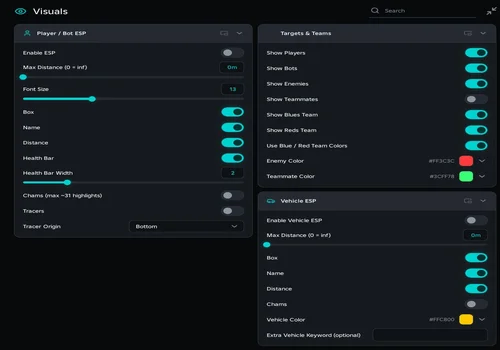
A combat window in three tabs. The ESP is the reason to take it: boxes, names, distance and health over players and bots, chams and tracers if you like them loud, separate Blues and Reds colours, and a Vehicle ESP panel for the tanks and jeeps that come through a broken wall. The aimbot locks on and holds, but it does not fight the rifle's recoil, so at range the spray walks above the target.
- ESP: Enable ESP, Max distance, Font size, Box, Name, Distance, Health bar, Health bar width, Chams (~31 highlights), Tracers, Tracer origin
- Targets and teams: Show players, bots, enemies, teammates, Blues team, Reds team, Blue and Red team colours, enemy and teammate colour pickers
- Vehicle ESP: box, name, distance, chams, vehicle colour, extra vehicle keyword
- +5 more
Details
MunkeHub functions
- ESP: Enable ESP, Max distance, Font size, Box, Name, Distance, Health bar, Health bar width, Chams (~31 highlights), Tracers, Tracer origin
- Targets and teams: Show players, bots, enemies, teammates, Blues team, Reds team, Blue and Red team colours, enemy and teammate colour pickers
- Vehicle ESP: box, name, distance, chams, vehicle colour, extra vehicle keyword
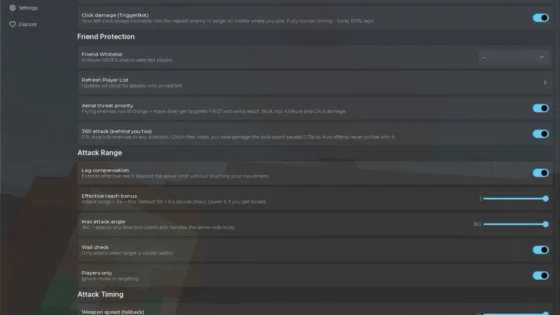
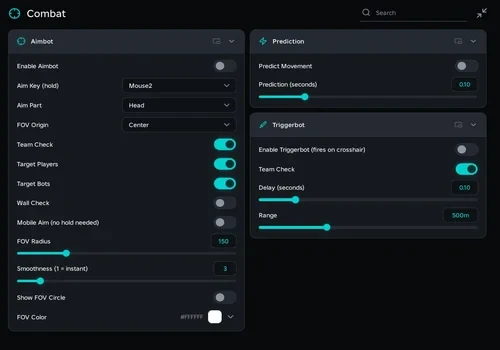
- Aimbot: aim key (Mouse2), aim part (Head), FOV origin, FOV radius 150, smoothness, team check, target players, target bots, wall check, mobile aim, show FOV circle, FOV colour
- Prediction: predict movement, prediction seconds
- Triggerbot: fires on crosshair, team check, delay, range 500 m
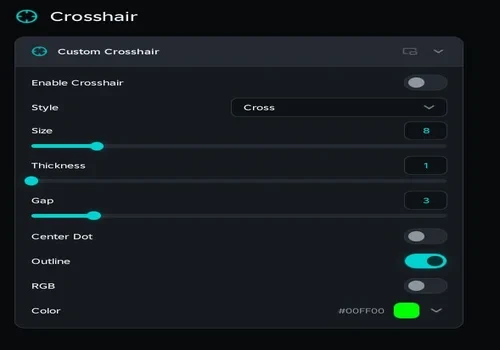
- Crosshair: style, size, thickness, gap, centre dot, outline, RGB, colour
- Tabs: Visuals, Combat, Crosshair
Change history
- – Added to page. ESP and every sub-switch worked, the aimbot locked on, the crosshair drew every style; the aimbot does not compensate recoil.
Script code
loadstring(game:HttpGet("https://api.obscuravm.com/scripts/4062788924076685476"))()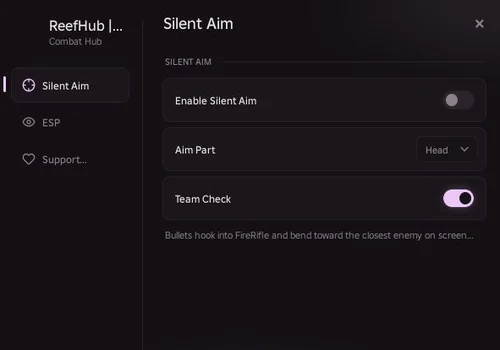
Reef Hub
The small one. Three tabs and two working switches: silent aim that hooks the FireRifle remote and bends the bullet onto the closest enemy on screen, and an ESP that paints Blues blue and Reds red. It covers the bot rigs as well as real players. Nothing to tune, so nothing to break in the middle of a round.
- Silent Aim: enable, aim part (Head), team check — bullets hook into the FireRifle remote
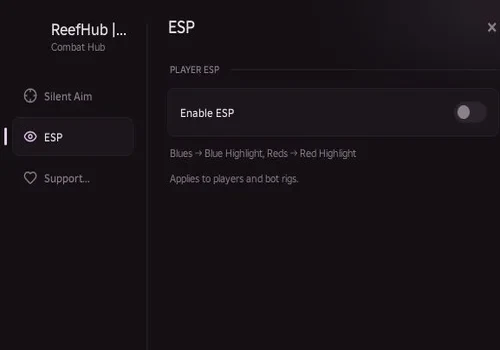
- ESP: enable — Blues to blue highlight, Reds to red highlight, applies to players and bot rigs
- Tabs: Silent Aim, ESP, Support
Details
Reef Hub functions
- Silent Aim: enable, aim part (Head), team check — bullets hook into the FireRifle remote
- ESP: enable — Blues to blue highlight, Reds to red highlight, applies to players and bot rigs
- Tabs: Silent Aim, ESP, Support
Change history
- – Added to page. Silent aim and ESP both worked.
Script code
loadstring(game:HttpGet("https://gist.githubusercontent.com/ReefHubOfficial/619d6e22479982a4262a80da6df5a953/raw/1d75532810975746ece573173fca749e570756c0/VoxelWars"))()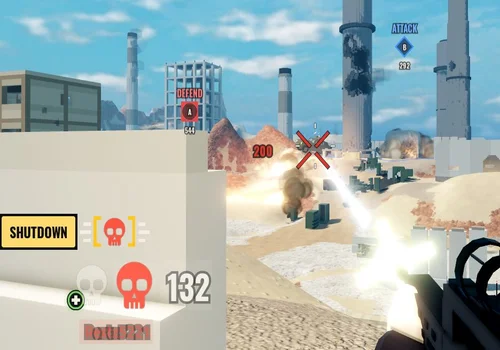
Silent Aim Open Source
About forty lines with no menu, no key and nothing to toggle. It hooks FireRifle's FireServer, looks for the closest enemy head in your viewport and rewrites the direction before the shot leaves. Team check and the bot list are written into the code, so read it before you run it.
- Silent aim through the FireRifle FireServer remote
- Target: closest enemy head inside the viewport, real players and bot rigs
- Team check on Team and on the Team attribute
- +1 more
Details
Silent Aim Open Source functions
- Silent aim through the FireRifle FireServer remote
- Target: closest enemy head inside the viewport, real players and bot rigs
- Team check on Team and on the Team attribute
- No interface, no settings; needs hookmetamethod and checkcaller
Change history
- – Added to page. Silent aim worked.
Script code
local Players = game:GetService("Players")
local LP = Players.LocalPlayer
local FireRifle = game.ReplicatedStorage.Voxel.Remotes.FireRifle
local BotRigs = workspace.BotRigs
local target

local function targets(char)
	local hum = char and char:FindFirstChildOfClass("Humanoid")
	if not hum or hum.Health == 0 then return false end
	local plr = Players:GetPlayerFromCharacter(char)
	if plr then return plr ~= LP and (not LP.Team or plr.Team ~= LP.Team) end
	if LP.Team then
		local t = char:GetAttribute("Team")
		if t and (typeof(t) == "Instance" and t.Name or tostring(t)) == LP.Team.Name then return false end
	end
	return true
end

game:GetService("RunService").RenderStepped:Connect(function()
	local cam = workspace.CurrentCamera
	if not cam then return end
	target = nil
	local best, center = math.huge, cam.ViewportSize * 0.5
	local function check(char)
		if not targets(char) then return end
		local head = char:FindFirstChild("Head")
		if not head then return end
		local sp, on = cam:WorldToViewportPoint(head.Position)
		if on then
			local d = (Vector2.new(sp.X, sp.Y) - center).Magnitude
			if d == math.min(d, best) then best, target = d, head end
		end
	end
	for _, p in Players:GetPlayers() do if p ~= LP then check(p.Character) end end
	for _, m in BotRigs:GetChildren() do check(m) end
end)

local old; old = hookmetamethod(game, "__namecall", function(self, ...)
	if not checkcaller() and self == FireRifle and getnamecallmethod() == "FireServer" then
		local a = {...}
		if target and a[1] then a[2] = (target.Position - a[1]).Unit end
		return old(self, table.unpack(a))
	end
	return old(self, ...)
end)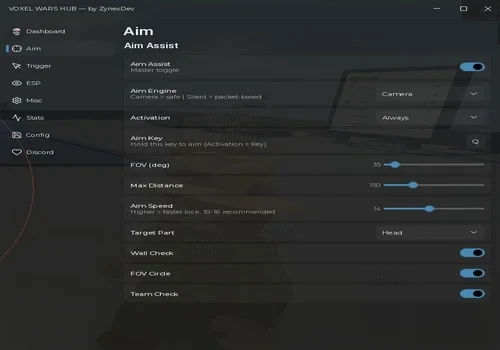
ZynexDev Hub
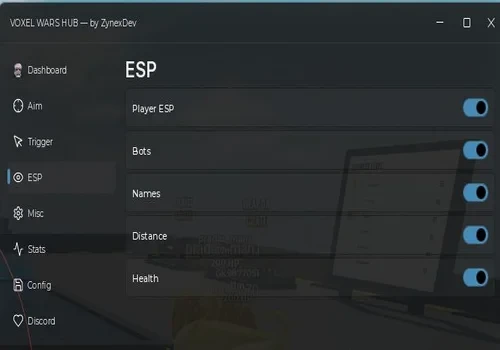
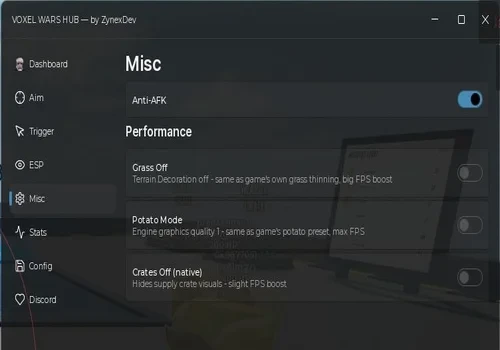
The largest of the four: eight tabs, two aim engines and a switch for most mistakes you can make in a firefight. Camera keeps the aim honest, Silent rewrites the packet; the triggerbot has its own reaction delay; ESP covers players and bots; Anti-AFK and configs are there for the rounds that drag. Everything we switched on behaved, except the three Performance switches in Misc, which did nothing.
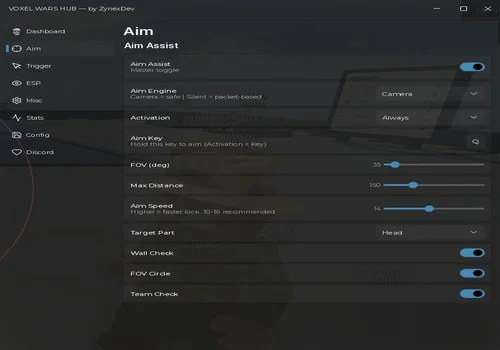
- Aim: Aim assist, Aim engine (Camera safe / Silent packet), Activation, Aim key, FOV 35 degrees, Max distance 150, Aim speed 14, Target part (Head), Wall check, FOV circle, Team check
- Trigger: Trigger bot (fires on crosshair), No recoil / No spread, Reaction delay 70 ms, Team check
- ESP: Player ESP, Bots, Names, Distance, Health
- +2 more
Details
ZynexDev Hub functions
- Aim: Aim assist, Aim engine (Camera safe / Silent packet), Activation, Aim key, FOV 35 degrees, Max distance 150, Aim speed 14, Target part (Head), Wall check, FOV circle, Team check
- Trigger: Trigger bot (fires on crosshair), No recoil / No spread, Reaction delay 70 ms, Team check
- ESP: Player ESP, Bots, Names, Distance, Health
- Misc: Anti-AFK, Grass off, Potato mode, Crates off
- Tabs: Dashboard, Aim, Trigger, ESP, Misc, Stats, Config, Discord
Change history
- – Added to page. Aim, trigger, ESP and Anti-AFK worked; the three Performance switches in Misc did nothing.
Script code
loadstring(game:HttpGet("https://raw.githubusercontent.com/myheisenberg/Voxel-Wars/main/loader.luau"))()Voxel Wars hub screenshots
When a Voxel Wars Script Does Not Work
More Roblox scripts. Our universal hub covers 300+ places in one loader, the executor status page shows which clients are working today, and you can request a game if yours is missing.