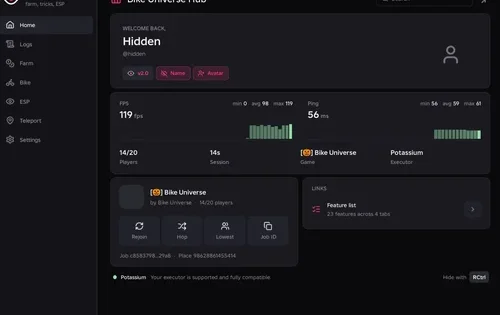
Move between parts of the map and choose your position during each round. The controls let you change direction, speed and position whenever you need.
Recorded setup: PC, Windows, Potassium. Page updated: October 25, 2026.
NO KEY Script
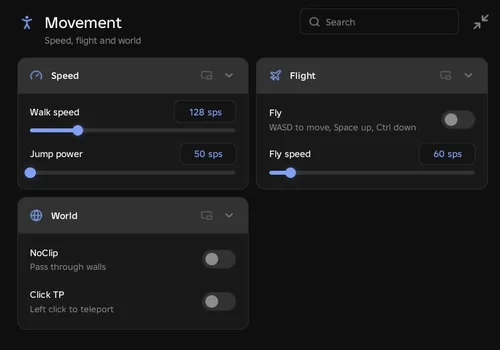
RobScript Team – Movement Hub
A compact menu for manual movement, with separate settings and keys you can change.
- Walk Speed Modifier: changes walking speed from 16 to 500.
- Fly: enables flight; move with the normal movement controls, rise with Space and descend with Left Ctrl.
- Fly Speed Modifier: changes flight speed from 10 to 500; the default is 60.
- +5 more
Details
RobScript Team – Movement Hub functions
- Walk Speed Modifier: changes walking speed from 16 to 500.
- Fly: enables flight; move with the normal movement controls, rise with Space and descend with Left Ctrl.
- Fly Speed Modifier: changes flight speed from 10 to 500; the default is 60.
- NoClip: lets the character pass through walls and other collidable parts.
- Click TP: teleports to the surface selected with the left mouse button.
- Custom Keybinds: set toggle keys for Fly, NoClip and Click TP; the defaults are F, N and T.
- UI Toggle: RightShift hides or shows the window.
- Jump Power Modifier: a 50-500 slider is present, but it did not work in What If Disasters.
Change history
- – Added the RobScript Team movement hub, controls and reported test results. All checked controls worked except Jump Power Modifier.
Script code
loadstring(game:HttpGet("https://raw.githubusercontent.com/bobloscript/robscript/refs/heads/main/WhatIfDisasters", true))()Our team built this hub. Manual example: if you want to move to a nearby visible platform, enable Click TP, click its surface and disable Click TP when you finish. You choose the target yourself.
Test Results and Controls
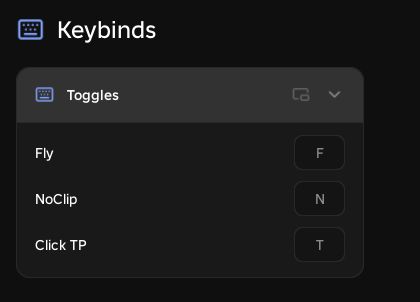
You can change F, N and T in the Keybinds tab. RightShift hides or shows the window. The Walk speed value 128 shown in the movement screenshot is an example setting.
Mobile testing: a separate mobile test has not been recorded. The instructions here use PC controls: Click TP listens for a left mouse click, and vertical flight uses Space and Left Ctrl. Touch-only input for those actions is unverified.
![Скрипт Игра в Слова [🇷🇺] 2026 – (Автоподбор Слов)](https://robscript.com/wp-content/uploads/2026/10/ИграВСлова1-500x315.webp)