Article

Defend your base from 67 scripts 2026 – (Kill Aura, GodMode)

Views: 816

This page lists working scripts, key status, features, and update notes for this Roblox game.

Reviewed by RobScript Team Source status checked:

defend your base from 67 scripts - no key

Copy a Defend your base from 67 script with tools for surviving waves, repairing the base, upgrading doors and towers, collecting rewards, and changing movement settings. Ronix Hub has the largest listed feature set, while Execo Hub and Rolo focus more directly on repairs and base upgrades.

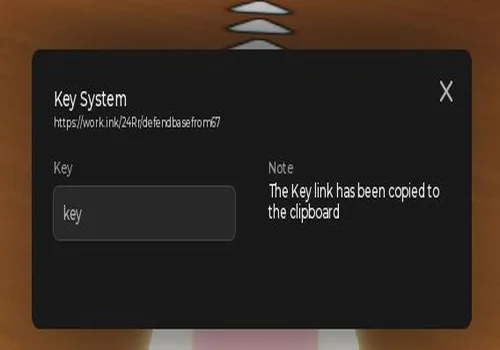
All three scripts use a key system. They were released earlier in 2026, so a loader may still open even when one or more functions no longer work with the current game or executor version.

Game link: Defend your base from 67 on Roblox
Script status notice

These loaders come from third-party sources and may be changed by their developers after this page is updated. Some older functions may no longer match the current game.

Test one basic function first. Never enter your Roblox password, cookie, session token, or email verification code on a loader or key page.
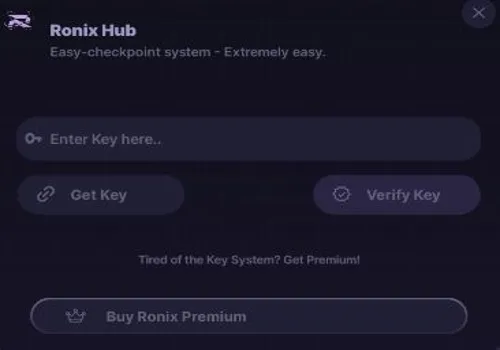
Ronix Hub
Ronix Hub script preview

Ronix Hub

Developer
Ronix Hub
Updated
Updated
v2
KEY SYSTEM PC MOBILE

Ronix Hub has the longest listed feature set on this page. Its combat tools include Auto Survive, Kill Aura, God Mode, automatic wave clearing, enemy targeting, and an Anti-Death system. It can also collect rewards, upgrade stats, rejoin rounds, reduce lag, and continue progression with Anti-AFK enabled. Test the combat options separately because individual functions may stop working after game updates.

  • Auto Survive
  • Auto Kill Aura
  • God Mode
  • +13 more
Copies 29 Discord
Details

Functions

  • Auto Survive
  • Auto Kill Aura
  • God Mode
  • Auto Wave Clear
  • Instant Enemy Eliminate
  • Damage Multiplier
  • Smart Enemy Target
  • Auto Collect Rewards
  • Auto Upgrade Stats
  • Fast Win Farm
  • Teleport to Safe Zone
  • Anti-Death System
  • Auto Rejoin Round
  • Anti-AFK
  • Lag Optimization
  • Full Auto Progression
Access
KEY SYSTEM
Tags
PC MOBILE
Languages
English
Compatibility
Delta Arceus X Codex Other

Change history

  • – Added to page!
  • – Moved to the new page layout.
  • – Access corrected to KEY SYSTEM.
Script code
loadstring(game:HttpGet("https://api.luarmor.net/files/v3/loaders/fda9babd071d6b536a745774b6bc681c.lua"))()
Execo Hub
Execo Hub script preview

Execo Hub

Developer
Execo Hub
Updated
Updated
v2
KEY SYSTEM PC MOBILE

Execo Hub is a smaller script built around base maintenance. Auto Repair handles repeated base damage, while Auto Upgrade Door, Auto Buy, and Auto Upgrade reduce the manual work needed between waves. Walkspeed and Jump Power controls are included for movement. Choose this option when repairs and upgrades matter more than a large combat menu.

  • Auto Repair
  • Auto Upgrade Door
  • Auto Buy
  • +3 more
Copies 11 Discord
Details

Functions

  • Auto Repair
  • Auto Upgrade Door
  • Auto Buy
  • Auto Upgrade
  • Walkspeed Changer
  • Jump Power Changer
Access
KEY SYSTEM
Tags
PC MOBILE
Languages
English
Compatibility
Delta Arceus X Codex Other

Change history

  • – Added to page!
  • – Moved to the new page layout.
  • – Access corrected to KEY SYSTEM.
Script code
loadstring(game:HttpGet("https://api.luarmor.net/files/v4/loaders/3678bf74476a3ec0cc1471cbab867839.lua"))()
Rolo
Rolo script preview

Rolo

Developer
Rolo
Updated
Updated
v2
KEY SYSTEM PC MOBILE OLDER SCRIPT

Rolo focuses on tower and base management. It can repair the base, upgrade individual towers, run automatic upgrades for several selected towers, improve doors, and save custom configurations. Anti Purchase UI, WalkSpeed, and JumpPower controls are also included. This is an older release, so some tower or interface functions may need an update.

  • Auto Repair
  • Upgrade Any Tower
  • Auto Upgrade Selected Towers
  • +7 more
Copies 8
Details

Functions

  • Auto Repair
  • Upgrade Any Tower
  • Auto Upgrade Selected Towers
  • Custom Tower Upgrade Settings
  • Upgrade Base
  • Upgrade Doors
  • Anti Purchase UI
  • WalkSpeed
  • JumpPower
  • Custom Configs
Access
KEY SYSTEM
Tags
PC MOBILE OLDER SCRIPT
Languages
English
Compatibility
Delta Arceus X Codex Other

Change history

  • – Added to page!
  • – Moved to the new page layout.
  • – Confirmed as KEY SYSTEM.
Script code
loadstring(game:HttpGet("https://raw.githubusercontent.com/rolo231/repscripts/refs/heads/main/defendyourbase.lua"))()

Script video

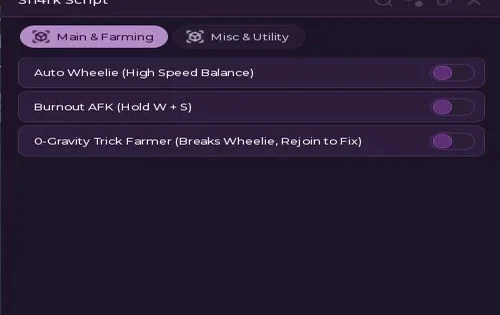
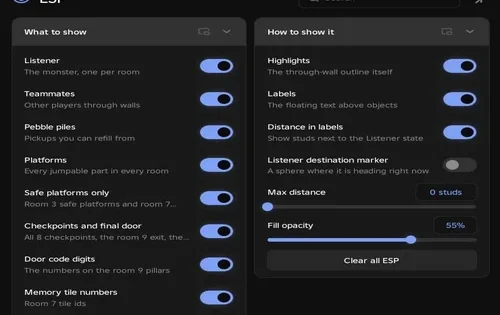
The video shows an earlier version of the script setup. The current interface and available functions may be different.

How to use a Defend your base from 67 script

Complete the key process, copy the loader, and test its main function before enabling the rest of the menu.

  1. Open Defend your base from 67 and wait until your base and interface finish loading.
  2. Choose Ronix Hub, Execo Hub, or Rolo from the script cards.
  3. Copy the loader and paste it into a compatible PC or mobile executor.
  4. Run the loader and complete its key-system steps.
  5. Return to the executor and open the script menu.
  6. Test one function first, such as Auto Repair, Auto Upgrade, or Auto Survive.
  7. Enable the remaining combat or movement tools only after the first function works.
Opening the script interface does not confirm that every listed function still works.

Defend your base from 67 script FAQ

Do these scripts require a key?
Yes. Ronix Hub, Execo Hub, and Rolo all use a key system. The exact verification steps can change when their loaders are updated.
Which script has the most functions?
Ronix Hub has the largest listed set, including wave survival, enemy control, rewards, upgrades, Anti-AFK, and full progression tools.
Which script includes Auto Repair?
Execo Hub and Rolo both list Auto Repair. Execo Hub also includes automatic door upgrades and purchases, while Rolo adds more tower controls and custom configs.
Why does a function stop working?
A game update can rename or replace the doors, towers, enemies, rewards, remotes, or interface elements used by the script. The loader may still open even when one feature has broken.
Can these scripts work on mobile?
All three cards are tagged for PC and mobile. Actual support depends on the current executor version and the code downloaded by the loader.
What should I try first?
Use Auto Repair or another simple feature first. If it fails, repeatedly enabling the rest of the menu is unlikely to fix the script.