Article

Dig and Clean scripts 2026 – NO KEY (Auto Dig, Auto Clean)

Views: 16

This page lists working scripts, key status, features, and update notes for this Roblox game.

Reviewed by RobScript Team Source status checked:

Get a working Dig and Clean script for Roblox with Auto Dig, Auto Clean, Auto Place, Auto Sell, and automatic gear upgrades. Ouroboros Hub is the best overall option on this page because it automates the full farming cycle without requiring a key.

The scripts can handle repeated digging and cleaning tasks, process collected items, sell unwanted finds, and upgrade shovels or spray bottles. This makes them useful for regular farming and for getting more value from the Admin Abuse event scheduled for August 9.

Game link: Play Dig & Clean on Roblox
Choose a Dig and Clean script

Ouroboros Hub is the main recommendation, while Fire Hub and Chesa provide alternative automation setups with key-system access.

Ouroboros HubBest No Key
The most complete option with configurable dig, clean, place, replace, sell, gear, teleport, tracking, and full routine automation.
Get Ouroboros Hub
Fire HubKey System
A broad AFK farming script with automatic digging, cleaning, placing, selling, buying, and gear equipping.
Get Fire Hub
ChesaKey System
A smaller automation script covering digging, cleaning, placing, shovels, detectors, and spray bottles.
Get Chesa
Ouroboros Hub
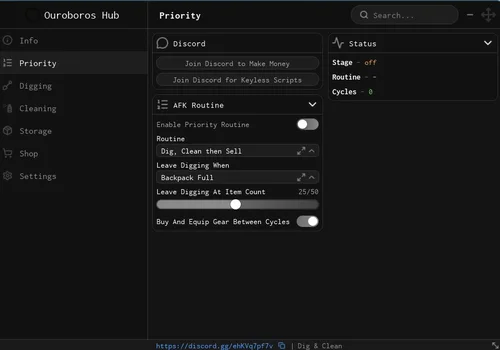
Ouroboros Hub script preview

Ouroboros Hub

Developer
Ouroboros Hub
Created
Created
v2
NO KEY PC MOBILE

Ouroboros Hub is the best overall Dig and Clean script on this page. Its Priority Routine can connect digging, cleaning, placing, replacing, selling, and gear upgrades into a configurable cycle. Players can select dig islands, set rarity and item-value conditions, control when each stage ends, reserve gold before upgrades, and track the active stage, backpack capacity, dirty items, workbench status, completed cycles, equipped gear, and current gold. It also runs without a key.

  • Priority Routine
  • Routine Selection
  • Digging Exit Condition
  • +46 more
Copies 23 Discord
Details

Functions

  • Priority Routine
  • Routine Selection
  • Digging Exit Condition
  • Digging Item Count Threshold
  • Auto Buy and Equip Gear Between Cycles
  • Routine Stage Tracker
  • Active Routine Tracker
  • Completed Cycle Tracker
  • Auto Dig
  • Teleport to Dig Spots
  • Dig Island Selection
  • Return Home to Clean and Sell
  • Minimum Digging Rarity
  • Digging Power Timing Selection
  • Dig Click Speed Adjustment
  • Pause When Backpack Is Full
  • Buried Spot Tracker
  • Digging Phase Tracker
  • Backpack Capacity Tracker
  • Auto Clean
  • Cleaning Priority Selection
  • Teleport to Workbench
  • Scrub Time Before Finishing Adjustment
  • Return After Cleaning
  • Dirty Item Tracker
  • Workbench Status Tracker
  • Auto Place Items
  • Placement Condition Selection
  • Minimum Item Value Adjustment
  • Replace Lower-Value Items
  • Teleport to Pedestal
  • Auto Replace Items
  • Replacement Mode Selection
  • Minimum Candidate Rarity
  • Minimum Candidate Condition
  • Auto Sell
  • Sell Trigger Selection
  • Sell Item Count Threshold
  • Auto Sell Interval Adjustment
  • Teleport to Seller
  • Return After Selling
  • Auto Buy Best Affordable Shovel
  • Auto Buy Best Affordable Spray Bottle
  • Auto Equip Best Owned Gear
  • Gold Reserve Adjustment
  • Teleport to Gear Shop
  • Gold Amount Tracker
  • Equipped Shovel Tracker
  • Equipped Spray Bottle Tracker
Access
NO KEY
Tags
PC MOBILE
Languages
English
Compatibility
Delta Arceus X Codex Other

Change history

  • – Added to page!
Script code
loadstring(game:HttpGet("https://raw.githubusercontent.com/joustingmatch/Ouroboros/main/loader.lua"))()
Fire Hub
Fire Hub script preview

Fire Hub

Developer
Fire Hub
Created
Created
v2
KEY SYSTEM PC MOBILE

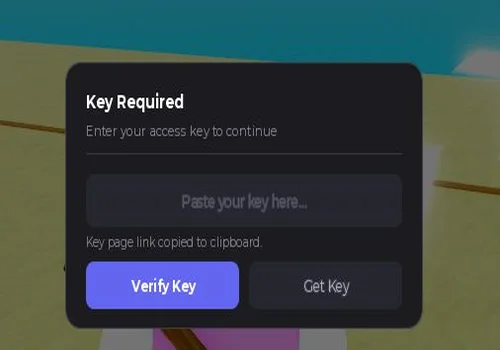
Fire Hub provides the main automation tools needed for long farming sessions. It can dig across multiple spots, check item rarity, adjust digging speed, clean and place collected items, sell them, buy shovels or spray bottles, and equip the best available gear. It uses a key system and includes an AFK setup for extended farming.

  • Auto Dig
  • Multiple Dig Spots
  • Rarity Check
  • +7 more
Copies 2
Details

Functions

  • Auto Dig
  • Multiple Dig Spots
  • Rarity Check
  • Dig Speed
  • Auto Clean
  • Auto Place
  • Auto Sell
  • Auto Buy Shovel / Spray
  • Auto Equip Best
  • AFK System for Long Farming
Access
KEY SYSTEM
Tags
PC MOBILE
Languages
English
Compatibility
Delta Arceus X Codex Other

Change history

  • – Added to page!
Script code
loadstring(game:HttpGet("https://gist.githubusercontent.com/ACE97x/c90c91da0d9a8429f6f55e4aedc1dcb9/raw/7d98205ed519963f2aefac8d59ba2911ecc1fbe1/gistfile1.txt"))()
Chesa
Chesa script preview

Chesa

Developer
Chesa
Created
Created
v2
KEY SYSTEM PC MOBILE

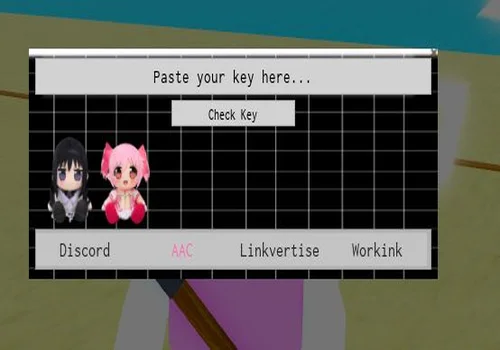
Chesa is a compact Dig and Clean automation script. It covers the basic progression tasks with Auto Dig, Auto Clean, Auto Place, Auto Shovel, Auto Detector, and Auto Spray. It has fewer listed controls than Ouroboros Hub and Fire Hub, but it can suit players who only need the main automated actions. Access requires a key system.

  • Auto Dig
  • Auto Clean
  • Auto Place
  • +3 more
Copies 0 Discord
Details

Functions

  • Auto Dig
  • Auto Clean
  • Auto Place
  • Auto Shovel
  • Auto Detector
  • Auto Spray
Access
KEY SYSTEM
Tags
PC MOBILE
Languages
English
Compatibility
Delta Arceus X Codex Other

Change history

  • – Added to page!
Script code
_G.autoExec = false
loadstring(game:HttpGet("https://raw.githubusercontent.com/iLove-yuri/leeeeesbian/refs/heads/main/homumado.lua"))() ---- join my discord: https://discord.gg/gUcWGpvAh

Core Dig and Clean script functions

These tools automate the main stages between finding an item and turning it into progress or gold.

Auto Dig
Searches dig spots automatically and keeps collecting buried items. Ouroboros Hub can also select an island, set a minimum rarity, adjust click timing, and pause when the backpack is full.
Auto Clean
Moves collected dirty items through the cleaning stage. Available controls can include cleaning priority, workbench teleporting, scrub time, and returning after cleaning.
Auto Place and replace
Places selected items on pedestals and can replace lower-value displays when a better candidate meets the configured value, rarity, or condition rules.
Auto Sell and gear upgrades
Sells items according to a trigger or interval, then buys and equips affordable shovels or spray bottles to continue the farming cycle with better gear.

Use scripts during the August 9 Admin Abuse event

Automation can reduce downtime during the event and keep the dig, clean, place, sell, and upgrade cycle moving while limited-time activity is available.

Keep digging active
Auto Dig and dig-spot teleporting can move between available locations and continue collecting until the selected exit condition or backpack limit is reached.
Process more collected items
Auto Clean and workbench tools can move dirty finds through the cleaning stage without repeating every action manually.
Sell and restart the cycle
Automatic selling can clear selected items and return the character after a sale so farming can continue with fewer pauses.
Improve gear between cycles
Automatic gear buying and equipping can spend available gold on stronger shovels or spray bottles while respecting a configured reserve.

Dig and Clean script video guide

Watch the gameplay and script guide to see the available automation before loading a script yourself.

No-key vs key-system Dig and Clean scripts

The access method tells you how the script is unlocked. It does not prove that one script has better functions, safety, or update support than another.

No-key scripts
Open without completing a separate key process. Ouroboros Hub is the no-key option on this page and also has the largest listed automation system.
Key-system scripts
Require an external key step before use. Fire Hub and Chesa use key systems, but this access method does not automatically make them better or more advanced.

How to use a Dig and Clean script

Copy the script from its card, load it with a compatible executor, and configure the farming stages you want to automate.

  1. Choose Ouroboros Hub for no-key full-cycle automation, or select one of the key-system alternatives.
  2. Check the PC or mobile tags and confirm that your current executor supports the script.
  3. Open Dig & Clean and wait until your character and the game interface finish loading.
  4. Copy the code from the script card and paste it into the executor.
  5. Run the script and open its interface.
  6. Enable one stage first, such as Auto Dig or Auto Clean, before starting a full automated routine.
  7. Set item conditions, selling rules, gear purchases, and gold reserve values before leaving the routine active.
Test your selected script before the August 9 event. Roblox, Dig & Clean, executor, UI, or remote-loader updates can break loading or individual functions.

Robscript team opinion

Ouroboros Hub is the clear best Dig and Clean script in this collection. It does more than switch on Auto Dig and Auto Clean: its Priority Routine connects the main farming stages, while the exit conditions, rarity filters, placement rules, selling triggers, gold reserve, gear upgrades, teleports, and live trackers give players control over how the cycle runs. It is also the only no-key option listed here. Fire Hub is a useful alternative for long AFK farming, and Chesa covers the basic actions in a smaller setup, but neither has the same listed level of routine control and tracking as Ouroboros Hub.

Script safety notice

These scripts load code from third-party GitHub, Gist, or other remote sources. The downloaded content can be changed by its developer after the command on this page is published.

Never enter your Roblox password, account cookie, session token, or email verification code into a script loader or key page. Stop if a page requests an unrelated download, browser extension, or disabled antivirus protection.

Dig and Clean script FAQ

What is the best Dig and Clean script?
Ouroboros Hub is the best overall option on this page. It provides no-key access and the largest listed set of routine, digging, cleaning, placement, replacement, selling, equipment, teleport, condition, and tracking controls.
Is there a no-key Dig and Clean script?
Yes. Ouroboros Hub is listed as NO KEY. You can load it without completing the external key process required by Fire Hub and Chesa.
Which scripts include Auto Dig and Auto Clean?
Ouroboros Hub, Fire Hub, and Chesa all list Auto Dig and Auto Clean. Ouroboros Hub adds more detailed stage conditions, trackers, teleports, selling rules, placement rules, and gear management.
Which script is best for the August 9 Admin Abuse event?
Ouroboros Hub is the strongest event option because its Priority Routine can connect digging, cleaning, placing or replacing items, selling, and buying better gear. This can reduce downtime during the event, but it does not guarantee specific items, rewards, or profit.
Does a key-system script have better functions?
Not necessarily. A key system only changes how access is unlocked. Script quality and features depend on the individual hub, not on whether it requires a key.
Can I use these scripts on mobile?
All three cards are tagged for PC and mobile and list Delta, Arceus X, Codex, and other executors. Compatibility can still change after game, Roblox, executor, or source updates.
Can the scripts run a full farming cycle automatically?
Ouroboros Hub has the clearest full-cycle system through Priority Routine, stage selection, exit conditions, automatic gear purchases, placement, replacement, selling, and cycle tracking. Configure each condition before leaving it active.
Why did a Dig and Clean script stop working?
Roblox updates, Dig & Clean updates, executor changes, deleted remote files, or changes made by the script developer can break the loader or individual functions.

Page update: August 6, 2026 — Ouroboros Hub, Fire Hub, and Chesa added. Generic universal widget content was replaced with Dig & Clean-specific script information, Admin Abuse event preparation, access details, automation guidance, and FAQ answers.