Tell survivors from operators and see who owns each drone. Our NO KEY HIDE VS DRONE ESP uses separate role colors and owner labels. Measure distance from your camera while piloting, or from your character on foot.
Tested working — November 9, 2026, PC with Potassium and Delta. Copy the NO KEY script for HIDE VS DRONE.
Robscript Team – HIDE VS DRONE
Separate survivor and operator markers, identify drone owners and hide your own drone from the overlay. Choose distance from the camera while piloting or from your character on foot.
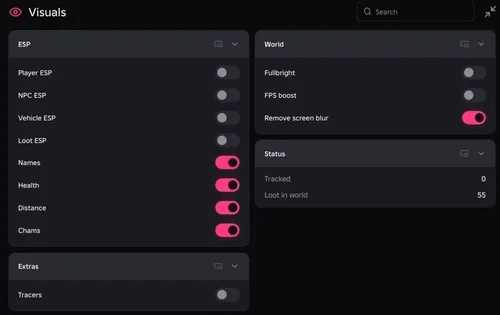
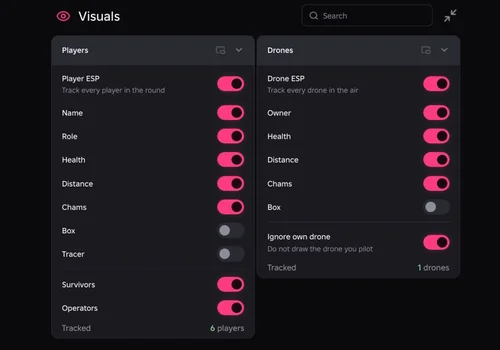
- Player ESP — names, roles, health and distance
- Role Filters — show survivors, operators or both
- Drone ESP — owner, health and distance
- +6 more
Details
Robscript Team – HIDE VS DRONE functions
- Player ESP — names, roles, health and distance
- Role Filters — show survivors, operators or both
- Drone ESP — owner, health and distance
- Through-wall Highlights — players and drones
- Player and Drone Boxes — optional target outlines
- Player Tracers — lines from the screen edge
- Own Drone Filter — hide the drone you pilot
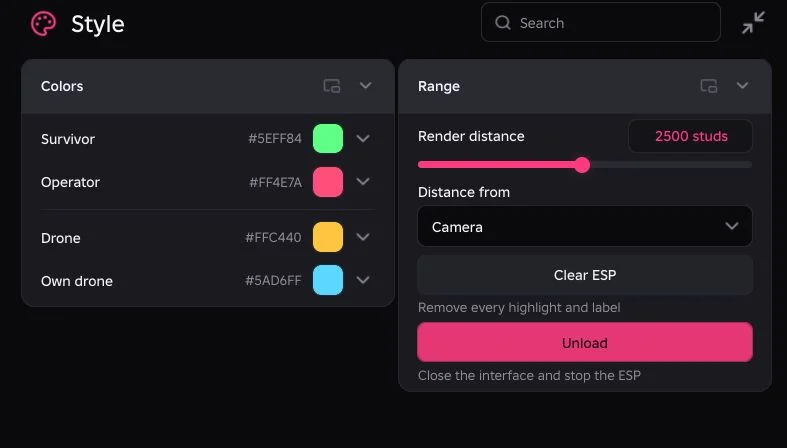
- Role Colors — survivors, operators and drone types
- Distance Controls — render range and camera or character origin
Change history
- — We tested on PC with Potassium and Delta. Player and drone ESP, role filters, own-drone filtering and distance controls checked.
Script code
loadstring(game:HttpGet("https://raw.githubusercontent.com/bobloscript/robscript/refs/heads/main/HideVsDrone"))()Join the game and run the card’s code in your executor. RightControl shows or hides the hub; End is the panic key. See our executor directory for executor options.
Turn on the markers you need
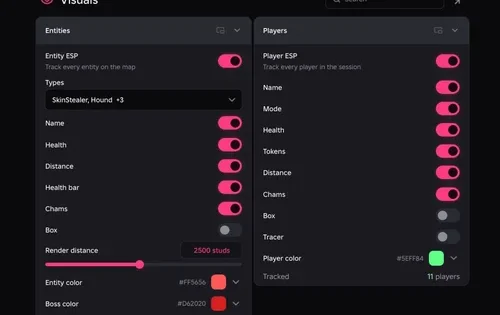
On Visuals, enable Player ESP and Drone ESP independently. Use Survivors and Operators to filter roles, then choose names, health and distance. Drone labels can show the owner. Boxes and player tracers are optional; keep only the information you can read at a glance. Our session screenshot shows 6 tracked players and 1 drone; those counts describe that session, not a target limit.
Your drone may be hidden on purpose
Ignore own drone is enabled by default. Turn it off if you want to see your drone’s overlay. Between rounds there may be no active drone to mark. Our take: knowing which operator owns the drone is more useful than filling the screen with identical boxes.
If something is missing
- No drone markers: wait for an active round and check Drone ESP.
- Your own drone is missing: disable Ignore own drone.
- A player role is missing: check Survivors and Operators filters.
- Far targets disappear: raise Render distance and check Camera versus Character.
This test covers PC with Potassium and Delta. Mobile was not tested. ESP does not change the drone’s detection rules. Using scripts carries a ban risk, and game updates can change compatibility. The HIDE VS DRONE source is available to read.