Start with TheBloxGuyYT or MegaSpawnGUI for standard block rewards. Choose kryx for Void and Limited, or Keemaw for All Items and ESP.
A block button gives you a random item from that block’s reward pool, straight into your inventory. Choose the block type, then check your inventory to see what you got.
Keyless LUCKY BLOCKS Battlegrounds Scripts
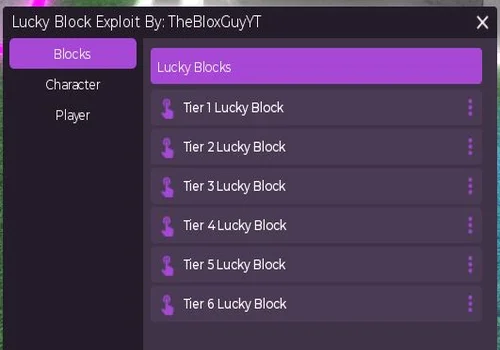
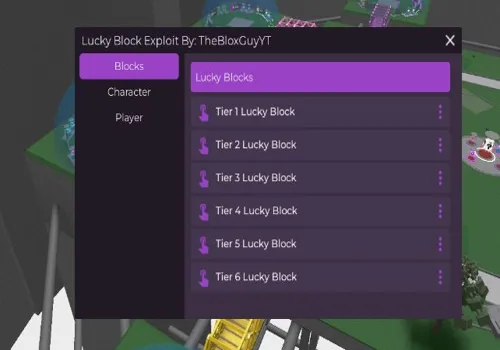
TheBloxGuyYT
Every tier button gave items, and the speed and jump controls worked.
- Speed Changer
- Jump Power Changer
- Tier 1 Lucky Block
- +5 more
Details
TheBloxGuyYT functions
- Speed Changer
- Jump Power Changer
- Tier 1 Lucky Block
- Tier 2 Lucky Block
- Tier 3 Lucky Block
- Tier 4 Lucky Block
- Tier 5 Lucky Block
- Tier 6 Lucky Block
Change history
- – Added to page!
Script code
-- Script developer: TheBloxGuyYT --
loadstring(game:HttpGet('https://raw.githubusercontent.com/artas01/artas01/main/lucky'))()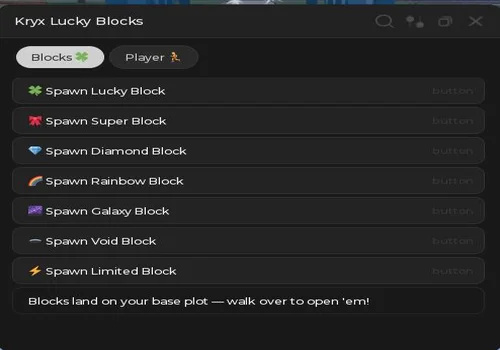
kryx
Void and Limited both gave items. Godmode, movement controls and teleporting to a selected player also worked.
- WalkSpeed Changer
- Infinite Jump
- Godmode
- +8 more
Details
kryx functions
- WalkSpeed Changer
- Infinite Jump
- Godmode
- TP To Selected Player
- Spawn Lucky Block
- Spawn Super Block
- Spawn Diamond Block
- Spawn Rainbow Block
- Spawn Galaxy Block
- Spawn Void Block
- Spawn Limited Block
Script code
loadstring(game:HttpGet("https://rscripts.net/raw/spawn-every-lucky-block-open-src_1785601299296_UlNGly43Dw.txt",true))()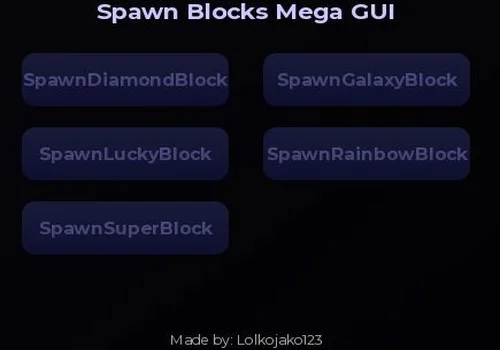
MegaSpawnGUI
Each of the five block buttons gave an item.
- Spawn Lucky Block
- Spawn Super Block
- Spawn Diamond Block
- +2 more
Details
MegaSpawnGUI functions
- Spawn Lucky Block
- Spawn Super Block
- Spawn Diamond Block
- Spawn Rainbow Block
- Spawn Galaxy Block
Change history
- – Added to page!
Script code
loadstring(game:HttpGet("https://pastebin.com/raw/rcdN1aFx", true))()
Keemaw Hub
All Items worked while the individual block buttons did nothing. ESP, tree removal, player and home teleports, speed and jump also worked.
- Speed Player Modifier
- JumpPower Player Modifier
- Lucky Block Spawn
- +11 more
Details
Keemaw Hub functions
- Speed Player Modifier
- JumpPower Player Modifier
- Lucky Block Spawn
- Super Block Spawn
- Diamond Block Spawn
- Rainbow Block Spawn
- Galaxy Block Spawn
- VOID Block Spawn
- All Items
- Y-Axis Player Changer
- Teleport Player (Loop)
- Delete Tree
- ESP Player
- Fix Bug ESP Player
Script code
loadstring(game:HttpGet"https://raw.githubusercontent.com/Keemaw/LuckyBlock/main/Update%202")()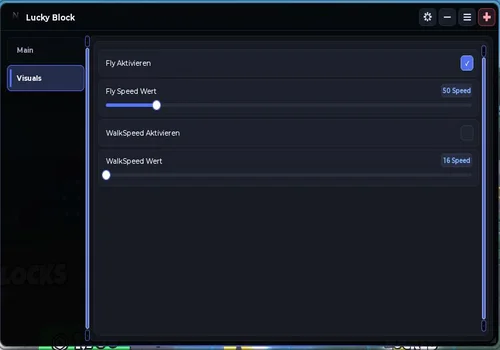
NightSystem
Rainbow rewards, flight and the speed settings all worked.
- Spawn Rainbow Block
- Enable Fly (Fly Aktivieren)
- Fly Speed Value (Fly Speed Wert)
- +2 more
Details
NightSystem functions
- Spawn Rainbow Block
- Enable Fly (Fly Aktivieren)
- Fly Speed Value (Fly Speed Wert)
- Enable WalkSpeed (WalkSpeed Aktivieren)
- WalkSpeed Value (WalkSpeed Wert)
Change history
- – Added to page!
Script code
loadstring(game:HttpGet("https://api.getvortex.vip/api/t/RH5KTH/s/Luckblock"))()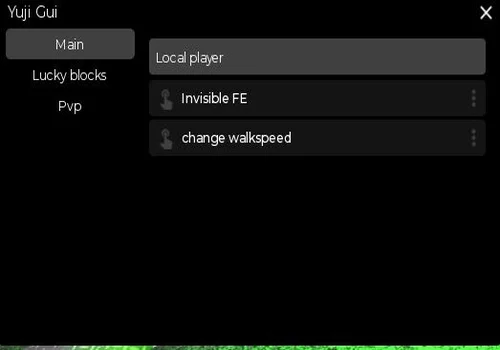
Yuji_scripts
Invisible FE worked, including when checked from a second account. Speed and the Rainbow and Galaxy buttons worked too.
- Enable Kill Aura
- Invisible FE
- Change WalkSpeed
- +2 more
Details
Yuji_scripts functions
- Enable Kill Aura
- Invisible FE
- Change WalkSpeed
- Spawn Rainbow Lucky Block
- Spawn Galaxy Lucky Block
Change history
- – Added to page!
Script code
 local Library = loadstring(game:HttpGet("https://raw.githubusercontent.com/xHeptc/Kavo-UI-Library/main/source.lua"))()
local Window = Library.CreateLib("Yuji Gui", "DarkTheme")

-- First Tab
local Tab = Window:NewTab("Main")
local Section = Tab:NewSection("Local player")

Section:NewButton("Invisible FE", "ButtonInfo", function()
    loadstring(game:HttpGet("https://rawscripts.net/raw/Universal-Script-Invisible-script-20557"))()
    print("Clicked")
end)

Section:NewButton("change walkspeed", "ButtonInfo", function()
loadstring(game:HttpGet("https://rawscripts.net/raw/Universal-Script-universal-loop-speed-86432"))()
    print("Clicked")
end)

local Tab2 = Window:NewTab("Lucky blocks")
local Section2 = Tab2:NewSection("Spawn lucky blocks")
Section2:NewButton("Spawn rainbow lucky block", "ButtonInfo", function()
game:GetService("ReplicatedStorage"):WaitForChild("SpawnRainbowBlock"):FireServer()

    print("Clicked")
end)

Section2:NewButton("Spawn galaxy lucky block", "ButtonInfo", function()
game:GetService("ReplicatedStorage"):WaitForChild("SpawnGalaxyBlock"):FireServer()

    print("Clicked")
end)

local Tab3 = Window:NewTab("Pvp")
local Section3 = Tab3:NewSection("Kill aura")
Section3:NewButton("Enable kill aura", "ButtonInfo", function()
loadstring(game:HttpGet("https://rawscripts.net/raw/Universal-Script-SfY-FE-INVISIBLE-Kill-aura-Paid-Scripts-AGOA-181127"))()

 print("Clicked")
end)Invisible FE: second-account check
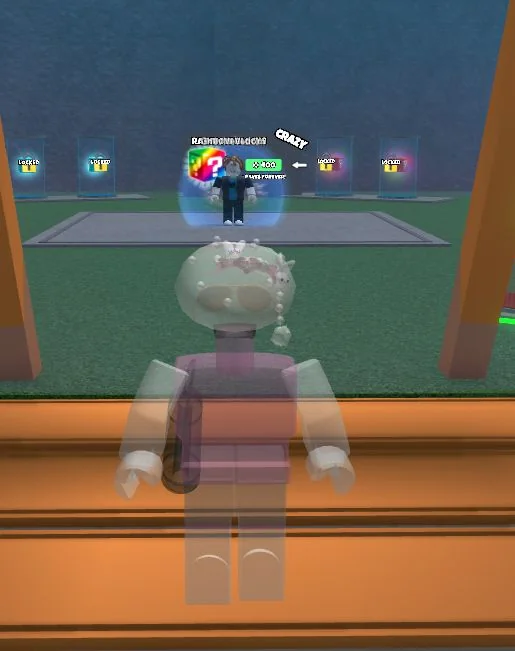
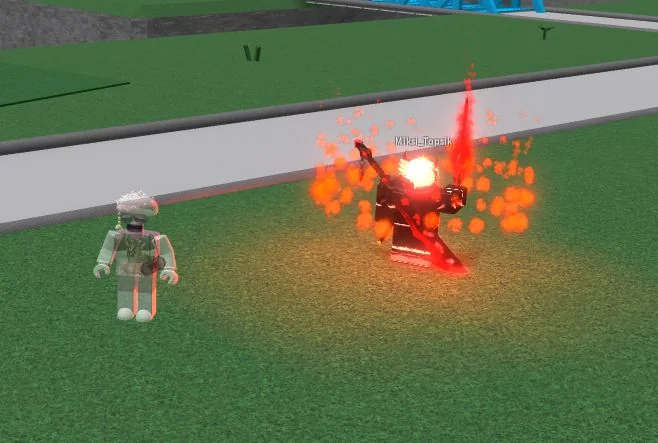
We stood in front of a second account to check Invisible FE. Our screen still showed a transparent character, but the second account could not see that character. The screenshots below show both views.