Saber Simulator is a Roblox training and fighting game where progress depends on swinging your saber, selling strength, buying stronger sabers, upgrading DNA, collecting crowns, opening pets, farming bosses, and completing dungeons. Because most of these actions are repetitive, many players look for scripts that can automate the main progression loop.
This page includes working Saber Simulator scripts for both No Key and Key System hubs. The main features covered here include Auto Swing, Auto Sell, Auto Buy Sabers, Auto Buy DNA, Auto Crown Farm, Boss Farm, Auto Dungeon, pet upgrades, daily rewards, quest automation, anti-AFK tools, and faster farming for long sessions.
If you want quick access, start with a No Key script like Sky X, MN Hub v2.0, Spheroid, Cry More, or NO UI Autofarm. If you are willing to use a key system, KamScripts, EZ Hub, and Ziaa Hub are also listed as extra options for testing.
Game link: Saber Simulator on Roblox
Best Saber Simulator Scripts Compared
The table below separates simple autofarm scripts from larger hubs. This helps you choose a Saber Simulator script based on the exact type of automation you need: basic farming, crown grinding, dungeon rewards, pet management, boss farming, or full progression.
| Script | Access | Best For | Main Features | Platform |
|---|---|---|---|---|
| Sky X | No Key | Simple farming and upgrades | Auto Swing, Auto Buy, Crowns, Candy, Auto Sell | PC / Mobile |
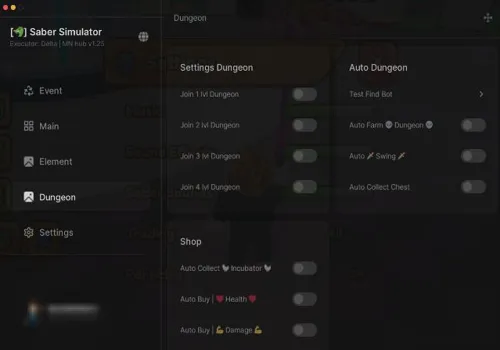
| MN Hub v2.0 | No Key | Full progression automation | Auto Crown, Auto Buy, Pets, Quests, Dungeons | PC / Mobile |
| Spheroid | No Key | Advanced farming and pet management | Dungeons, Boss Farm, Pet Crafting, Merchant, Anti AFK | PC / Mobile |
| Cry More | No Key | Light boss and crown farming | Auto Swing, Crowns, DNA Sell, Boss Farm | PC / Mobile |
| NO UI Autofarm | No Key | Minimal farming without a large menu | Basic autofarm loadstring | PC / Mobile |
| KamScripts | Key System | Extra hub testing | Saber Simulator automation hub | PC / Mobile |
| EZ Hub | Key System | Alternative key-based hub | General script hub features | PC / Mobile |
| Ziaa Hub | Key System | Additional script option | Key-based Saber Simulator script | PC / Mobile |
Working Saber Simulator No Key Scripts
The scripts in this section are listed as No Key options. They are better for users who want faster access to Saber Simulator automation without completing a separate key system first.
Sky X
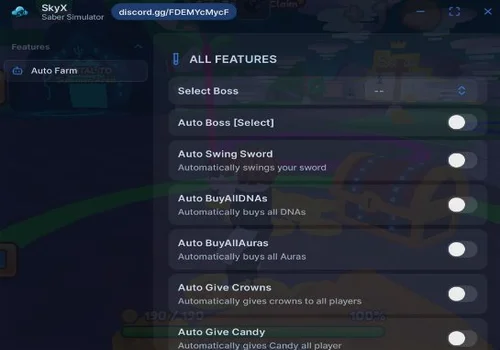
Sky X is a good starting option if you only need the most common Saber Simulator farming tools. It focuses on swinging, buying upgrades, selling, crowns, and candy farming, which makes it easier to test than larger all-in-one hubs.
- Auto Swing sword
- Auto Buy: All DNAs, All Aura
- Auto Give crowns to player
- +3 more
Details
Functions
- Auto Swing sword
- Auto Buy: All DNAs, All Aura
- Auto Give crowns to player
- Auto Give candy
- Auto Sell items
- Auto buy all swords
Change history
- – Added to page!
- – Checked, working script!
Script code
loadstring(game:HttpGet("https://raw.githubusercontent.com/tee4687xxz/Saber-Simulator/refs/heads/main/Script.lua"))()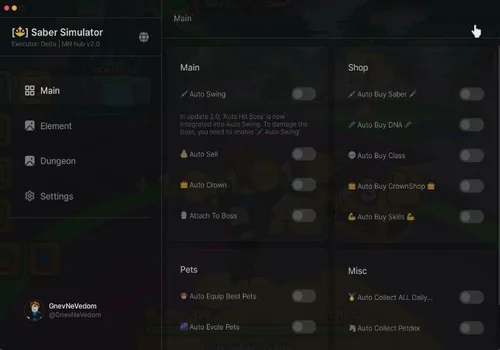
MN Hub v2.0
MN Hub v2.0 is better for full progression because it includes more than basic farming. It covers crowns, upgrades, pets, daily rewards, quests, boss farming, and dungeon automation, so it is a stronger choice for longer sessions.
- Auto Swing
- Auto Sell
- Auto Crown
- +9 more
Details
Functions
- Auto Swing
- Auto Sell
- Auto Crown
- Attach to boss
- Auto Buy: Saber, DNA, Class, CrownShop, Skills
- Auto Equip best pets
- Auto Evole pets
- Auto Collect all daily rewards
- Auto Collect PetDex
- Auto Claim Quest
- Autofarm elements boss
- Auto farm dungeons
Change history
- – Added to page!
- – Checked, working script!
Script code
loadstring(game:HttpGet(("https://raw.githubusercontent.com/Lunox093/Loader/refs/heads/main/l.lua"), true))()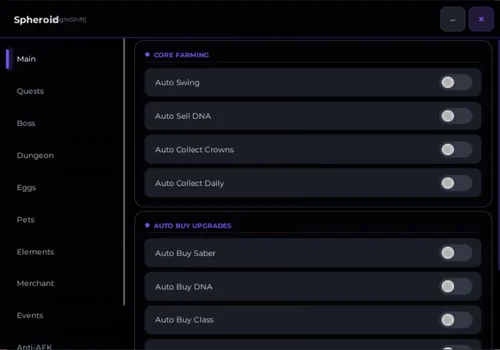
Spheroid
Spheroid has the widest feature list on this page. It is especially useful if you want dungeon rewards, boss tools, clan quests, pet crafting, PetDex rewards, merchant buying, element farming, and anti-AFK support inside one hub.
- Auto Swing
- Auto Sell DNA
- Auto Collect Crowns and daily rewards
- +14 more
Details
Functions
- Auto Swing
- Auto Sell DNA
- Auto Collect Crowns and daily rewards
- Auto Buy Upgrades: Saber, DNA, Class, Boss Change, Aura, Pet Aura
- Auto Clan Quests
- Bring boss
- Auto Walk boss
- Autofarm dungeon and collect dungeon rewards
- Auto Open Egg
- Auto Complete Petdex
- Auto Redeem Petdex rewards
- Auto Equip best pets
- Auto Craft all pets
- Auto delete trash pets
- Farm elements
- Auto buy items in traveling merchant and event merchant
- Anti AFK
Change history
- – Added to page.
Script code
loadstring(game:HttpGet("https://spheroid.pythonanywhere.com/BloodScripts.lua", true))()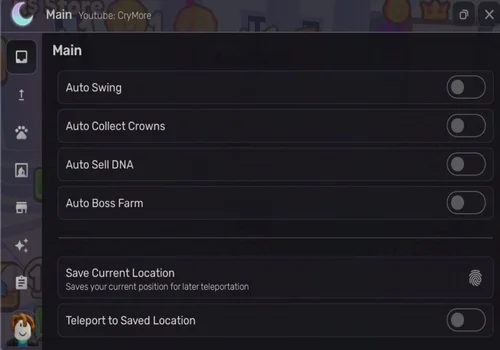
Cry More
Cry More is a lighter No Key option for users who mainly need Auto Swing, crown collection, DNA selling, and boss farming. It has fewer listed features than MN Hub v2.0 or Spheroid, but that can make it easier to test.
- Auto Swing
- Auto Collect crowns
- Auto sell DNA
- +1 more
Details
Functions
- Auto Swing
- Auto Collect crowns
- Auto sell DNA
- Auto Boss Farm
Change history
- – Added to page!
Script code
loadstring(game:HttpGet("https://raw.githubusercontent.com/CryMoreScript/CryMore/refs/heads/main/SBR-3823781113.lua", true))()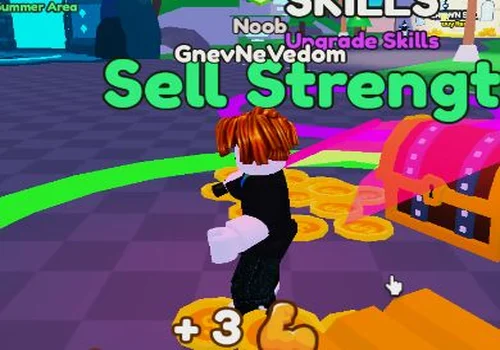
NO UI Autofarm
Details
Change history
- – Added to page!
- – Check working!
Script code
loadstring(game:HttpGet("https://pastebin.com/raw/U9PC4bWA"))()Saber Simulator Key System Scripts
The scripts below use a key system. They may still work for Saber Simulator automation, but they add extra steps before use. This section is separated from the No Key scripts so users can quickly choose the access type they prefer.
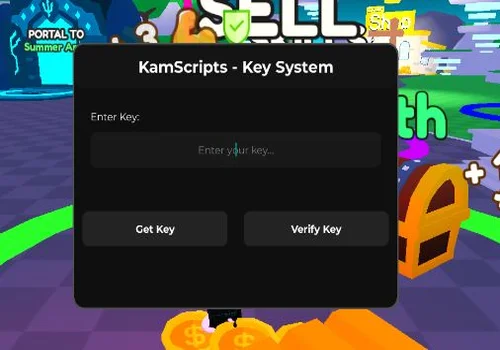
KamScripts
Details
Change history
- – Added to page!
- – Checked, working script!
Script code
loadstring(game:HttpGet("https://raw.githubusercontent.com/EnesKam21/sabersim/refs/heads/main/sabersim.lua"))()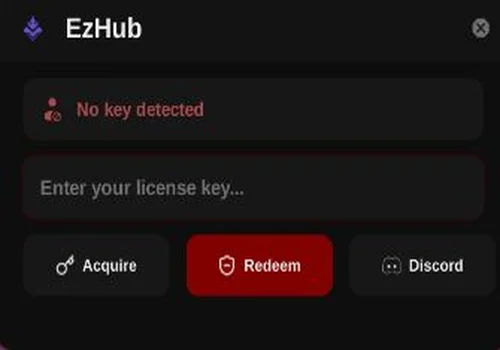
EZ Hub
Details
Change history
- – Added to page!
- – Checked, working script!
Script code
loadstring(game:HttpGet("https://api.junkie-development.de/api/v1/luascripts/public/8e08cda5c530a6529a71a14b94a33734eccc870e9f28220410eb21d719f66da9/download"))()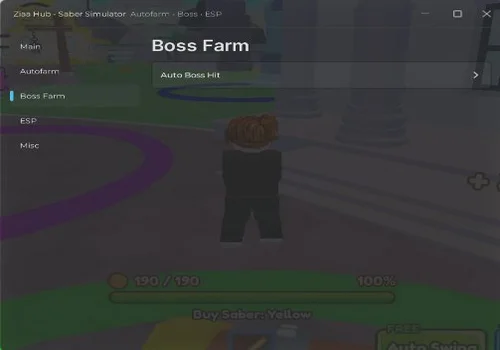
Ziaa Hub
Details
Change history
- – Added to page!
- – Checked, working script!
Script code
loadstring(game:HttpGet("https://pastebin.com/raw/EYWSyaPF", true))()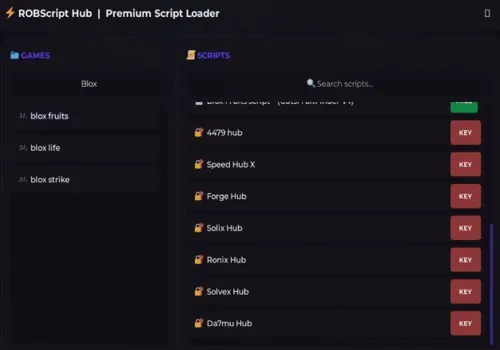
Robscript hub
Show script
loadstring(game:HttpGet('https://raw.githubusercontent.com/artas01/robscript/refs/heads/main/loader.lua'))()Which Saber Simulator Script Should You Choose?
Choose Sky X if you need a simple No Key script for basic farming, crown collection, candy farming, selling, and buying sabers. It is easier to understand than larger hubs and fits players who only want the core automation features.
Choose MN Hub v2.0 if you want a more complete Saber Simulator hub. It includes Auto Swing, Auto Sell, Auto Crown, Auto Buy upgrades, pet features, daily rewards, quests, PetDex automation, elements boss farming, and dungeon farming.
Choose Spheroid if you want the deepest feature list. It is the strongest option on this page for players who need dungeon rewards, boss tools, pet crafting, trash pet deletion, merchant buying, clan quests, element farming, and anti-AFK support in one hub.
Choose Cry More if you only need a lighter setup for Auto Swing, crown collection, DNA selling, and boss farming. It has fewer listed features, but that can make it easier to test when larger hubs feel unnecessary.
Choose a Key System hub only if you specifically want to test KamScripts, EZ Hub, or Ziaa Hub. For users searching for fast access, the No Key section is usually the better starting point.
Saber Simulator Script Preview
The preview below shows Saber Simulator script usage with farming and upgrade automation. Use it as a visual reference before choosing one of the listed hubs.

How to Use Saber Simulator Scripts
Start by choosing a script based on the part of Saber Simulator you want to automate. For basic progression, use a hub with Auto Swing, Auto Sell, and Auto Buy Sabers. For longer sessions, choose a hub with dungeon farming, crown farming, pet management, daily rewards, and anti-AFK support.
- Open Saber Simulator and wait until your character, inventory, and upgrade menus are fully loaded.
- Choose a No Key script if you want faster access without a key system.
- Paste script in roblox executor like delta or potassium.
- Use simple autofarm scripts for swinging, selling, and buying upgrades.
- Use larger hubs like MN Hub v2.0 or Spheroid if you need pets, dungeons, bosses, quests, and reward collection.
- Enable only the features you need first, then add more automation after checking that the hub is stable.
For Saber Simulator specifically, it is better not to enable every farming option at once. Auto Swing, Auto Sell, Auto Buy, Boss Farm, Auto Dungeon, and pet automation can overlap, so testing one group of features at a time makes the setup more stable.
Core Features Explained
Most Saber Simulator scripts focus on reducing repetitive actions. Instead of manually swinging, selling, buying upgrades, collecting rewards, and farming bosses, the script hub can run these actions through toggles inside the script menu.
- Auto Swing: automatically swings your saber to gain strength without repeated clicking.
- Auto Sell: sells strength when needed so the farming loop can continue.
- Auto Buy Sabers: purchases stronger sabers to improve progression speed.
- Auto Buy DNA: upgrades storage capacity so you can hold more strength before selling.
- Auto Crown Farm: collects or farms crowns for pets, upgrades, and progression systems.
- Boss Farm: helps farm bosses for rewards and faster resource gain.
- Auto Dungeon: automates dungeon-related farming and reward collection when supported by the hub.
- Pet Automation: can open eggs, equip best pets, craft pets, complete PetDex tasks, or manage unwanted pets.
- Anti AFK: helps keep longer farming sessions active when the hub supports it.
Compatibility and Stability Notes
Saber Simulator scripts can behave differently depending on the executor, device, and current Roblox update. A hub that works on PC may load slower on mobile, and large menus with many automation loops can be heavier than simple no-UI autofarm scripts.
- Mobile users: choose lighter hubs first if your executor crashes with larger menus.
- PC users: larger hubs are usually better for dungeon farming, boss farming, and long AFK sessions.
- Dungeon farming: test dungeon features separately before combining them with auto-buy and pet automation.
- Pet automation: check delete and craft settings carefully before enabling trash pet cleanup.
- After Roblox updates: try another listed hub if one script stops loading or shows a blank interface.
Saber Simulator Scripts Update Log
- March 2, 2026: Added the first Saber Simulator script listings, including Sky X, MN Hub v2.0, NO UI Autofarm, KamScripts, EZ Hub, and Ziaa Hub.
- June 16, 2026: Rechecked older script cards and marked the working listings as updated.
- June 16, 2026: Added Spheroid as a larger No Key hub with dungeon, pet, boss, merchant, and anti-AFK features.
- June 16, 2026: Added Cry More as a lighter No Key option for Auto Swing, crown collection, DNA selling, and boss farming.
- June 2026: Separated No Key scripts from Key System hubs so the page matches both search intents more clearly.
Saber Simulator Scripts FAQ
What is the best No Key script for Saber Simulator?
For most users, Spheroid and MN Hub v2.0 are the strongest No Key options because they include more progression features than simple autofarm scripts. Sky X is better if you only need basic farming, crowns, candy, selling, and auto-buy tools.
Which script is best for Auto Dungeon?
MN Hub v2.0 and Spheroid are the most relevant choices for dungeon farming because both list dungeon-related automation. Spheroid also includes dungeon reward collection, which makes it better for longer farming sessions.
Which script is best for crowns?
Sky X, MN Hub v2.0, Spheroid, and Cry More all include crown-related farming features. Cry More is the lighter option, while MN Hub v2.0 and Spheroid are better if you also need pets, quests, bosses, and upgrades.
Do these Saber Simulator scripts work on mobile?
The listed scripts are marked for PC and mobile support. Mobile performance still depends on the executor and device, so lighter scripts may be more stable than large hubs on weaker phones.
Why does a Saber Simulator script stop working?
A script can stop working after a Roblox update, a Saber Simulator patch, a changed loadstring, or executor compatibility issues. If one hub does not load, test another listed script and check whether the issue affects only one script or all scripts.
Should I use a No Key script or a Key System script?
No Key scripts are better for fast access and simple testing. Key System scripts may still offer useful features, but they add extra steps before the hub can be used.
Conclusion
Saber Simulator scripts are most useful when they remove the slow parts of progression: repeated swinging, selling, buying upgrades, collecting crowns, farming bosses, opening pets, and clearing dungeons. A good hub should not only load correctly, but also match the way you play — short farming sessions, long AFK grinding, pet progression, boss rewards, or dungeon farming.
This page is built to compare both No Key and Key System options in one place, so you can quickly separate simple autofarm scripts from larger Saber Simulator hubs. Start with the features you actually need, test the script stability, and switch to another listed hub if a Roblox update breaks one of the loadstrings.