This page collects Sell Lemons scripts in one place and separates them by keyless options and scripts with a key system. Each card includes the script name, main functions, supported devices, compatibility notes, update date, and the script code.
Use the comparison table first if you want to choose quickly. Then open the script card that best matches what you need: simple autofarm, auto buy, upgrades, fruit collection, phone offers, rebirth, evolve, ascend, or advanced hub features.
Roblox game link: Sell Lemons on Roblox
Recommended scripts
The scripts below are placed near the top because they cover the most common needs: easy automation, progression features, and broad device support. Check whether you prefer a no-key option or a hub with a key system before copying the script.
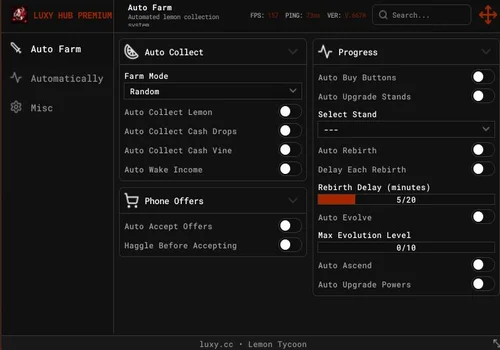
LuxyHub
- Auto Collect lemon
- Auto Collect Cash Drops
- Auto Collect Cash Vine
- +13 more
Details
Functions
- Auto Collect lemon
- Auto Collect Cash Drops
- Auto Collect Cash Vine
- Auto Wake Income
- Auto Accept Offers
- Haggle before Accepting
- Auto Buy Buttons
- Auto Upgrade Stands
- Auto Rebirth
- Auto Evolve
- Auto Ascend
- Auto Upgrade Powers
- Auto Solve Sewer
- Auto Claim Void Altar
- Talk To alien
- Auto Lemon Dash and trade
Change history
- – Added to page!
Script code
loadstring(game:HttpGet("https://www.luxyhub.space/api/loader/luxyhub"))()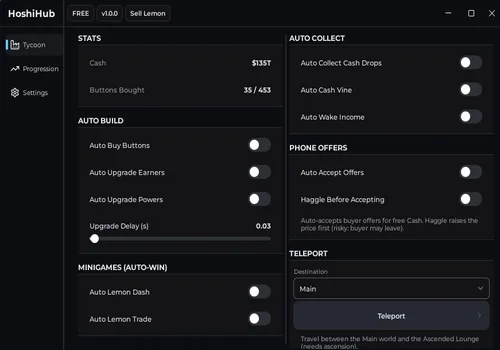
Hoshi hub
- Auto Buy
- Auto Upgrade Earners
- Auto Upgrade Powers
- +13 more
Details
Functions
- Auto Buy
- Auto Upgrade Earners
- Auto Upgrade Powers
- Auto Rebirth
- Auto Ascend
- Auto Evolve
- Auto Collect Cash Drops
- Auto Cash Vine
- Auto Wake Income
- Auto Phone Accept
- Auto Phone Offers
- Auto Lemon Dash (Instant)
- Auto Lemon Trade (Instant)
- Teleport
- Upgrade Delay Slider
- Config Save/Load
Change history
- – Added to page!
Script code
loadstring(game:HttpGet("https://raw.githubusercontent.com/Fluxyyy333/HoshiOnTop/main/loader.lua"))()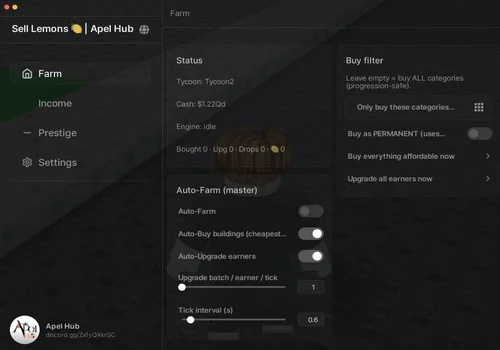
Apel Hub
- Auto Farm
- Auto Buy
- Auto Upgrade
- +7 more
Details
Functions
- Auto Farm
- Auto Buy
- Auto Upgrade
- Auto Collect
- Auto Keep income streams awake
- Auto Handle phone offers
- Auto Rebirth
- Auto Evolve
- Auto Ascend
- Webhook Reports
Change history
- – Added to page!
Script code
loadstring(game:HttpGet("https://raw.githubusercontent.com/ApelsinkaFr/ApelHub/refs/heads/main/ApelHub"))()
Keyless scripts
Keyless scripts are usually faster to start because they do not require an extra key verification step. They are a good choice if you want simple setup and direct access to basic automation features.
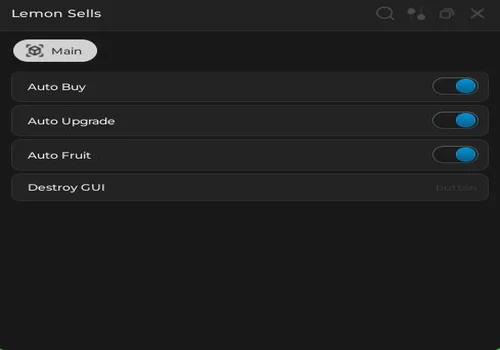
Gouang
Open Source sell lemons scripts
- Auto Buy tycoon buttons
- Auto Upgrade
- Auto fruit farm
Details
Functions
- Auto Buy tycoon buttons
- Auto Upgrade
- Auto fruit farm
Change history
- – Added to page!
Script code
--// Rayfield
local Rayfield = loadstring(game:HttpGet('https://sirius.menu/rayfield'))()

local Window = Rayfield:CreateWindow({
	Name = "Lemon Sells",
	LoadingTitle = "Lemon Sell Auto",
	LoadingSubtitle = "By ChatGPT & Gouang",
	ConfigurationSaving = {
		Enabled = false,
	},
	KeySystem = false,
})

local MainTab = Window:CreateTab("Main", 4483362458)

--// Services
local Players = game:GetService("Players")
local LocalPlayer = Players.LocalPlayer

--// Find Tycoon
local userTycoon = (function()
	for _, v in pairs(workspace:GetChildren()) do
		if v:IsA("Folder") and v.Name:match("Tycoon%d") then
			if v:FindFirstChild("Owner") and v.Owner.Value == LocalPlayer then
				return v
			end
		end
	end
end)()

if not userTycoon then
	Rayfield:Notify({
		Title = "Error",
		Content = "Tycoon not found!",
		Duration = 5,
	})
	return
end

--// Variables
local AutoBuy = false
local AutoUpgrade = false
local AutoFruit = false

local Buying = false

local function getButtons()
	local Buttons = {}

	for _, obj in ipairs(userTycoon.Purchases:GetDescendants()) do
		if obj:IsA("Model") then

			local shown = obj:GetAttribute("Shown")
			local purchased = obj:GetAttribute("Purchased")

			if shown == true and purchased ~= true then

				local buttonPart = obj:FindFirstChild("Button")

				if buttonPart and buttonPart:IsA("BasePart") then
					table.insert(Buttons, {
						Name = obj.Name,
						Button = buttonPart,
					})
				end
			end
		end
	end

	return Buttons
end

local function buyButton(buttonData)

	if Buying then
		return
	end

	Buying = true

	local character = LocalPlayer.Character
	if not character then
		Buying = false
		return
	end

	local hrp = character:FindFirstChild("HumanoidRootPart")
	if not hrp then
		Buying = false
		return
	end

	local buttonPart = buttonData.Button

	pcall(function()
		firetouchinterest(hrp, buttonPart, 0)
		firetouchinterest(hrp, buttonPart, 1)
	end)

	Buying = false
end

task.spawn(function()
	while true do
		task.wait(0.0000001)

		if AutoBuy then

			local Buttons = getButtons()

			for _, button in ipairs(Buttons) do
				pcall(function()
					buyButton(button)
				end)
			end
		end
	end
end)

local function upgradeMachines()

	for _, obj in ipairs(userTycoon.Purchases:GetDescendants()) do

		if obj:IsA("RemoteFunction") and obj.Name == "Upgrade" then

			pcall(function()

				for level = 1, 100 do
					obj:InvokeServer(level)
				end

			end)
		end
	end
end

task.spawn(function()
	while true do
		task.wait(0.00001)

		if AutoUpgrade then
			pcall(function()
				upgradeMachines()
			end)
		end
	end
end)

local Trees = {}

local function addTree(obj)
	if obj:IsA("Model") and obj.Name == "LemonTree" then

		if not table.find(Trees, obj) then
			table.insert(Trees, obj)
		end
	end
end

local function removeTree(obj)

	local index = table.find(Trees, obj)

	if index then
		table.remove(Trees, index)
	end
end

-- initial scan
for _, v in ipairs(workspace:GetDescendants()) do
	addTree(v)
end

-- realtime update
workspace.DescendantAdded:Connect(addTree)
workspace.DescendantRemoving:Connect(removeTree)

local function noCollisionTree(tree)

	for _, obj in ipairs(tree:GetDescendants()) do
		if obj:IsA("BasePart") then
			obj.CanCollide = false
		end
	end
end

local function teleportToTree(tree)

	local character = LocalPlayer.Character
	if not character then
		return false
	end

	local hrp = character:FindFirstChild("HumanoidRootPart")
	if not hrp then
		return false
	end

	local cf = tree:GetPivot()

	hrp.CFrame = cf + Vector3.new(0, 5, 0)

	return true
end

local function collectFruit(tree)

	noCollisionTree(tree)

	local success = teleportToTree(tree)

	if not success then
		return
	end

	for _, obj in ipairs(tree:GetDescendants()) do

		if obj:IsA("BasePart") and obj.Name == "Fruit" then

			obj.CanCollide = false

			local clickPart = obj:FindFirstChild("ClickPart")

			if clickPart then

				local detector = clickPart:FindFirstChildOfClass("ClickDetector")

				if detector then

					task.wait(0.45)

					pcall(function()
						fireclickdetector(detector)
					end)
				end
			end
		end
	end
end

task.spawn(function()
	while true do
		task.wait(0.1)

		if AutoFruit then

			for _, tree in ipairs(Trees) do

				if not AutoFruit then
					break
				end

				if tree and tree.Parent then

					pcall(function()
						collectFruit(tree)
					end)
				end
			end
		end
	end
end)


MainTab:CreateToggle({
	Name = "Auto Buy",
	CurrentValue = false,
	Flag = "AutoBuy",
	Callback = function(Value)
		AutoBuy = Value

		Rayfield:Notify({
			Title = "Auto Buy",
			Content = Value and "Enabled" or "Disabled",
			Duration = 3,
		})
	end,
})

MainTab:CreateToggle({
	Name = "Auto Upgrade",
	CurrentValue = false,
	Flag = "AutoUpgrade",
	Callback = function(Value)
		AutoUpgrade = Value

		Rayfield:Notify({
			Title = "Auto Upgrade",
			Content = Value and "Enabled" or "Disabled",
			Duration = 3,
		})
	end,
})

MainTab:CreateToggle({
	Name = "Auto Fruit",
	CurrentValue = false,
	Flag = "AutoFruit",
	Callback = function(Value)
		AutoFruit = Value

		Rayfield:Notify({
			Title = "Auto Fruit",
			Content = Value and "Enabled" or "Disabled",
			Duration = 3,
		})
	end,
})

MainTab:CreateButton({
	Name = "Destroy GUI",
	Callback = function()
		Rayfield:Destroy()
	end,
})

Rayfield:Notify({
	Title = "Loaded",
	Content = "Tycoon Autofarm Loaded Successfully",
	Duration = 5,
})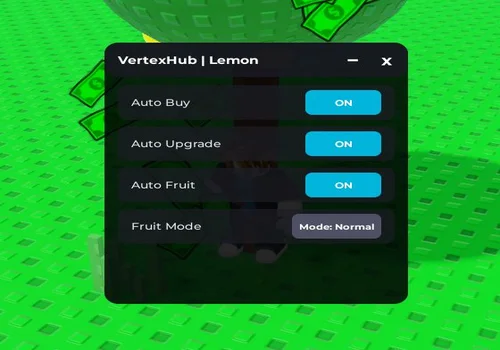
Vertex Hub
- Auto Buy tycoon buttons
- Auto Upgrade
- Auto collect fruit
Details
Functions
- Auto Buy tycoon buttons
- Auto Upgrade
- Auto collect fruit
Change history
- – Added to page!
Script code
loadstring(game:HttpGet("https://gist.githubusercontent.com/lionelbenayap1910-ctrl/54b10e86407cbda9846fe09894142a59/raw/0ec56d157df3fc0d3dc09db7f7e1baa9b2ee0600/VertexHub.lua"))()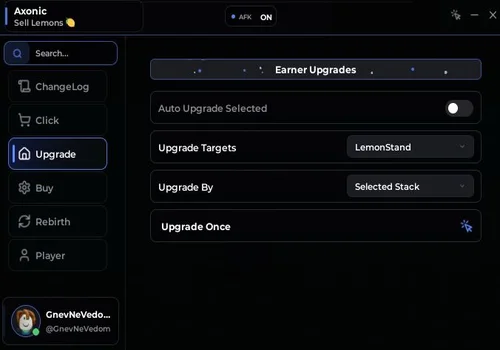
Axonic
- Auto Income
- Auto Cash Drops
- Auto Phone Orders
- +3 more
Details
Functions
- Auto Income
- Auto Cash Drops
- Auto Phone Orders
- Auto Upgrades
- Auto Buy
- Auto Rebirth
Change history
- – Added to page!
Script code
loadstring(game:HttpGet("https://raw.githubusercontent.com/Kenniel123/Sell-Lemons/refs/heads/main/Sell%20Lemons"))()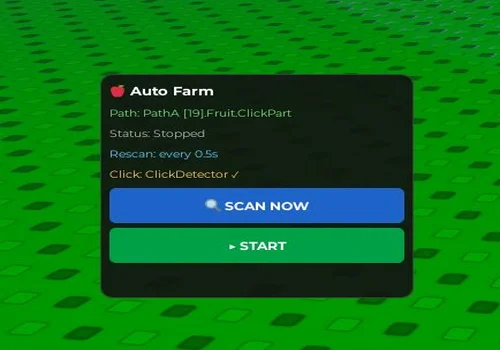
Open Source Fruits farm
- Automatically scans the nearest trees and collects lemons from them.
Details
Functions
- Automatically scans the nearest trees and collects lemons from them.
Change history
- – Added to page!
Script code
loadstring(game:HttpGet("https://pastefy.app/j4bSgRFM/raw"))()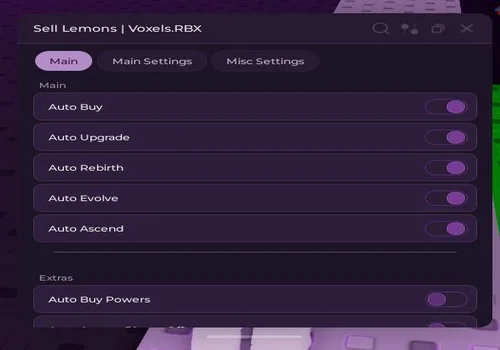
OpenSource and Keyless Sell Lemons script
- Open source Core funсtions.
Details
Functions
- Open source Core funсtions.
Change history
- – Added to page!
Script code
loadstring(game:HttpGet("https://raw.githubusercontent.com/tempvoxels-web/Sell-Lemons/refs/heads/main/unobfus-sell-lemons-v1.lua"))()
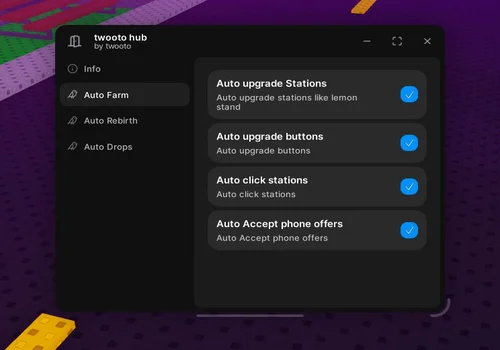
Twooto Hub
- Auto Upgrade stations like lemon stand
- Auto Upgrade buttons
- Auto Click Stations
- +5 more
Details
Functions
- Auto Upgrade stations like lemon stand
- Auto Upgrade buttons
- Auto Click Stations
- Auto Accept Phone Offers
- Auto Rebirth
- Auto Void Evolve
- Auto Cash Drops
- Auto Lemon Tree
Change history
- – Added to page!
Script code
loadstring(game:HttpGet("https://raw.githubusercontent.com/twooto-bot/twooto-hub/refs/heads/main/twooto%20hub.lua"))()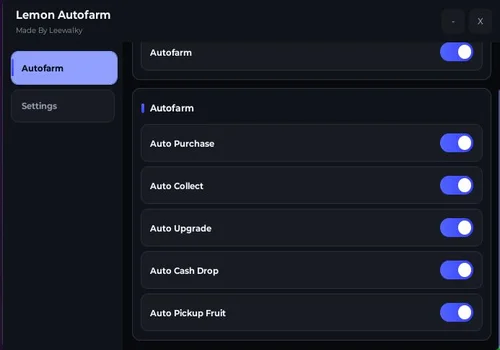
Lemon Autofarm
- Core Functions
Details
Functions
- Core Functions
Change history
- – Added to page!
Script code
loadstring(game:HttpGet("https://pastefy.app/ufTXHIS3/raw"))()Scripts with a key system
Scripts with a key system may include more features, but they usually require extra steps before the script loads. Use trusted sources only and avoid entering personal information on unknown pages.
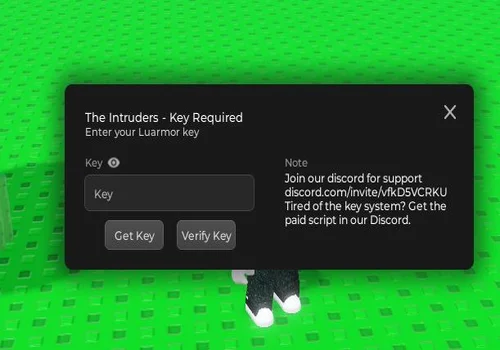
The Intruders
Details
Change history
- – Added to page!
Script code
loadstring(game:HttpGet"https://raw.githubusercontent.com/lifaiossama/errors/main/Intruders.html")()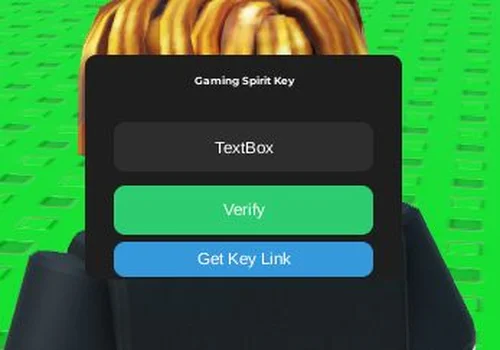
Gaming_Spirit
- Auto Farm
- Auto Tycoon
- Auto Upgrade Stand
- +1 more
Details
Functions
- Auto Farm
- Auto Tycoon
- Auto Upgrade Stand
- Auto Collect Cash
Change history
- – Added to page!
Script code
loadstring(game:HttpGet("https://pastebin.com/raw/ppCz8Tps"))()
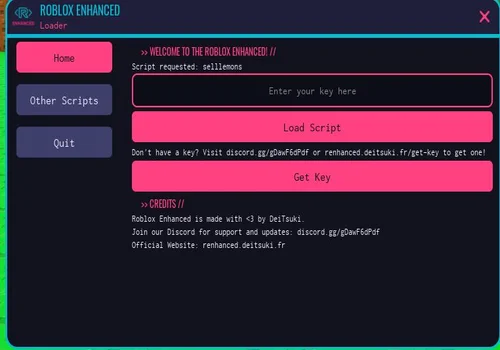
Deitsuki
- Auto buy upgrade
- Collect cash drops
Details
Functions
- Auto buy upgrade
- Collect cash drops
Change history
- – Added to page!
Script code
loadstring(
    game:HttpGet("https://renhanced.deitsuki.fr/loader/selllemons", true)
)()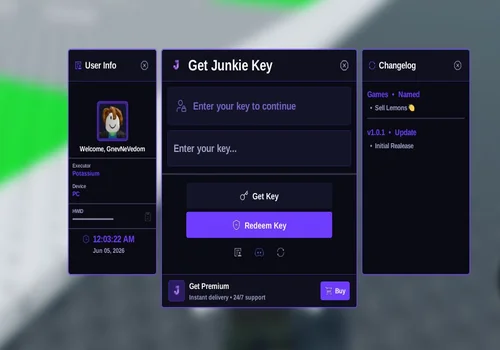
StarForge
- Auto buy
- Auto upgrade
- Auto fruit
- +12 more
Details
Functions
- Auto buy
- Auto upgrade
- Auto fruit
- Auto rebirth (optimal)
- Auto evolve (x10 income)
- Auto power level
- Sewer levers (button)
- Vine harvest (button)
- Teleport to sewer alien (button)
- Speed (walk speed toggle)
- Fly speed (fly toggle + speed input)
- Hop server
- Rejoin
- Reset character
- Anti afk
Change history
- – Added to page!
Script code
loadstring(game:HttpGet("https://raw.githubusercontent.com/ZyroYonk/StarForgeHubv1/refs/heads/main/Vlood"))()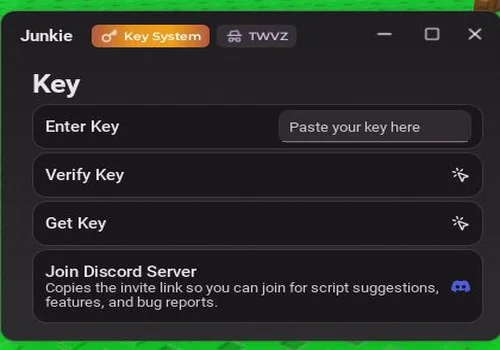
TWVZ
- Auto Upgrade Stand
- Auto Click Stand
- Auto Upgrade Tycoon
- +4 more
Details
Functions
- Auto Upgrade Stand
- Auto Click Stand
- Auto Upgrade Tycoon
- Auto Collect Cash Drops
- Auto Collect Fruits
- Auto Accept Phone Offers
- Auto Raise Phone Offers Before Accepting
Change history
- – Added to page!
Script code
loadstring(game:HttpGet("https://twvz.click"))()How to choose a script
Choose based on how much setup you want and which features you actually need. A smaller keyless script is often enough for basic farming, while a larger hub may be better if you want many tools in one interface.
- For simple farming: try Gouang, Vertex Hub, or Axonic.
- For many automation options: check Hoshi Hub or Apel Hub.
- For advanced tools: look at The Intruders or StarForge.
- For phone offer automation: check Hoshi Hub, Apel Hub, or TWVZ.
- For no-key setup: choose a script marked “No key” in the table.
Page changelog
This changelog tracks changes made to this page, not every update made by the individual script developers.
- 06/05/2026: Added Hoshi Hub, Apel Hub, Gouang, Vertex Hub, Axonic, The Intruders, Gaming_Spirit, Deitsuki, StarForge, and TWVZ.
- 06/05/2026: Added comparison table, keyless section, key-system section, usage guide, and FAQ.
- 06/05/2026: Page created for Sell Lemons scripts.
- 06/21/2026: Added Luxy Hub, Open Source fruits farm, Open Source and keyless sell lemons script, Twooto hub, Lemon autofarm by Leewalky
Conclusion
This list is designed to make choosing a Sell Lemons script easier without forcing you to read every card from top to bottom. Start with the comparison table, decide whether you want a keyless or key-system script, then choose a card based on the features you need.
For simple setup, use one of the no-key scripts. For more advanced tools, check the larger hubs with progression, movement, server, or performance features.