Anime Expeditions finally released on July 17, 2026. If you were waiting for a new Roblox tower defense game, congrats — this one gives you plenty to grind. You summon units, place and upgrade them through enemy waves, then build the same team further with traits, equipment and evolutions.
Scripts on this page are mostly used to cut out the repeated part of that loop: record a good run, replay the same placements, auto-start another stage, join Story or Raids, or keep an Expedition moving. Expedition mode unlocks at Player Level 20 and changes the usual formula by making you defend a moving payload while choosing routes and collecting resources.
Game link: Anime Expeditions
Anime Expeditions scripts with no key
These three are the fastest place to start if you specifically searched for an Anime Expeditions script no key or Anime Expeditions script keyless. Expensive Hub is the broad option, Vxeze Hub leans into full farming routes, and Skull Hub V2 keeps the focus on macros.
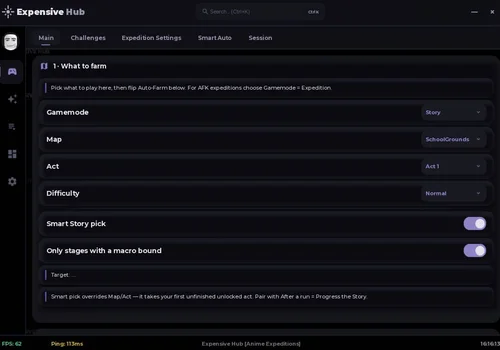
Expensive Hub
- Auto Join Map/Public Matchmaking
- Auto Expedition
- Macro System
- +33 more
Details
Functions
- Auto Join Map/Public Matchmaking
- Auto Expedition
- Macro System
- Auto Challenge/Daily/Weekly
- Auto Start/Skip/Replay/Next/Leave
- Priority System
- Auto Play (Auto Place/Auto Upgrade/Focus Farm units)
- Target Unit
- Refresh Unit List
- Auto‑Feed
- Smart Story Pick
- Only Stages With a Macro Bound
- Challenge Selection
- Refresh Challenge List
- Start Selected Challenge
- Auto‑Farm Challenges
- Buy Payload Repair When Low
- Hire Units at Checkpoints
- Upgrade Cap
- Anti‑AFK
- Auto‑Rejoin on Disconnect
- Banner Selection
- Refresh Banners
- Summons per Batch
- Keep Currency Reserve
- Auto‑Summon
- Reroll Trait Once
- Auto‑Trait‑Reroll
- Stat Potential Reroll
- Target Grade
- Open Macro Panel
- Rarities to Sell
- Keep Favorited Units
- Keep Shiny Units
- Sell Now
- Auto‑Sell
Change history
- – Added to page!
Script code
getgenv().Intro = true -- UI Intro
loadstring(game:HttpGet("https://api.luarmor.net/files/v4/loaders/22610179dddca088d4b716baa0f413a1.lua"))()Expensive Hub makes sense when you want one no-key menu for most of the account loop. The macro can repeat stages, while summon, feed, sell, trait and stat settings cut down the time spent bouncing between lobby menus.
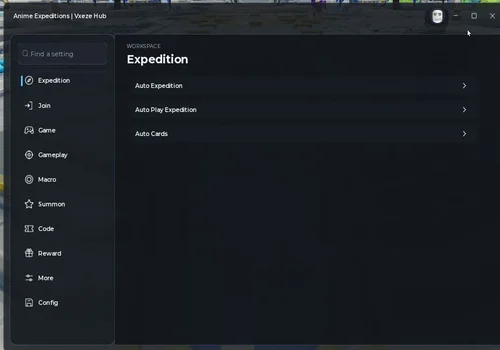
Vxeze Hub
- Auto Expedition
- Auto Play Expedition
- Auto Cards (Highest Rarity / First)
- +27 more
Details
Functions
- Auto Expedition
- Auto Play Expedition
- Auto Cards (Highest Rarity / First)
- Auto Join Priority (Story / Raid / Challenge)
- Auto Join Story (Act / Infinite / Mastery)
- Auto Join Raid
- Auto Join Challenge (Regular / Daily / Weekly)
- Join When Have These Items (All / Any)
- Back to Lobby on Hourly Refresh
- Auto Start
- Auto Skip Waves
- Auto Next Stage
- Auto Replay
- Auto Leave
- Record Macro
- Save Recording
- Play Macro (Money / Wave / Time)
- Macro Maps
- Auto Play Macro Maps
- Auto Summon Hero
- Multi-Select Target Heroes
- Find Hero by Name
- Check Current Banner Before Summoning
- Stop Summoning When Target Hero Is Obtained
- Auto Redeem All Codes
- Auto Claim Quest Rewards
- Auto Claim Calendar Rewards
- Auto Claim Battlepass Rewards
- Auto Claim Milestone Rewards
- Auto Claim Index Rewards
Change history
- – Added to page!
Script code
loadstring(game:HttpGet("https://gist.githubusercontent.com/angeryy-tvy/3b6e68d88940ce16088586eed6e0e618/raw/AnimeExpeditions-Vxeze"))()Vxeze Hub is aimed more at players already pushing Story, Raid, Challenge and Expeditions. Its join-priority settings can decide what to enter first, while macro recording handles a known route after you have a setup that clears it reliably.
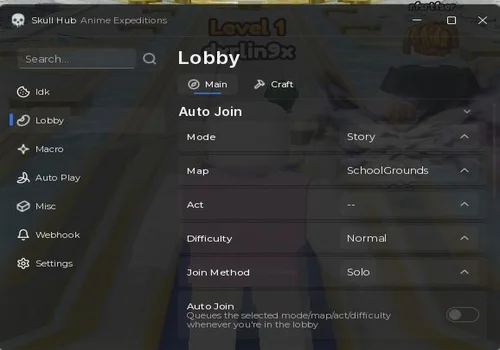
Skull Hub V2
- Macro Auto Farm
- Record Macro
- Play Macro
Details
Functions
- Macro Auto Farm
- Record Macro
- Play Macro
Change history
- – Added to page!
Script code
loadstring(game:HttpGet('https://raw.githubusercontent.com/hungquan99/SkullHub/main/loader.lua'))()Anime Expeditions scripts with a key system
This section is larger, but do not pick a script just because it has a key. Apel Hub is the strongest all-round choice here; Big Froot is more interesting when Expedition routing and repeat farming are the priority.
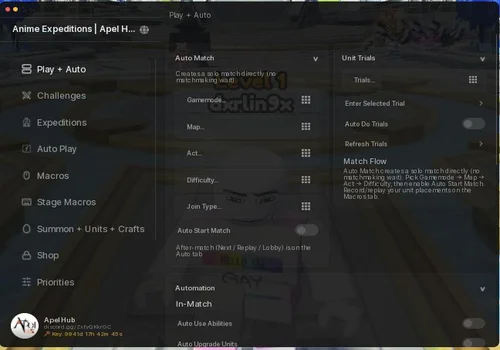
Apel Hub
- Macro Record / Replay / Import / Export
- Auto Play
- Auto Expedition
- +14 more
Details
Functions
- Macro Record / Replay / Import / Export
- Auto Play
- Auto Expedition
- Auto Join Story / Raid / Challenge
- Auto Start / Skip Waves / Replay / Next
- Auto Place / Auto Upgrade
- Banner and Featured Unit Selection
- Auto Summon
- Auto Sell / Auto Feed
- Trait Reroll
- Stat Potential Reroll
- Auto Craft Materials
- Auto Buy Gold / Raid / Event Shops
- Auto Claim Quests / Battlepass / Calendar / Index
- Auto Redeem Codes
- Webhook Notifications
- Anti-AFK / Rejoin
Change history
- – Added to page!
Script code
loadstring(game:HttpGet("https://raw.githubusercontent.com/ApelsinkaFr/ApelHub/refs/heads/main/ApelHub"))()Apel Hub suits players who keep switching between modes and also want summons, shops, crafting, claims and rerolls in the same interface instead of loading a separate script for each job.
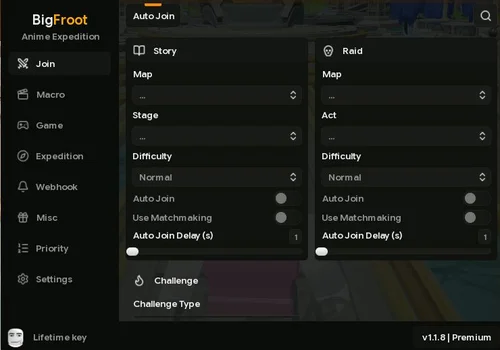
Big Froot
- Record Macro
- Save Recording
- Play Macro (Money / Wave / Time)
- +58 more
Details
Functions
- Record Macro
- Save Recording
- Play Macro (Money / Wave / Time)
- Auto Play (Macro Tab)
- Farm Unit First
- Spacing
- Max Placements
- Max Upgrades
- Macro Maps
- Auto Expedition
- Auto Play Expedition
- Auto Cards
- Instruction on Cards
- Auto Extract After Boss #
- Auto Upgrade Farm First
- Auto Path (Most Resources)
- Smart Auto Place + Path Position / Scale
- Auto Repair Payload %
- Auto Apply Tomes
- Auto Use Stat Anvil
- Auto Buy Merchant (Items / Traits)
- Auto Hire
- Auto Join Story (Act / Infinite / Mastery)
- Auto Join Raid
- Auto Join Challenge (Regular / Daily / Weekly)
- Auto Join Priority (Story / Raid / Challenge)
- Join When Have These Items
- Auto Matchmake Raid / Story / Challenge
- Back to Lobby on Hourly Refresh
- Auto Start
- Auto Skip Waves
- Auto Next Stage
- Auto Replay
- Auto Leave
- Auto Ability (Game Tab)
- When Boss In Range
- When Ready
- Time
- Wave
- Auto Claim Quest (Daily / Weekly / Unit)
- Auto Claim BP Reward
- Auto Claim Calendar
- Auto Claim Index
- Auto Claim Events Quest
- Auto Claim Level Milestone
- Auto Claim Expedition Quests
- Auto Redeem Codes
- Auto Summon (Misc Tab)
- Auto Summon 10x
- Auto Summon Max
- Auto Execute
- Auto Reconnect
- Auto Craft
- Auto Buy Gold Shop (Misc – Lobby)
- Delete Map
- Delete Enemies
- FPS Boost Mode
- Disable 3D Rendering
- Discord Webhook
- Ping on Drop
- Ping on Equipment Rarity
Change history
- – Added to page!
Script code
loadstring(game:HttpGet("https://raw.githubusercontent.com/hanniii1/Loader/refs/heads/main/BFLoader.lua"))()Big Froot is especially interesting for Expedition runs. Payload repair, route choice, card selection, farm-unit priority and extraction after a boss all match the way this mode actually works rather than treating it like another fixed Story map.
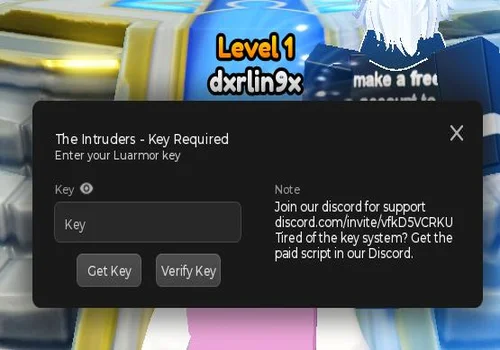
The Intruders
- Auto Play (gamemode / map / act / difficulty select)
- Matchmaking (Play Now, back to lobby, refresh lists)
- Pause / resume all features
- +43 more
Details
Functions
- Auto Play (gamemode / map / act / difficulty select)
- Matchmaking (Play Now, back to lobby, refresh lists)
- Pause / resume all features
- Auto skip waves
- Auto upgrade on placement
- Auto sell
- Auto vote start
- Vote start now
- Auto Next
- Auto Retry
- Back to lobby
- Auto game speed (1–10x slider)
- Auto pick cards (card priority list)
- Record / replay macros (play once, auto-replay every match)
- Follow waves on replay
- Skip-wave vote support
- Auto placement near enemy path
- Cost priority (low / high)
- Default targeting
- Upgrade while placing
- Per-slot upgrade caps
- Rename / delete / refresh macro list
- Auto summon (Standard / Beginner's / Mini banners)
- Summon x1 / x10
- Skip summon cutscene
- Keep results UI
- Auto claim rewards
- Auto claim level milestones
- Enter AFK Chamber
- Evolve
- Unit Ascension
- Stat Potential
- Trait Reroll
- Shiny Units
- Crafting
- Index
- Tournaments
- Story
- Raid
- Discord match result alerts (clear time / kills / yen / damage)
- Rewards + unit EXP / level-ups alerts
- Summon result alerts
- Mentions
- Test webhook
- Send current results
- Full hub settings (server, visuals, credits)
Change history
- – Added to page!
Script code
loadstring(game:HttpGet"https://raw.githubusercontent.com/lifaiossama/errors/main/Intruders.html")()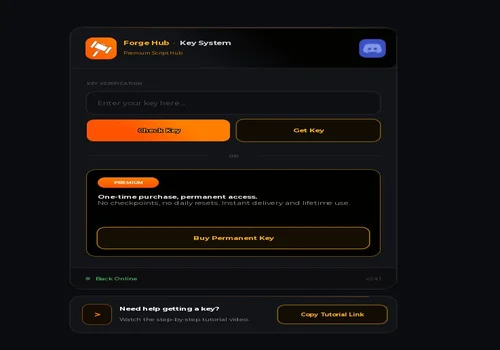
Forge Hub
- Auto Summon (any banner, keeps a currency reserve)
- Summon Auto Sell (by banner and rarity)
- Pity and Rates Display
- +28 more
Details
Functions
- Auto Summon (any banner, keeps a currency reserve)
- Summon Auto Sell (by banner and rarity)
- Pity and Rates Display
- Auto Feed (choose which units)
- Auto Trait Reroll (pick the traits you want)
- Bulk Sell (filter by rarity, type and level)
- Auto Bulk Sell
- Auto Equip Best Units (rank by level, damage, range or worthiness)
- Auto Claim (quests, battlepass, calendar and more)
- Auto Redeem Codes
- Shop Auto Buy (choose your items, keeps a gold reserve)
- Auto Queue (solo or public, pick the stage)
- Auto Start Game
- Auto Replay
- Auto Place (smart path placement)
- Auto Upgrade Units (choose the priority)
- Skip Waves
- Record Macro (saved for each map)
- Replay Macro (auto replays every match)
- Player Stats Tracker
- Speed and Jump Boost
- Infinite Jump
- Return to Lobby (from a match or the AFK chamber)
- Anti-AFK
- FPS Boost (choose what to switch off)
- AFK Chamber (pick the stage to farm)
- Lobby Teleports (all the main spots)
- Match Results (all runs or wins only)
- Rare Summon Alerts (set a minimum rarity)
- Error Reports
- Custom Bot Name and Mentions
Change history
- – Added to page!
Script code
loadstring(game:HttpGet("https://cdn.forgehub.store/loader"))()
Forge Hub interface note: during our check, the script window covered enough of the screen that leaving through the normal Roblox interface became awkward. We ended up closing the game from the window X. The automation is broad, but blocking basic Roblox navigation is a real downside.
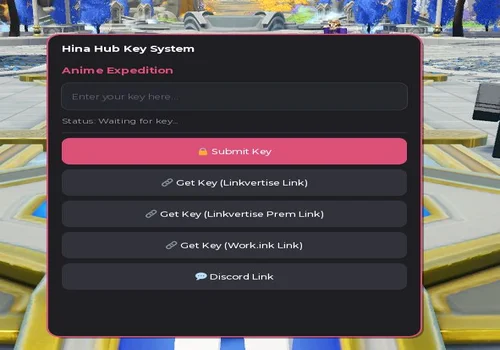
Hina Hub
- Auto Join Map/Public Matchmaking
- Auto Expedition
- Macro System
- +4 more
Details
Functions
- Auto Join Map/Public Matchmaking
- Auto Expedition
- Macro System
- Auto Challenge/Daily/Weekly
- Auto Start/Skip/Replay/Next/Leave
- Priority System
- Auto Play (Auto Place/Auto Upgrade/Focus Farm units)
Change history
- – Added to page!
Script code
loadstring(game:HttpGet("https://raw.githubusercontent.com/Threeeps/acc/main/script"))()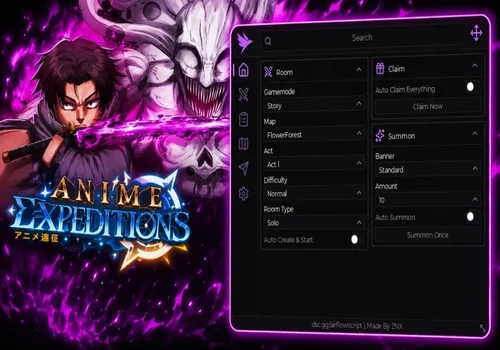
Airflow Hub
Details
Change history
- – Added to page!
Script code
loadstring(game:HttpGet("https://airflowscript.com/loader"))()
Way Out
- Auto Play Expedition
- Auto Cards
- Card Order
- +1 more
Details
Functions
- Auto Play Expedition
- Auto Cards
- Card Order
- Auto Join
Change history
- – Added to page!
Script code
loadstring(game:HttpGet("https://raw.githubusercontent.com/raphaelmaboi/wayout/refs/heads/main/loader.lua"))()
Fractured Hub
- Auto Farm
- Auto Join Modes
- Auto Claim Rewards
Details
Functions
- Auto Farm
- Auto Join Modes
- Auto Claim Rewards
Change history
- – Added to page!
Script code
loadstring(game:HttpGet("https://api.luarmor.net/files/v4/loaders/f03a4b5f7f83de69bd5d1a34bc193eab.lua"))()Fractured Hub interface note: the menu we tested had no close button and the window was not draggable. That becomes annoying as soon as the panel sits over something you need to click.
Why macro records matter in Anime Expeditions
A macro is most useful after you already know how to clear a stage. Record the unit positions and upgrade order from a successful run, save it, then let the script reproduce that setup while you farm the same reward. Story, Challenges and Raids fit this well because your placements usually follow a plan.
Expeditions need more than a basic replay. The payload keeps moving, resources matter, and the route can change what you get from the run. That is why scripts such as Big Froot and Vxeze Hub include separate Expedition settings instead of relying on one generic macro.
![Скрипт Игра в Слова [🇷🇺] 2026 – (Автоподбор Слов)](https://robscript.com/wp-content/uploads/2026/10/ИграВСлова1-500x315.webp)