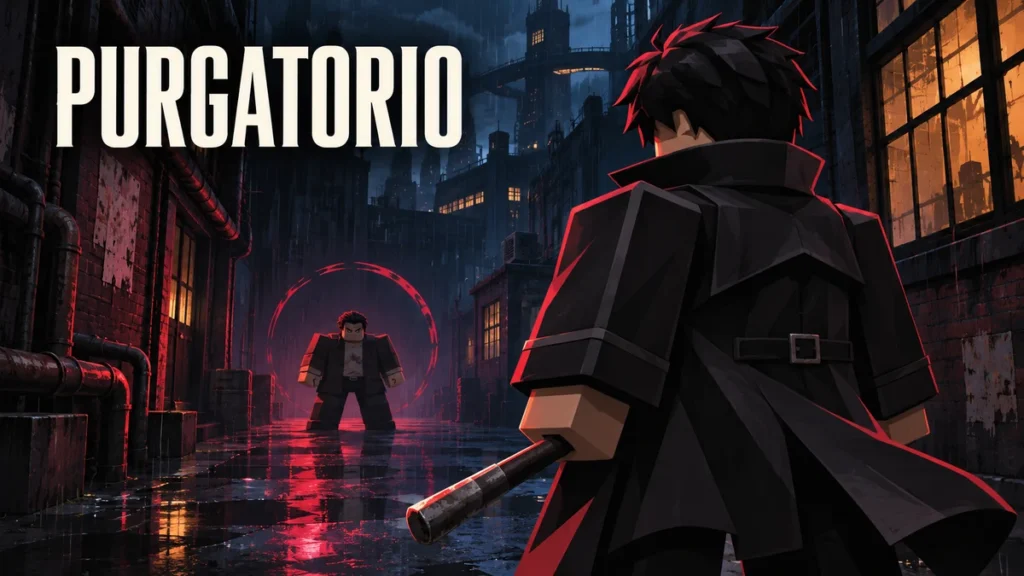
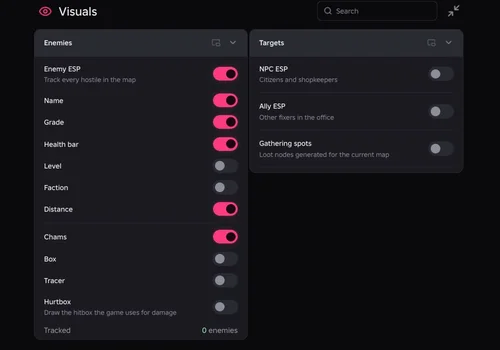
Keep one enemy in view and read its health, grade and distance. Our PURGATORIO hub combines enemy ESP, camera and character lock-on, and a compact job panel. Lock-on stays on one enemy: release it manually with your chosen bind, or the separate button on mobile.
Partially working — tested November 10, 2026, on PC with Potassium and Delta. Single-target lock works; automatic release and multi-enemy switching are not confirmed working. Copy the NO KEY script.
Robscript Team – PURGATORIO
Read enemy health and grade, keep one target centered, and follow job progress without reopening menus. Lock-on holds one enemy and requires manual release. You still control attacks, dodges and clashes.
- Enemy ESP — name, grade, health, level, faction and distance
- Enemy Overlays — highlights, boxes, tracers and visible hurtbox
- NPC ESP — locate citizens and shopkeepers
- +7 more
Details
Robscript Team – PURGATORIO functions
- Enemy ESP — name, grade, health, level, faction and distance
- Enemy Overlays — highlights, boxes, tracers and visible hurtbox
- NPC ESP — locate citizens and shopkeepers
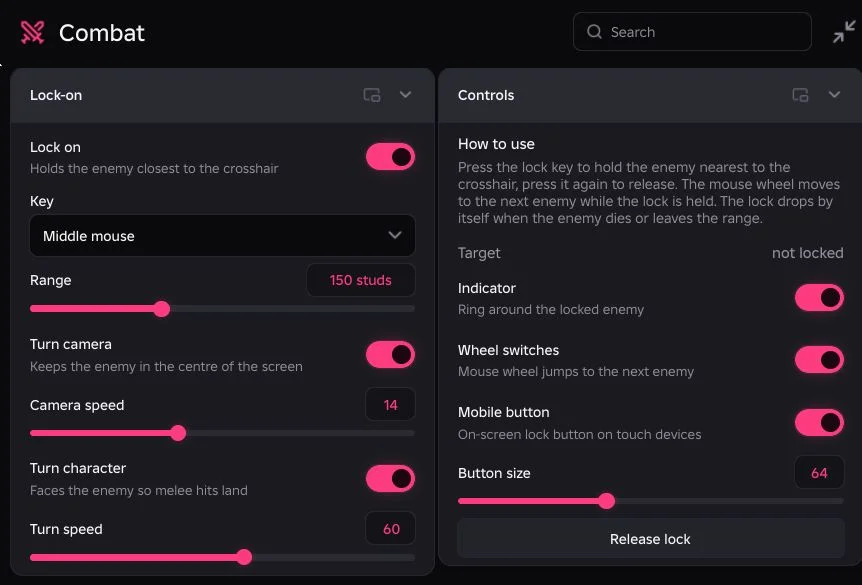
- Single-Target Lock — hold an enemy near the crosshair
- Camera and Character Turning — separate controls and turn speeds
- Lock Controls — chosen bind, range and target indicator
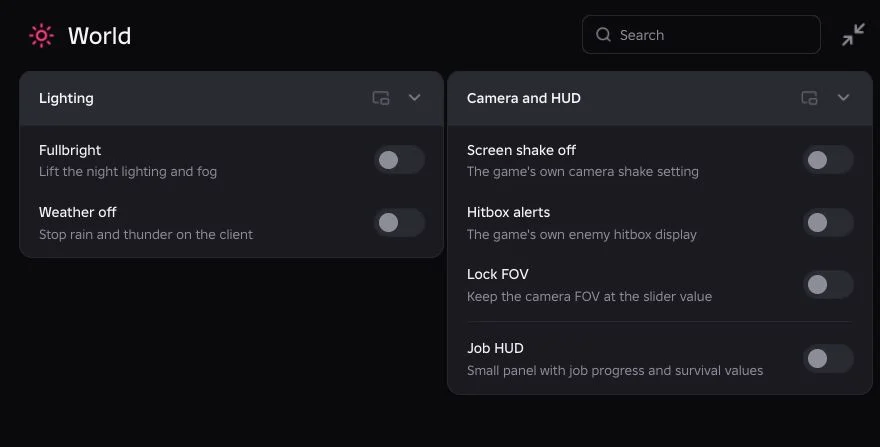
- World Visibility — fullbright and weather controls
- Camera Options — screen shake, hitbox alerts and fixed FOV
- Job and Profile Panels — job progress, survival values, money and ammo
- Searchable Codex — weapon, item and equipment reference tables
Change history
- — We tested the PC build with Potassium and Delta. Enemy and NPC markers, visual controls, job information and Codex were checked. Follow-up testing confirmed single-target lock with manual release; automatic release and multi-target switching are not in the working set.
Script code
loadstring(game:HttpGet("https://raw.githubusercontent.com/bobloscript/robscript/refs/heads/main/Purgatorio"))()Enter a job in PURGATORIO so enemies and map objects can load, then run the code. RightControl toggles the hub; End unloads it. Executor information is in our executor directory.
See the fight without covering it in labels
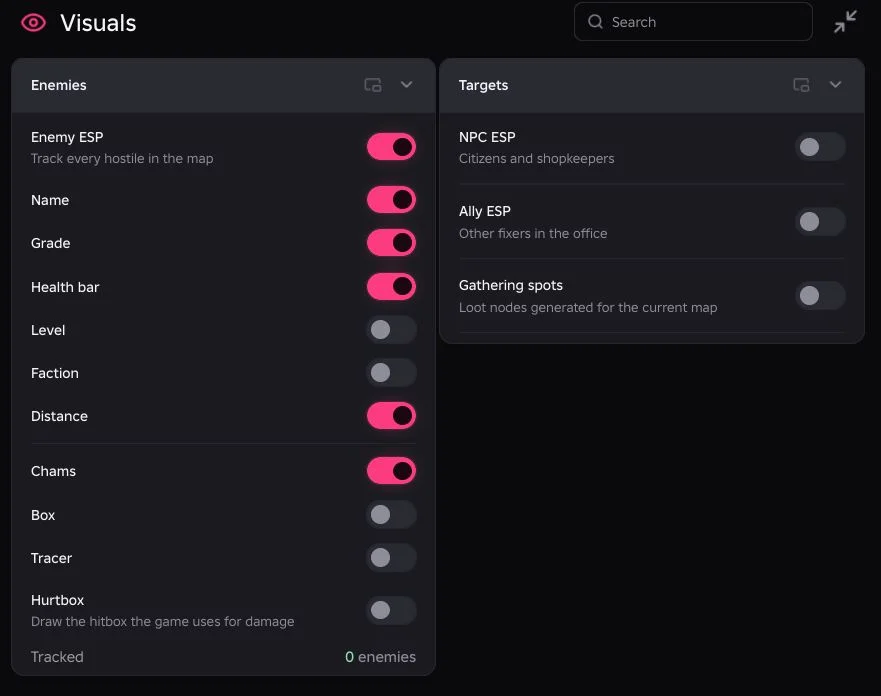
Start with Enemy ESP, Health bar and Distance. Add Grade or Faction when you need them, then choose highlights, boxes or tracers. Hurtbox displays the game’s hit area; it does not enlarge it. Our initial run tracked a Pipe rat and three citizen NPCs. That is the test scene, not a target limit.
Our take: keeping an enemy readable is the useful part here. You still have to fight it. Phone play has not been verified, even though mobile controls are included. Using scripts carries a ban risk. Read the PURGATORIO source for the current build.