Defend the multiverse in Anime Vanguards, the epic Roblox tower defense adventure where worlds collide! Summon powerful units, evolve them into unstoppable warriors, and team up with friends to fend off waves of enemies across thrilling game modes. With Autofarm, Auto Play, Auto Upgrade, Macro Record, Macro Save, Macro Play, Auto Retry, Auto Skip, Auto Join, Auto Summon, and Redeem All Codes, your army grows stronger effortlessly. Can you rise as the ultimate savior of the anime realms?
Game link: Anime Vanguards

List of working scripts:
KEYLESS Anime Vanguards script – (NovaPatch Hub)
Functions: Autofarm, Auto Play, Auto Upgrade, Macro Record, Marco Save, Macro Play, Auto Retry, Auto Skip, Auto Join, Auto Summon, Redeem all codes
NO KEY
loadstring(game:HttpGet("https://raw.githubusercontent.com/CHASEAAAA/vanguard/refs/heads/main/.lua",true))()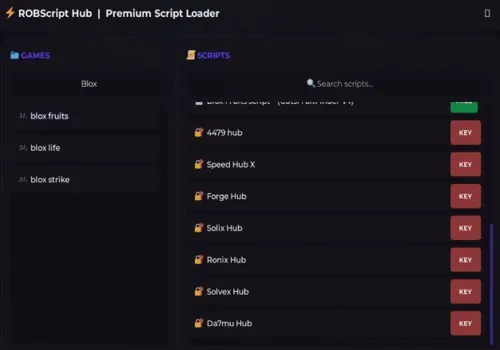
Robscript hub
Script
Show script
loadstring(game:HttpGet('https://raw.githubusercontent.com/artas01/robscript/refs/heads/main/loader.lua'))()
Copies
3087
Auto Guitar Minigame
NO KEY
local Players = game:GetService("Players")
local RunService = game:GetService("RunService")
local VirtualInputManager = game:GetService("VirtualInputManager")
local CoreGui = game:GetService("CoreGui")

local LocalPlayer = Players.LocalPlayer

-- Configure and set your keys here, but these are the default keys for the game.
local KEY_MAP = {
    Button1 = Enum.KeyCode.A,
    Button2 = Enum.KeyCode.S,
    Button3 = Enum.KeyCode.D,
    Button4 = Enum.KeyCode.F,
    Button5 = Enum.KeyCode.G
}

local EARLY_HIT_PIXELS = 15  -- Distance in pixels BEFORE the center of the button to activate the click.
local TAP_DURATION = 0.02    -- Time holding normal click notes (0.02s)

local autoPlayEnabled = false
local isMinigameRunning = false
local activeNotes = {}
local renderConnection = nil

local uiName = "AutoGuitarUI"
if CoreGui:FindFirstChild(uiName) then
    CoreGui[uiName]:Destroy()
elseif LocalPlayer.PlayerGui:FindFirstChild(uiName) then
    LocalPlayer.PlayerGui[uiName]:Destroy()
end

local ScreenGui = Instance.new("ScreenGui")
ScreenGui.Name = uiName
ScreenGui.ResetOnSpawn = false
local success = pcall(function() ScreenGui.Parent = CoreGui end)
if not success then ScreenGui.Parent = LocalPlayer.PlayerGui end

local MainFrame = Instance.new("Frame")
MainFrame.Size = UDim2.new(0, 220, 0, 100)
MainFrame.Position = UDim2.new(0.5, -110, 0.8, -50)
MainFrame.BackgroundColor3 = Color3.fromRGB(20, 20, 20)
MainFrame.BorderSizePixel = 0
MainFrame.Parent = ScreenGui

local UICorner = Instance.new("UICorner")
UICorner.CornerRadius = UDim.new(0, 8)
UICorner.Parent = MainFrame

local Title = Instance.new("TextLabel")
Title.Size = UDim2.new(1, -30, 0, 30)
Title.Position = UDim2.new(0, 10, 0, 0)
Title.BackgroundTransparency = 1
Title.Text = "Auto Guitar Minigame"
Title.TextColor3 = Color3.fromRGB(255, 255, 255)
Title.TextSize = 16
Title.Font = Enum.Font.GothamBold
Title.TextXAlignment = Enum.TextXAlignment.Left
Title.Parent = MainFrame

local CloseBtn = Instance.new("TextButton")
CloseBtn.Size = UDim2.new(0, 30, 0, 30)
CloseBtn.Position = UDim2.new(1, -30, 0, 0)
CloseBtn.BackgroundTransparency = 1
CloseBtn.Text = "X"
CloseBtn.TextColor3 = Color3.fromRGB(255, 50, 50)
CloseBtn.TextSize = 18
CloseBtn.Font = Enum.Font.GothamBold
CloseBtn.Parent = MainFrame

local ToggleBtn = Instance.new("TextButton")
ToggleBtn.Size = UDim2.new(1, -20, 0, 40)
ToggleBtn.Position = UDim2.new(0, 10, 0, 45)
ToggleBtn.BackgroundColor3 = Color3.fromRGB(255, 50, 50)
ToggleBtn.Text = "DESATIVADO"
ToggleBtn.TextColor3 = Color3.fromRGB(255, 255, 255)
ToggleBtn.TextSize = 16
ToggleBtn.Font = Enum.Font.GothamBold
ToggleBtn.Parent = MainFrame

local ToggleCorner = Instance.new("UICorner")
ToggleCorner.CornerRadius = UDim.new(0, 6)
ToggleCorner.Parent = ToggleBtn

local dragging, dragInput, dragStart, startPos
MainFrame.InputBegan:Connect(function(input)
    if input.UserInputType == Enum.UserInputType.MouseButton1 or input.UserInputType == Enum.UserInputType.Touch then
        dragging = true
        dragStart = input.Position
        startPos = MainFrame.Position
        input.Changed:Connect(function()
            if input.UserInputState == Enum.UserInputState.End then dragging = false end
        end)
    end
end)
MainFrame.InputChanged:Connect(function(input)
    if input.UserInputType == Enum.UserInputType.MouseMovement or input.UserInputType == Enum.UserInputType.Touch then dragInput = input end
end)
RunService.Heartbeat:Connect(function()
    if dragging and dragInput then
        local delta = dragInput.Position - dragStart
        MainFrame.Position = UDim2.new(startPos.X.Scale, startPos.X.Offset + delta.X, startPos.Y.Scale, startPos.Y.Offset + delta.Y)
    end
end)

local function pressKey(key, state)
    VirtualInputManager:SendKeyEvent(state, key, false, game)
end

local function releaseAllKeys()
    for _, data in pairs(activeNotes) do
        if data.Pressed and not data.Released then
            pressKey(data.Key, false)
            data.Released = true
        end
    end
end

ToggleBtn.MouseButton1Click:Connect(function()
    autoPlayEnabled = not autoPlayEnabled
    if autoPlayEnabled then
        ToggleBtn.Text = "ATIVADO"
        ToggleBtn.BackgroundColor3 = Color3.fromRGB(50, 200, 50)
    else
        ToggleBtn.Text = "DESATIVADO"
        ToggleBtn.BackgroundColor3 = Color3.fromRGB(255, 50, 50)
        releaseAllKeys()
    end
end)

local function getMinigameBottom()
    local PlayerGui = LocalPlayer:FindFirstChild("PlayerGui")
    if PlayerGui then
        local GuitarMinigame = PlayerGui:FindFirstChild("GuitarMinigame")
        if GuitarMinigame and GuitarMinigame:FindFirstChild("Page") and GuitarMinigame.Page:FindFirstChild("Main") then
            return GuitarMinigame.Page.Main:FindFirstChild("Bottom")
        end
    end
    return nil
end

local function registerNote(note, buttonName, buttonElement)
    local key = KEY_MAP[buttonName]
    if not key then return end

    activeNotes[note] = {
        Key = key,
        Button = buttonElement,
        Pressed = false,
        Released = false,
        IsHold = false,
        Direction = 1,
        LastY = nil
    }
end

local function setupMinigame(bottom)
    table.clear(activeNotes)

    for buttonName, key in pairs(KEY_MAP) do
        local button = bottom:FindFirstChild(buttonName)
        if button and button:FindFirstChild("Conveyor") then
            local conveyor = button.Conveyor

            for _, child in ipairs(conveyor:GetChildren()) do
                if child.Name == "Note" and child:IsA("GuiObject") then
                    registerNote(child, buttonName, button)
                end
            end

            conveyor.ChildAdded:Connect(function(child)
                if child.Name == "Note" and child:IsA("GuiObject") then
                    registerNote(child, buttonName, button)
                end
            end)

            conveyor.ChildRemoved:Connect(function(child)
                local noteData = activeNotes[child]
                if noteData then
                    if noteData.Pressed and not noteData.Released then
                        pressKey(noteData.Key, false)
                    end
                    activeNotes[child] = nil
                end
            end)
        end
    end

    renderConnection = RunService.Heartbeat:Connect(function()
        if not autoPlayEnabled then return end

        for note, data in pairs(activeNotes) do
            if not note.Parent or data.Released then continue end

            local noteY = note.AbsolutePosition.Y + (note.AbsoluteSize.Y / 2)
            local buttonY = data.Button.AbsolutePosition.Y + (data.Button.AbsoluteSize.Y / 2)

            if data.LastY then
                if noteY > data.LastY + 0.5 then
                    data.Direction = 1
                elseif noteY < data.LastY - 0.5 then
                    data.Direction = -1
                end
            end
            data.LastY = noteY

            if not data.Pressed then
                local targetY = buttonY - EARLY_HIT_PIXELS

                if noteY >= targetY and noteY <= (buttonY + 40) then
                    data.Pressed = true

                    if note:FindFirstChild("Hold") then
                        data.IsHold = true
                    end

                    pressKey(data.Key, true)

                    if not data.IsHold then
                        task.delay(TAP_DURATION, function()
                            if autoPlayEnabled and activeNotes[note] and not data.Released then
                                pressKey(data.Key, false)
                                data.Released = true
                            end
                        end)
                    end
                end
            elseif data.IsHold then
                local holdElement = note:FindFirstChild("Hold")
                if holdElement then
                    local holdTop = holdElement.AbsolutePosition.Y
                    local holdBottom = holdTop + holdElement.AbsoluteSize.Y

                    if data.Direction == 1 then
                        if holdTop >= buttonY then
                            pressKey(data.Key, false)
                            data.Released = true
                        end
                    elseif data.Direction == -1 then
                        if holdBottom <= buttonY then
                            pressKey(data.Key, false)
                            data.Released = true
                        end
                    end
                else
                    pressKey(data.Key, false)
                    data.Released = true
                end
            end
        end
    end)
end

local function cleanupMinigame()
    if renderConnection then
        renderConnection:Disconnect()
        renderConnection = nil
    end
    releaseAllKeys()
    table.clear(activeNotes)
end

CloseBtn.MouseButton1Click:Connect(function()
    autoPlayEnabled = false
    cleanupMinigame()
    ScreenGui:Destroy()
end)

task.spawn(function()
    while ScreenGui.Parent do
        local bottomPath = getMinigameBottom()

        if bottomPath and not isMinigameRunning then
            isMinigameRunning = true
            setupMinigame(bottomPath)
        elseif not bottomPath and isMinigameRunning then
            isMinigameRunning = false
            cleanupMinigame()
        end
        task.wait(0.5)
    end
end)
Ronix Hub
KEY SYSTEM
loadstring(game:HttpGet("https://api.luarmor.net/files/v3/loaders/fda9babd071d6b536a745774b6bc681c.lua"))()Solix Hub
KEY SYSTEM
loadstring(game:HttpGet("https://raw.githubusercontent.com/debunked69/Solixreworkkeysystem/refs/heads/main/solix%20new%20keyui.lua"))() Ather Hub
KEY SYSTEM
--DISCORD please join: https://discord.gg/n86w8P8Evx
-- FOR SOLARA (ADD THIS, it is a safety measure so disable at your own risk): _G.SkipExecutorBypass = true
script_key = "Add key here to auto verify"
loadstring(game:HttpGet("https://api.luarmor.net/files/v3/loaders/2529a5f9dfddd5523ca4e22f21cceffa.lua"))()Godor Hub
KEY SYSTEM
loadstring(game:HttpGet('https://raw.githubusercontent.com/godor1010/godor/refs/heads/main/_anime_vanguards'))()Nousigi Hub
KEY SYSTEM
loadstring(game:HttpGet("https://nousigi.com/loader.lua"))()Blue Red Hub
KEY SYSTEM
loadstring(game:HttpGet("https://raw.githubusercontent.com/Alexcirer/Alexcirer/refs/heads/main/vs21"))()How to use anime vanguards script?
- Copy the script and paste it into any executor.
- Click execute.
- The script is working!
Warning:
- Use the script on alt accounts.
- We are not responsible for your use of scripts.
- You should be prepared that the script may not work.