Paradox doesn’t hold your hand. Inspired by Bleach, this game throws new players into the deep end — and the higher ranks only get tougher. If you want to skip the grind and focus on the fun parts, scripts can help. Below is a full list of useful functions for Paradox, covering auto boss fights, farming, movement, ESP, and much more.
Game link: Paradox

List of working Paradox scripts:
Paradox script – (Cerberus Hub)
Script functions:
- Combat & Boss Automation
Auto Boss – Automatically engages and defeats the selected boss repeatedly. Perfect for farming rare drops without manual input.
Auto Replay Boss – Immediately restarts the boss fight upon completion. Combines with Auto Boss for infinite farming loops.
Auto Bounty Farm – Automatically hunts and eliminates bounty targets. Maximizes currency and reputation gains.
Auto Fight Kisuke – Continuously battles Kisuke Urahara for exclusive rewards and training progression.
Auto Fight Grimmjow – Automates combat against Grimmjow Jaegerjaquez for Arrancar-related loot.
Auto Fight Jugram – Engages Jugram Haschwalth in repeatable battles. Ideal for Sternritter-themed rewards.
Auto Fight Giselle – Automates the Giselle Gewelle encounter. Useful for zombie-themed or Bambies-related drops.
Auto Fight DevAidxen – Fights the custom boss DevAidxen repeatedly. Likely an endgame or community-named challenge. - Trial & Zone Automation
Auto Flame Trial – Automatically completes the Flame Trial challenge. Saves time on repetitive fire-based obstacle courses.
Flame Trial Modifier Selection – Allows manual or automatic selection of difficulty modifiers for the Flame Trial. Optimizes reward-to-risk ratio.
Auto Reishi Zone – Farms the Reishi Zone automatically. Collects spiritual particle resources while AFK.
Auto Puppet Orb – Grinds Puppet Orbs without manual intervention. Used for specific ability unlocks or crafting.
Auto Canthor Orb – Automates Canthor Orb collection. Likely tied to a mid-game progression system.
Auto Headless Orb – Farms Headless Orbs automatically. Possibly related to Halloween or rare endgame content. - Quest & Mission Automation
Auto Storyline – Progresses through the main story quests automatically. Skips dialogue and navigates to objectives.
Auto Mission – Accepts and completes standard missions repeatedly. Ideal for XP and currency grinding.
Auto Replay Mission – Immediately restarts the last completed mission. Creates an infinite farm loop.
Auto Exam – Automatically takes and passes in-game exams (e.g., Shinigami proficiency tests). Ensures maximum rank progression.
Auto Minigame – Solves or completes any minigame automatically. Useful for mandatory skill-check sequences. - Combat Mechanics
Auto Parry – Automatically parries incoming attacks when possible. Essential for surviving high-difficulty bosses.
Auto Equip – Automatically equips the best available gear from inventory. Saves menu navigation time.
Auto M1 – Spams the basic attack (mouse click) automatically. Useful for breaking guards or DPS phases.
Auto Loot – Collects all drops from defeated enemies and opened chests instantly. Prevents missed loot.
Remote Start Bounty – Starts bounty missions from anywhere on the map. No need to visit NPCs manually. - Character Optimization
Auto Pick Talents – Automatically selects talents based on predefined rules. Speeds up leveling sessions.
Talent Priority Manager – Allows customization of which talents to prioritize. Balances offense, defense, or utility as desired.
Auto Optimise Accessories – Scans all accessories and equips the mathematically best combination for your build.
Auto MinMax Accessories – Fine-tunes accessory stats to minimum/maximum values. Perfect for perfectionists seeking optimal rolls.
Remote Marketplace Purchase – Buys items from the in-game marketplace without visiting the physical store.
Remote Bank Viewer – Checks bank balance and inventory from anywhere.
Remote Bank Transfer – Moves currency between accounts or characters remotely.
Redeem All Code – Automatically scans for and redeems all available OP code links. No manual typing required. - Movement & Navigation
World Teleports – Instant teleportation to any major location (Soul Society, Hueco Mundo, Karakura Town, etc.).
Auto Skip Loading – Bypasses loading screens and cutscene delays. Significantly reduces wait times.
No Summon Cutscene – Removes summoning animations for characters or abilities. Saves seconds per summon.
Better Climb – Improves climbing speed and wall-grabbing mechanics. Reaches ledges faster.
Infinite Double Jump – Unlimited double jumps. Chain jumps indefinitely for aerial mobility.
Infinite Dash – Removes cooldown and stamina costs from dashing. Move at maximum speed constantly.
Movement Hacks – Generic speed and acceleration modifiers. Fine-tune walking, running, and dashing. - Combat Advantages
Invisibility – Renders your character invisible to enemies and other players. Avoid aggro and PvP detection.
No Stun – Prevents stun, stagger, and knockback effects. Maintain full control during boss combos.
No Ragdoll – Disables ragdoll physics upon being hit. Recover instantly instead of falling helplessly.
No Screen Shake – Removes camera shake from explosions and heavy attacks. Improves visibility during chaotic fights.
Aimbot – Automatically locks onto and aims at enemies. Perfect for projectile-based abilities or ranged combat.
Player Radar – Displays all nearby players on a minimap overlay. Tracks allies and potential threats. - ESP & Vision
Player ESP – Highlights all other players through walls. Useful for PvP awareness or cooperative play.
NPC ESP – Marks all non-playable characters (quest givers, merchants, trainers) on screen.
Entity ESP – Highlights all hostile mobs, bosses, and environmental threats.
Region ESP – Shows boundaries of zones, safe rooms, and danger areas. Helps with objective navigation.
Extras ESP – Displays additional markers such as item drops, chests, or hidden secrets.
Fullbright – Removes all darkness and shadows. (Implicit from earlier versions – included here for completeness.)
No Fog – Eliminates atmospheric fog for maximum view distance. - Advanced Tools
Advanced Macro Builder – Creates custom automation sequences. Record and replay complex ability rotations.
Player Utils – Miscellaneous player controls (reset character, teleport to friend, stealth options).
Visual Utils – Graphical tweaks (custom crosshair, FPS unlock, color filters).
Misc Utils – Various quality-of-life tools (auto-rejoin on disconnect, anti-AFK, server hop).
KEY SYSTEM
loadstring(game:HttpGet("https://www.getcerberus.com/loader.lua"))()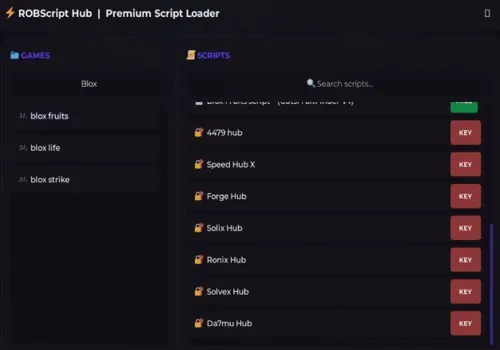
Robscript hub
Script
Show script
loadstring(game:HttpGet('https://raw.githubusercontent.com/artas01/robscript/refs/heads/main/loader.lua'))()
Copies
3086
How to use scripts?
- Copy the script and paste it into any executor. (Delta, Solara, Arceus X, Fluxus, Synapse X)
- Click execute.
- The script is working!
Warning:
- Use the script on alt accounts.
- We are not responsible for your use of scripts.
- You should be prepared that the script may not work.
FREQUENTLY ASKED QUESTIONS:
Do I need to buy scripts?
No, all scripts are either completely free or have a light key system with ads.
The script is not working, what should I do?
We update and check the scripts every week. Try using a different script.