Perfect Throw was the standout result from our PIGU checks: with Power mode set to Perfect, every ball hit an opponent during testing. We built this hub for the game, with an automatic throwing option that leaves you free to move around the court.
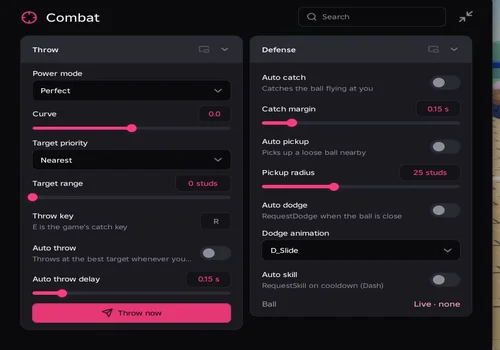
RobScript Team – PIGU Perfect Throw
Pick a target by distance, HP or rank, then control the throw’s power and curve from the same panel.
- Auto throw with Perfect, Fixed or Random power
- Curve, target priority, target range and throw delay controls
- Manual Throw now and configurable Throw key
- +5 more
Limitation: Auto dodge works poorly and is unreliable. Auto catch works, but higher ping can make it miss an incoming ball, leaving you to take damage.
Details
RobScript Team – PIGU Perfect Throw functions
- Auto throw with Perfect, Fixed or Random power
- Curve, target priority, target range and throw delay controls
- Manual Throw now and configurable Throw key
- Auto pickup, Auto catch and adjustable Catch margin
- Auto dodge, Dodge animation and Auto skill
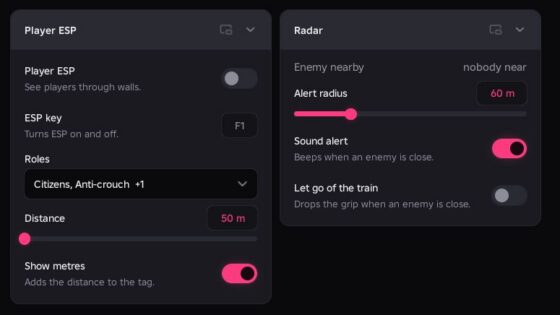
- Player ESP, Ball ESP and Incoming ball warning
- Speed, Jump and Infinite jump
- Auto join, Anti-AFK and Claim daily reward
Change history
- – Added to page!
Script code
loadstring(game:HttpGet("https://raw.githubusercontent.com/bobloscript/robscript/refs/heads/main/pigu", true))()When Auto throw waits
The automatic loop only throws during an active round, while your character is alive, in the round, and holding the ball. It also needs a living opponent within your chosen range. If it stays idle, check those conditions before changing the throw delay.