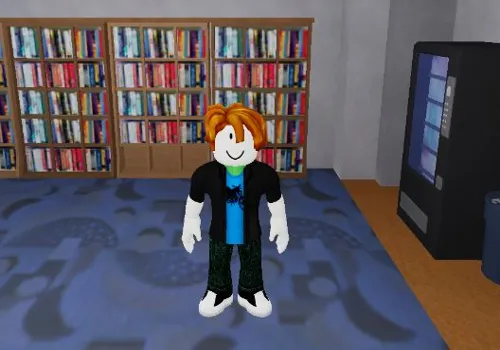
Fight in a School is a free-for-all fighting game set inside a school. Players can explore the building, talk with friends, earn money, use weapons, choose fighting styles, or start fights with anyone nearby.
This page provides Fight in a School scripts 2026 with no-key combat and movement tools. l10scripts contains Kill Aura and Auto Weave, Keego_tt focuses on hitboxes and Anti Stun, while keyth gives you Fly and adjustable WalkSpeed.
Game link: Play Fight in a School on Roblox
Fight in a School scripts no key
The three cards below are marked NO KEY. l10scripts has the largest feature list, but Keego_tt and keyth are easier to use when you only need one part of the menu.
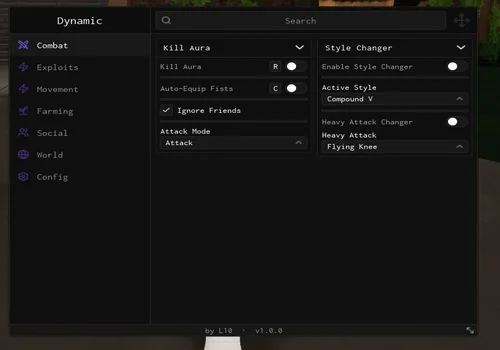
l10scripts
- Kill Aura
- Auto-Equip Fists
- Ignore Friends
- +51 more
Details
Functions
- Kill Aura
- Auto-Equip Fists
- Ignore Friends
- Attack Mode
- Style Changer
- Enable Style Changer
- Active Style
- Heavy Attack Changer
- Heavy Attack
- Player Throw
- Auto Weave
- Weave Interval
- Hitbox Expander
- Hitbox Size
- Hitbox Transparency
- Speed Boost
- Speed Amount
- Destination
- Teleport Now
- Server Type
- Switch Server
- Save Position
- Return to Bookmark
- Enable Auto Farm
- Offset X (forward)
- Offset Y (height)
- Look At Target
- Auto Respawn
- Respawn Timeout
- Lock to Plot 1
- Lock to Plot 2
- Auto Reset Self
- Enable Auto Transfer
- Send To
- Transfer Interval
- Keep Balance
- Transfer All Now
- Auto Server Hop
- Hop if Below
- Select Player
- Anti-Fling
- Invite to Party
- Teleport To Player
- Follow Bot
- Follow Distance
- Loop Emote
- Select Emote
- Chat Spammer
- Message
- Spam Delay
- Fullbright
- Remove Particles
- Remove Decals
- Remove Shadows
Change history
- – Added to page!
Script code
loadstring(game:HttpGet("https://api.jnkie.com/api/v1/luascripts/public/8d19654593efba9d0c2bdc48d18cff403a4c002a4ccef26040ac156fb79376fa/download"))()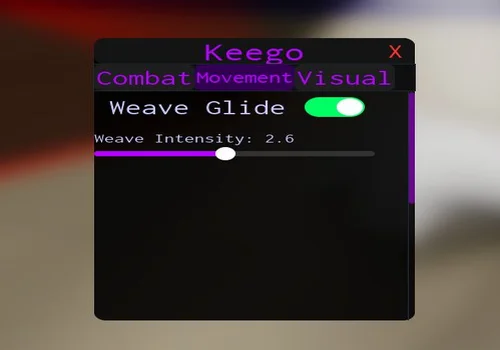
Keego_tt
- Hitbox Expander
- Show Hitbox Visual
- Anti Stun
- +2 more
Details
Functions
- Hitbox Expander
- Show Hitbox Visual
- Anti Stun
- Weave Glide
- Client-Sided Headless
Change history
- – Added to page!
Script code
local player = game.Players.LocalPlayer
local playerGui = player:WaitForChild("PlayerGui")

local HitboxSettings = {Enabled = false, Size = Vector3.new(7, 7, 7), ShowVisual = false, Transparency = 0.4, Color = Color3.fromRGB(255, 50, 50), Radius = 50}
local AntiWeaveSettings = {Enabled = false, Strength = 1.5}
local WeaveSettings = {Enabled = false, GlideIntensity = 2.3}
local HeadlessSettings = {Enabled = false}

local screenGui = Instance.new("ScreenGui")
screenGui.Name = "KeegoMenu"
screenGui.ResetOnSpawn = false
screenGui.Parent = playerGui

local mainFrame = Instance.new("Frame")
mainFrame.Name = "MainFrame"
mainFrame.Size = UDim2.new(0, 320, 0, 430)
mainFrame.Position = UDim2.new(0.5, -160, 0.5, -215)
mainFrame.BackgroundColor3 = Color3.fromRGB(0, 0, 0)
mainFrame.BackgroundTransparency = 0.1
mainFrame.Parent = screenGui

Instance.new("UICorner", mainFrame).CornerRadius = UDim.new(0, 12)

local titleBar = Instance.new("Frame")
titleBar.Name = "TitleBar"
titleBar.Size = UDim2.new(1, 0, 0, 40)
titleBar.BackgroundColor3 = Color3.fromRGB(20, 20, 20)
titleBar.Parent = mainFrame
Instance.new("UICorner", titleBar).CornerRadius = UDim.new(0, 12)

local titleLabel = Instance.new("TextLabel")
titleLabel.Size = UDim2.new(1, 0, 1, 0)
titleLabel.BackgroundTransparency = 1
titleLabel.Text = "Keego"
titleLabel.TextColor3 = Color3.fromRGB(180, 0, 255)
titleLabel.TextScaled = true
titleLabel.Font = Enum.Font.Code
titleLabel.Parent = titleBar

local closeBtn = Instance.new("TextButton")
closeBtn.Size = UDim2.new(0, 30, 0, 30)
closeBtn.Position = UDim2.new(1, -35, 0, 5)
closeBtn.BackgroundTransparency = 1
closeBtn.Text = "X"
closeBtn.TextColor3 = Color3.fromRGB(255, 50, 50)
closeBtn.TextScaled = true
closeBtn.Font = Enum.Font.Code
closeBtn.Parent = titleBar
closeBtn.MouseButton1Click:Connect(function() mainFrame.Visible = false end)

local tabBar = Instance.new("Frame")
tabBar.Size = UDim2.new(1, 0, 0, 40)
tabBar.Position = UDim2.new(0, 0, 0, 40)
tabBar.BackgroundColor3 = Color3.fromRGB(15, 15, 15)
tabBar.Parent = mainFrame

Instance.new("UIListLayout", tabBar).FillDirection = Enum.FillDirection.Horizontal
Instance.new("UIListLayout", tabBar).Padding = UDim.new(0, 5)

local contentFrame = Instance.new("Frame")
contentFrame.Size = UDim2.new(1, 0, 1, -80)
contentFrame.Position = UDim2.new(0, 0, 0, 80)
contentFrame.BackgroundTransparency = 1
contentFrame.Parent = mainFrame

local tabs = {}
local function createTab(name)
    local tabBtn = Instance.new("TextButton")
    tabBtn.Size = UDim2.new(0, 100, 1, 0)
    tabBtn.BackgroundColor3 = Color3.fromRGB(30, 30, 30)
    tabBtn.Text = name
    tabBtn.TextColor3 = Color3.fromRGB(180, 0, 255)
    tabBtn.TextScaled = true
    tabBtn.Font = Enum.Font.Code
    tabBtn.Parent = tabBar
    Instance.new("UICorner", tabBtn).CornerRadius = UDim.new(0, 8)

    local tabContent = Instance.new("ScrollingFrame")
    tabContent.Size = UDim2.new(1, 0, 1, 0)
    tabContent.BackgroundTransparency = 1
    tabContent.ScrollBarThickness = 6
    tabContent.ScrollBarImageColor3 = Color3.fromRGB(180, 0, 255)
    tabContent.Visible = false
    tabContent.Parent = contentFrame
    Instance.new("UIListLayout", tabContent).Padding = UDim.new(0, 12)

    tabs[name] = {button = tabBtn, content = tabContent}

    tabBtn.MouseButton1Click:Connect(function()
        for _, t in pairs(tabs) do
            t.content.Visible = false
            t.button.BackgroundColor3 = Color3.fromRGB(30, 30, 30)
        end
        tabContent.Visible = true
        tabBtn.BackgroundColor3 = Color3.fromRGB(50, 0, 80)
    end)
    return tabContent
end

local function createToggle(parent, text, defaultState)
    local toggleFrame = Instance.new("Frame")
    toggleFrame.Size = UDim2.new(1, -40, 0, 50)
    toggleFrame.BackgroundTransparency = 1
    toggleFrame.Parent = parent

    local label = Instance.new("TextLabel")
    label.Size = UDim2.new(0.65, 0, 1, 0)
    label.Position = UDim2.new(0, 15, 0, 0)
    label.BackgroundTransparency = 1
    label.Text = text
    label.TextColor3 = Color3.fromRGB(200, 200, 255)
    label.TextXAlignment = Enum.TextXAlignment.Left
    label.TextScaled = true
    label.Font = Enum.Font.Code
    label.Parent = toggleFrame

    local toggleBtn = Instance.new("TextButton")
    toggleBtn.Size = UDim2.new(0, 60, 0, 30)
    toggleBtn.Position = UDim2.new(1, -70, 0.5, -15)
    toggleBtn.BackgroundColor3 = defaultState and Color3.fromRGB(0, 255, 100) or Color3.fromRGB(80, 80, 80)
    toggleBtn.Text = ""
    toggleBtn.Parent = toggleFrame
    Instance.new("UICorner", toggleBtn).CornerRadius = UDim.new(0, 15)

    local knob = Instance.new("Frame")
    knob.Size = UDim2.new(0, 26, 0, 26)
    knob.Position = defaultState and UDim2.new(1, -28, 0.5, -13) or UDim2.new(0, 2, 0.5, -13)
    knob.BackgroundColor3 = Color3.fromRGB(255, 255, 255)
    knob.Parent = toggleBtn
    Instance.new("UICorner", knob).CornerRadius = UDim.new(0, 13)

    local state = defaultState
    toggleBtn.MouseButton1Click:Connect(function()
        state = not state
        if state then
            toggleBtn.BackgroundColor3 = Color3.fromRGB(0, 255, 100)
            knob:TweenPosition(UDim2.new(1, -28, 0.5, -13), "Out", "Quad", 0.2, true)
        else
            toggleBtn.BackgroundColor3 = Color3.fromRGB(80, 80, 80)
            knob:TweenPosition(UDim2.new(0, 2, 0.5, -13), "Out", "Quad", 0.2, true)
        end

        if text == "Hitbox" then HitboxSettings.Enabled = state
        elseif text == "Show Hitbox Visual" then HitboxSettings.ShowVisual = state
        elseif text == "Anti Stun" then AntiWeaveSettings.Enabled = state
        elseif text == "Weave Glide" then WeaveSettings.Enabled = state
        elseif text == "Client Sided Headless" then HeadlessSettings.Enabled = state
        end
    end)
end

local function createSlider(parent, text, minVal, maxVal, defaultVal, step)
    step = step or 0.1
    local sliderFrame = Instance.new("Frame")
    sliderFrame.Size = UDim2.new(1, -40, 0, 70)
    sliderFrame.BackgroundTransparency = 1
    sliderFrame.Parent = parent

    local label = Instance.new("TextLabel")
    label.Size = UDim2.new(1, 0, 0, 20)
    label.BackgroundTransparency = 1
    label.Text = text .. ": " .. string.format("%.1f", defaultVal)
    label.TextColor3 = Color3.fromRGB(200, 200, 255)
    label.TextXAlignment = Enum.TextXAlignment.Left
    label.TextScaled = true
    label.Font = Enum.Font.Code
    label.Parent = sliderFrame

    local bar = Instance.new("Frame")
    bar.Size = UDim2.new(1, 0, 0, 8)
    bar.Position = UDim2.new(0, 0, 0, 30)
    bar.BackgroundColor3 = Color3.fromRGB(50, 50, 50)
    bar.Parent = sliderFrame
    Instance.new("UICorner", bar).CornerRadius = UDim.new(0, 4)

    local fill = Instance.new("Frame")
    fill.Size = UDim2.new((defaultVal - minVal) / (maxVal - minVal), 0, 1, 0)
    fill.BackgroundColor3 = Color3.fromRGB(180, 0, 255)
    fill.Parent = bar
    Instance.new("UICorner", fill).CornerRadius = UDim.new(0, 4)

    local knob = Instance.new("Frame")
    knob.Size = UDim2.new(0, 20, 0, 20)
    knob.Position = UDim2.new((defaultVal - minVal) / (maxVal - minVal), -10, 0.5, -10)
    knob.BackgroundColor3 = Color3.fromRGB(255, 255, 255)
    knob.Parent = bar
    Instance.new("UICorner", knob).CornerRadius = UDim.new(0, 10)

    local dragging = false
    local connection

    local function updateSlider()
        if not dragging then return end
        local mousePos = game:GetService("UserInputService"):GetMouseLocation()
        local barPos = bar.AbsolutePosition
        local barSize = bar.AbsoluteSize.X
        local percent = math.clamp((mousePos.X - barPos.X) / barSize, 0, 1)
        local val = minVal + percent * (maxVal - minVal)
        val = math.floor(val / step + 0.5) * step

        fill.Size = UDim2.new(percent, 0, 1, 0)
        knob.Position = UDim2.new(percent, -10, 0.5, -10)
        label.Text = text .. ": " .. string.format("%.1f", val)

        if text == "Hitbox Size" then
            local scale = 5 + (val - 5) * 0.8
            HitboxSettings.Size = Vector3.new(scale, scale, scale)
        elseif text == "Weave Intensity" then
            WeaveSettings.GlideIntensity = val
        end
    end

    knob.InputBegan:Connect(function(input)
        if input.UserInputType == Enum.UserInputType.MouseButton1 or input.UserInputType == Enum.UserInputType.Touch then
            dragging = true
            if connection then connection:Disconnect() end
            connection = game:GetService("RunService").RenderStepped:Connect(updateSlider)
        end
    end)

    game:GetService("UserInputService").InputEnded:Connect(function(input)
        if (input.UserInputType == Enum.UserInputType.MouseButton1 or input.UserInputType == Enum.UserInputType.Touch) and dragging then
            dragging = false
            if connection then connection:Disconnect() connection = nil end
        end
    end)
end

-- Helper to create credit/social label
local function createSocialLabel(parent, platform, handle)
    local frame = Instance.new("Frame")
    frame.Size = UDim2.new(1, -40, 0, 40)
    frame.BackgroundTransparency = 1
    frame.Parent = parent

    local label = Instance.new("TextLabel")
    label.Size = UDim2.new(1, 0, 1, 0)
    label.BackgroundTransparency = 1
    label.Text = platform .. ": " .. handle
    label.TextColor3 = Color3.fromRGB(180, 0, 255)
    label.TextScaled = true
    label.Font = Enum.Font.Code
    label.TextXAlignment = Enum.TextXAlignment.Left
    label.Parent = frame
end

-- Tabs
local combatTab = createTab("Combat")
combatTab.Visible = true
createToggle(combatTab, "Hitbox", false)
createToggle(combatTab, "Show Hitbox Visual", false)
createSlider(combatTab, "Hitbox Size", 1, 10, 7, 1)
createToggle(combatTab, "Anti Stun", false)

local movementTab = createTab("Movement")
createToggle(movementTab, "Weave Glide", false)
createSlider(movementTab, "Weave Intensity", 0.5, 5.0, 2.3, 0.1)

local visualTab = createTab("Visual")
createToggle(visualTab, "Client Sided Headless", false)

-- Social Credits in Visual Tab
createSocialLabel(visualTab, "TikTok", "@keego_tt")
createSocialLabel(visualTab, "Discord", "cybersecuritybypass")

-- Draggable + Opener
local draggingMain, dragStartPos, startFramePos
titleBar.InputBegan:Connect(function(input)
    if input.UserInputType == Enum.UserInputType.MouseButton1 or input.UserInputType == Enum.UserInputType.Touch then
        draggingMain = true
        dragStartPos = input.Position
        startFramePos = mainFrame.Position
    end
end)
titleBar.InputChanged:Connect(function(input)
    if draggingMain then
        local delta = input.Position - dragStartPos
        mainFrame.Position = UDim2.new(startFramePos.X.Scale, startFramePos.X.Offset + delta.X, startFramePos.Y.Scale, startFramePos.Y.Offset + delta.Y)
    end
end)
game:GetService("UserInputService").InputEnded:Connect(function(input)
    if input.UserInputType == Enum.UserInputType.MouseButton1 or input.UserInputType == Enum.UserInputType.Touch then draggingMain = false end
end)

local opener = Instance.new("TextButton")
opener.Size = UDim2.new(0, 50, 0, 50)
opener.Position = UDim2.new(0, 20, 0.5, -25)
opener.BackgroundColor3 = Color3.fromRGB(0, 0, 0)
opener.Text = "K"
opener.TextColor3 = Color3.fromRGB(180, 0, 255)
opener.TextScaled = true
opener.Font = Enum.Font.Code
opener.Parent = screenGui
Instance.new("UICorner", opener).CornerRadius = UDim.new(0, 12)

local draggingOpener, dragStartOpener, startOpenerPos
opener.InputBegan:Connect(function(input)
    if input.UserInputType == Enum.UserInputType.MouseButton1 or input.UserInputType == Enum.UserInputType.Touch then
        draggingOpener = true
        dragStartOpener = input.Position
        startOpenerPos = opener.Position
    end
end)
opener.InputChanged:Connect(function(input)
    if draggingOpener then
        local delta = input.Position - dragStartOpener
        opener.Position = UDim2.new(startOpenerPos.X.Scale, startOpenerPos.X.Offset + delta.X, startOpenerPos.Y.Scale, startOpenerPos.Y.Offset + delta.Y)
    end
end)
game:GetService("UserInputService").InputEnded:Connect(function(input)
    if input.UserInputType == Enum.UserInputType.MouseButton1 or input.UserInputType == Enum.UserInputType.Touch then draggingOpener = false end
end)
opener.MouseButton1Click:Connect(function() mainFrame.Visible = not mainFrame.Visible end)

game:GetService("UserInputService").InputBegan:Connect(function(input, gameProcessed)
    if not gameProcessed and input.KeyCode == Enum.KeyCode.Insert then
        mainFrame.Visible = not mainFrame.Visible
    end
end)

mainFrame.Visible = true

-- Core Functions
local RunService = game:GetService("RunService")
local Players = game:GetService("Players")

-- Improved Hitbox (always expands when enabled, visual is separate)
local function UpdateHitboxes()
    local myRoot = player.Character and player.Character:FindFirstChild("HumanoidRootPart")
    if not myRoot then return end

    for _, plr in ipairs(Players:GetPlayers()) do
        if plr ~= player and plr.Character then
            local root = plr.Character:FindFirstChild("HumanoidRootPart")
            local hum = plr.Character:FindFirstChild("Humanoid")
            if root and hum and hum.Health > 0 and (root.Position - myRoot.Position).Magnitude <= HitboxSettings.Radius then

                if HitboxSettings.Enabled then
                    root.Size = HitboxSettings.Size
                    root.CanCollide = false

                    if HitboxSettings.ShowVisual then
                        root.Transparency = HitboxSettings.Transparency
                        root.Color = HitboxSettings.Color
                        root.Material = Enum.Material.ForceField  -- Better visibility
                    else
                        root.Transparency = 1
                    end
                else
                    root.Size = Vector3.new(2, 2, 1)
                    root.Transparency = 0
                    root.CanCollide = true
                    root.Material = Enum.Material.Plastic
                end
            end
        end
    end
end
RunService.Heartbeat:Connect(UpdateHitboxes)

-- Anti Stun
spawn(function()
    while true do
        if AntiWeaveSettings.Enabled then
            local myRoot = player.Character and player.Character:FindFirstChild("HumanoidRootPart")
            local myHum = player.Character and player.Character:FindFirstChild("Humanoid")
            if myRoot and myHum then
                for _, plr in ipairs(Players:GetPlayers()) do
                    if plr ~= player and plr.Character then
                        local hum = plr.Character:FindFirstChild("Humanoid")
                        local root = plr.Character:FindFirstChild("HumanoidRootPart")
                        if hum and root and hum.Health > 0 and (root.Position - myRoot.Position).Magnitude <= HitboxSettings.Radius then
                            hum.PlatformStand = true
                            root.Velocity = root.Velocity * Vector3.new(0.1, 1, 0.1) * AntiWeaveSettings.Strength
                            task.wait(0.15)
                            hum.PlatformStand = false
                        end
                    end
                end
            end
        end
        task.wait(0.2)
    end
end)

RunService.Heartbeat:Connect(function()
    if AntiWeaveSettings.Enabled then
        local char = player.Character
        if char then
            local hum = char:FindFirstChild("Humanoid")
            if hum and (hum:GetState() == Enum.HumanoidStateType.PlatformStand or hum.PlatformStand) then
                hum.PlatformStand = false
                hum:ChangeState(Enum.HumanoidStateType.Running)
            end
        end
    end
end)

local function UpdateHeadless()
    local char = player.Character
    if not char then return end
    local head = char:FindFirstChild("Head")
    if head then
        if HeadlessSettings.Enabled then
            head.Transparency = 1
            local face = head:FindFirstChild("face") or head:FindFirstChildOfClass("Decal")
            if face then face.Transparency = 1 end
        else
            head.Transparency = 0
            local face = head:FindFirstChild("face") or head:FindFirstChildOfClass("Decal")
            if face then face.Transparency = 0 end
        end
    end
end
RunService.Heartbeat:Connect(UpdateHeadless)

-- WEAVE GLIDE (unchanged)
local glideConn
local function ManageGlideLoop()
    if glideConn then glideConn:Disconnect() end
    if WeaveSettings.Enabled then
        glideConn = RunService.Heartbeat:Connect(function()
            if not WeaveSettings.Enabled then return end
            local char = player.Character
            if char then
                local hum = char:FindFirstChild("Humanoid")
                local root = char:FindFirstChild("HumanoidRootPart")
                if hum and root then
                    hum:ChangeState(Enum.HumanoidStateType.Running)
                    local vel = root.Velocity
                    local horizontal = Vector3.new(vel.X, 0, vel.Z)
                    local currentMag = horizontal.Magnitude
                    if currentMag > 1 then
                        local intensityFactor = WeaveSettings.GlideIntensity / 2.3
                        local targetMag = currentMag * intensityFactor
                        targetMag = math.clamp(targetMag, currentMag * 0.75, math.max(currentMag, 58))
                        local smoothedMag = currentMag * 0.75 + targetMag * 0.25
                        local newHorizontal = horizontal.Unit * smoothedMag
                        root.Velocity = Vector3.new(newHorizontal.X, vel.Y, newHorizontal.Z)
                    end
                end
            end
        end)
    end
end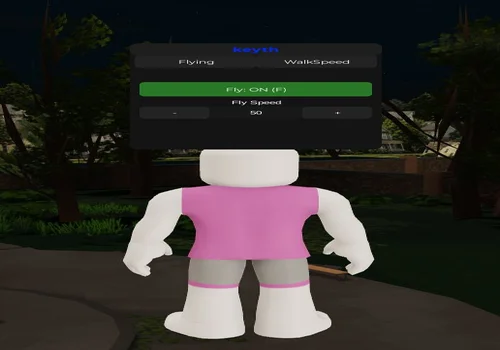
keyth
- Fly
- Walkspeed modifier
Details
Functions
- Fly
- Walkspeed modifier
Change history
- – Added to page!
Script code
local player = game.Players.LocalPlayer

local char, hrp, humanoid
local flying = false
local speed = 50
local walkSpeed = 16
local bv, bg

-- Character setup
local function setupCharacter(character)
	char = character
	hrp = char:WaitForChild("HumanoidRootPart")
	humanoid = char:WaitForChild("Humanoid")

	humanoid.WalkSpeed = walkSpeed

	flying = false
	if bv then bv:Destroy() bv = nil end
	if bg then bg:Destroy() bg = nil end
end

if player.Character then
	setupCharacter(player.Character)
end

player.CharacterAdded:Connect(setupCharacter)

local uis = game:GetService("UserInputService")
local run = game:GetService("RunService")
local CAS = game:GetService("ContextActionService")

-- UI
local screenGui = Instance.new("ScreenGui")
screenGui.Name = "keyth"
screenGui.ResetOnSpawn = false
screenGui.Parent = player:WaitForChild("PlayerGui")

local frame = Instance.new("Frame")
frame.Size = UDim2.new(0, 260, 0, 260)
frame.Position = UDim2.new(0, 10, 0, 10)
frame.BackgroundColor3 = Color3.fromRGB(20,20,20)
frame.BorderSizePixel = 0
frame.Parent = screenGui
Instance.new("UICorner", frame).CornerRadius = UDim.new(0,10)

-- Top bar
local topBar = Instance.new("Frame")
topBar.Size = UDim2.new(1,0,0,30)
topBar.BackgroundColor3 = Color3.fromRGB(30,30,30)
topBar.Parent = frame
Instance.new("UICorner", topBar).CornerRadius = UDim.new(0,10)

local title = Instance.new("TextLabel")
title.Size = UDim2.new(1,0,1,0)
title.BackgroundTransparency = 1
title.Text = "keyth"
title.Font = Enum.Font.GothamBold
title.TextSize = 18
title.Parent = topBar

-- Rainbow title
task.spawn(function()
	while true do
		for i = 0,1,0.01 do
			title.TextColor3 = Color3.fromHSV(i,1,1)
			task.wait(0.05)
		end
	end
end)

-- Tabs bar
local tabBar = Instance.new("Frame")
tabBar.Size = UDim2.new(1,0,0,30)
tabBar.Position = UDim2.new(0,0,0,30)
tabBar.BackgroundTransparency = 1
tabBar.Parent = frame

-- Container
local container = Instance.new("Frame")
container.Size = UDim2.new(1,0,1,-60)
container.Position = UDim2.new(0,0,0,60)
container.BackgroundTransparency = 1
container.Parent = frame

-- Style
local function style(obj)
	obj.BackgroundColor3 = Color3.fromRGB(35,35,35)
	obj.TextColor3 = Color3.new(1,1,1)
	obj.BorderSizePixel = 0
	obj.TextSize = 14
	obj.Font = Enum.Font.Gotham
	Instance.new("UICorner", obj).CornerRadius = UDim.new(0,6)
end

-- Tabs
local flyingTab = Instance.new("TextButton")
flyingTab.Size = UDim2.new(0.5, -5, 1, 0)
flyingTab.Position = UDim2.new(0, 5, 0, 0)
flyingTab.Text = "Flying"
flyingTab.Parent = tabBar
style(flyingTab)

local walkTab = Instance.new("TextButton")
walkTab.Size = UDim2.new(0.5, -5, 1, 0)
walkTab.Position = UDim2.new(0.5, 0, 0, 0)
walkTab.Text = "WalkSpeed"
walkTab.Parent = tabBar
style(walkTab)

-- Pages
local flyingPage = Instance.new("Frame")
flyingPage.Size = UDim2.new(1,0,1,0)
flyingPage.BackgroundTransparency = 1
flyingPage.Parent = container

local walkPage = Instance.new("Frame")
walkPage.Size = UDim2.new(1,0,1,0)
walkPage.BackgroundTransparency = 1
walkPage.Visible = false
walkPage.Parent = container

-- Switching
flyingTab.MouseButton1Click:Connect(function()
	flyingPage.Visible = true
	walkPage.Visible = false
end)

walkTab.MouseButton1Click:Connect(function()
	flyingPage.Visible = false
	walkPage.Visible = true
end)

-- ===== FLYING =====

local toggleBtn = Instance.new("TextButton")
toggleBtn.Size = UDim2.new(1,-20,0,35)
toggleBtn.Position = UDim2.new(0,10,0,35)
toggleBtn.Parent = flyingPage
style(toggleBtn)

local function updateFlyUI()
	if flying then
		toggleBtn.Text = "Fly: ON (F)"
		toggleBtn.BackgroundColor3 = Color3.fromRGB(40,120,40)
	else
		toggleBtn.Text = "Fly: OFF (F)"
		toggleBtn.BackgroundColor3 = Color3.fromRGB(35,35,35)
	end
end

local function toggleFly()
	flying = not flying

	if flying and hrp then
		bv = Instance.new("BodyVelocity")
		bv.MaxForce = Vector3.new(1e5,1e5,1e5)
		bv.Parent = hrp

		bg = Instance.new("BodyGyro")
		bg.MaxTorque = Vector3.new(1e5,1e5,1e5)
		bg.CFrame = hrp.CFrame
		bg.Parent = hrp
	else
		if bv then bv:Destroy() bv = nil end
		if bg then bg:Destroy() bg = nil end
	end

	updateFlyUI()
end

toggleBtn.MouseButton1Click:Connect(toggleFly)

uis.InputBegan:Connect(function(input, gp)
	if gp then return end
	if input.KeyCode == Enum.KeyCode.F then
		toggleFly()
	end
end)

-- Controller toggle (A / Cross)
CAS:BindAction("ToggleFlyController", function(_, state)
	if state == Enum.UserInputState.Begin then
		toggleFly()
	end
end, false, Enum.KeyCode.ButtonA)

-- Fly Speed UI
local speedLabel = Instance.new("TextLabel")
speedLabel.Size = UDim2.new(1, -20, 0, 20)
speedLabel.Position = UDim2.new(0, 10, 0, 75)
speedLabel.BackgroundTransparency = 1
speedLabel.Text = "Fly Speed"
speedLabel.TextColor3 = Color3.new(1,1,1)
speedLabel.Parent = flyingPage

local speedFrame = Instance.new("Frame")
speedFrame.Size = UDim2.new(1,-20,0,30)
speedFrame.Position = UDim2.new(0,10,0,95)
speedFrame.BackgroundTransparency = 1
speedFrame.Parent = flyingPage

local minusBtn = Instance.new("TextButton")
minusBtn.Size = UDim2.new(0.3,0,1,0)
minusBtn.Text = "-"
minusBtn.Parent = speedFrame
style(minusBtn)

local speedDisplay = Instance.new("TextLabel")
speedDisplay.Size = UDim2.new(0.4,0,1,0)
speedDisplay.Position = UDim2.new(0.3,0,0,0)
speedDisplay.BackgroundColor3 = Color3.fromRGB(25,25,25)
speedDisplay.TextColor3 = Color3.new(1,1,1)
speedDisplay.Parent = speedFrame
Instance.new("UICorner", speedDisplay)

local plusBtn = Instance.new("TextButton")
plusBtn.Size = UDim2.new(0.3,0,1,0)
plusBtn.Position = UDim2.new(0.7,0,0,0)
plusBtn.Text = "+"
plusBtn.Parent = speedFrame
style(plusBtn)

local function updateSpeedUI()
	speedDisplay.Text = tostring(speed)
end

minusBtn.MouseButton1Click:Connect(function()
	speed = math.max(10, speed - 5)
	updateSpeedUI()
end)

plusBtn.MouseButton1Click:Connect(function()
	speed = math.min(200, speed + 5)
	updateSpeedUI()
end)

updateSpeedUI()

-- ===== WALK SPEED =====

local wsFrame = Instance.new("Frame")
wsFrame.Size = UDim2.new(1,-20,0,30)
wsFrame.Position = UDim2.new(0,10,0,40)
wsFrame.BackgroundTransparency = 1
wsFrame.Parent = walkPage

local wsMinus = Instance.new("TextButton")
wsMinus.Size = UDim2.new(0.3,0,1,0)
wsMinus.Text = "-"
wsMinus.Parent = wsFrame
style(wsMinus)

local wsDisplay = Instance.new("TextLabel")
wsDisplay.Size = UDim2.new(0.4,0,1,0)
wsDisplay.Position = UDim2.new(0.3,0,0,0)
wsDisplay.BackgroundColor3 = Color3.fromRGB(25,25,25)
wsDisplay.TextColor3 = Color3.new(1,1,1)
wsDisplay.Parent = wsFrame
Instance.new("UICorner", wsDisplay)

local wsPlus = Instance.new("TextButton")
wsPlus.Size = UDim2.new(0.3,0,1,0)
wsPlus.Position = UDim2.new(0.7,0,0,0)
wsPlus.Text = "+"
wsPlus.Parent = wsFrame
style(wsPlus)

local function updateWS()
	wsDisplay.Text = tostring(walkSpeed)
	if humanoid then
		humanoid.WalkSpeed = walkSpeed
	end
end

wsMinus.MouseButton1Click:Connect(function()
	walkSpeed = math.max(8, walkSpeed - 2)
	updateWS()
end)

wsPlus.MouseButton1Click:Connect(function()
	walkSpeed = math.min(200, walkSpeed + 2)
	updateWS()
end)

updateWS()

-- ===== FLY MOVEMENT =====

run.RenderStepped:Connect(function()
	if flying and bv and bg and hrp then
		local cam = workspace.CurrentCamera
		bg.CFrame = cam.CFrame

		local moveDir = Vector3.zero

		-- Keyboard
		if uis:IsKeyDown(Enum.KeyCode.W) then moveDir += cam.CFrame.LookVector end
		if uis:IsKeyDown(Enum.KeyCode.S) then moveDir -= cam.CFrame.LookVector end
		if uis:IsKeyDown(Enum.KeyCode.A) then moveDir -= cam.CFrame.RightVector end
		if uis:IsKeyDown(Enum.KeyCode.D) then moveDir += cam.CFrame.RightVector end

		-- Controller (FIXED Y AXIS)
		local thumbstick = uis:GetGamepadState(Enum.UserInputType.Gamepad1)
		for _, input in ipairs(thumbstick) do
			if input.KeyCode == Enum.KeyCode.Thumbstick1 then
				local x = input.Position.X
				local y = input.Position.Y

				moveDir += cam.CFrame.LookVector * y
				moveDir += cam.CFrame.RightVector * x
			end
		end

		bv.Velocity = moveDir * speed
	end
end)

updateFlyUI()

-- ===== DRAGGING =====

local dragging = false
local dragInput, mousePos, framePos

topBar.InputBegan:Connect(function(input)
	if input.UserInputType == Enum.UserInputType.MouseButton1 then
		dragging = true
		mousePos = input.Position
		framePos = frame.Position

		input.Changed:Connect(function()
			if input.UserInputState == Enum.UserInputState.End then
				dragging = false
			end
		end)
	end
end)

topBar.InputChanged:Connect(function(input)
	if input.UserInputType == Enum.UserInputType.MouseMovement then
		dragInput = input
	end
end)

uis.InputChanged:Connect(function(input)
	if input == dragInput and dragging then
		local delta = input.Position - mousePos
		frame.Position = UDim2.new(
			framePos.X.Scale,
			framePos.X.Offset + delta.X,
			framePos.Y.Scale,
			framePos.Y.Offset + delta.Y
		)
	end
end)Combat tools
Kill Aura, Hitbox Expander, Anti Stun, Auto Weave, style settings, and heavy-attack controls affect what happens during a fight. Configure them before entering a crowded area.
Movement tools
Fly, WalkSpeed, teleporting, saved positions, and player-follow tools help you move around the school. They do not improve combo timing or increase the damage of a fighting style.
What “client-sided” means
Keego_tt lists Client-Sided Headless. That wording matters: it is a local visual effect created by hiding the character’s head on your client. It does not add the real Headless item to the account, and other players may continue to see the normal character.
Fight in a School script with key system
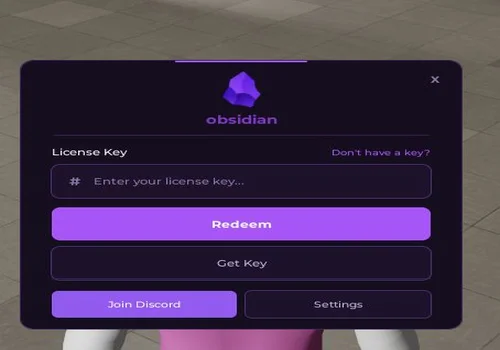
Obsidian requires a key or external access step. Its card lists Hitbox and WalkSpeed, but the additional “autocrat” label is not explained by the developer.
Obsidian
- hitbox
- walkspeed
- autocrat
Details
Functions
- hitbox
- walkspeed
- autocrat
Change history
- – Added to page!
Script code
loadstring(game:HttpGet("https://pastefy.app/1015CaC0/raw"))()
![Скрипт Игра в Слова [🇷🇺] 2026 – (Автоподбор Слов)](https://robscript.com/wp-content/uploads/2026/10/ИграВСлова1-500x315.webp)