Unlimited stamina is the easy choice here. Shooting assistance takes a little more judgment. Our checks covered both: small open-source tools you can run without a key, and SaiOps for aiming and goalkeeping. We also made two interface edits ourselves, because a working feature is much less convenient when you cannot switch it off from its menu.
These notes come from our own gameplay and access checks. Sable and Kali remain untested in matches. Mobile support has not been verified by our team.
Game: Illegal Soccer on Roblox.
Illegal Soccer scripts — NO KEY / keyless
Why we made the v2 versions. We used DeepSeek to add everyday controls to two existing scripts: Camera Tween Movement by WI888 and INF Stamina by skey. That is what our v2 label means here. The original authors are credited on the cards, and all four versions include their code for you to inspect.

INF Stamina v2
- Infinite Stamina
- Stamina On/Off Toggle
- Custom Toggle Keybind
- +1 more
Details
Functions
- Infinite Stamina
- Stamina On/Off Toggle
- Custom Toggle Keybind
- Cursor Lock/Unlock
Script code
--// Infinite Stamina + Toggle GUI + Keybinds + Cursor Locker
--// Executor / LocalScript

local Players = game:GetService("Players")
local UserInputService = game:GetService("UserInputService")
local RunService = game:GetService("RunService")

local Player = Players.LocalPlayer

--==================================================
-- CONFIG
--==================================================

local Enabled = true
getgenv().infstamina = Enabled

local Keybinds = {
	Toggle = Enum.KeyCode.RightShift,
	ToggleCursor = Enum.KeyCode.RightControl,
}

local BindNames = {
	Toggle = "Toggle Script",
	ToggleCursor = "Cursor Lock",
}

local CursorLocked = false

--==================================================
-- HOOKS
--==================================================

local Sprint = require(game.ReplicatedStorage.Modules.Actions.Sprint)
local BallHit = require(game.ReplicatedStorage.Modules.Actions.BallHitStamina)

local OldDrain
OldDrain = hookfunction(Sprint.GetDrainAmount, function(...)
	if Enabled then
		return 0
	end
	return OldDrain(...)
end)

local OldSpend
OldSpend = hookfunction(Sprint.GetSpendAmount, function(...)
	if Enabled then
		return 0
	end
	return OldSpend(...)
end)

local OldCost
OldCost = hookfunction(BallHit.GetCost, function(...)
	if Enabled then
		return 0
	end
	return OldCost(...)
end)

--==================================================
-- CURSOR LOCKER
--==================================================

local function SetCursorLock(state)
	CursorLocked = state
	if CursorLocked then
		UserInputService.MouseBehavior = Enum.MouseBehavior.LockCenter
		UserInputService.MouseIconEnabled = false
	else
		UserInputService.MouseBehavior = Enum.MouseBehavior.Default
		UserInputService.MouseIconEnabled = true
	end
end

RunService.RenderStepped:Connect(function()
	if CursorLocked then
		UserInputService.MouseBehavior = Enum.MouseBehavior.LockCenter
		UserInputService.MouseIconEnabled = false
	end
end)

--==================================================
-- GUI
--==================================================

local GUI = Instance.new("ScreenGui")
GUI.Name = "InfStaminaGUI"
GUI.ResetOnSpawn = false
GUI.Parent = Player:WaitForChild("PlayerGui")

local Frame = Instance.new("Frame")
Frame.Name = "Main"
Frame.Size = UDim2.fromOffset(320, 350)
Frame.Position = UDim2.new(0.5, -160, 0.5, -175)
Frame.BackgroundColor3 = Color3.fromRGB(24, 24, 24)
Frame.BorderSizePixel = 0
Frame.Active = true
Frame.Parent = GUI

local Corner = Instance.new("UICorner")
Corner.CornerRadius = UDim.new(0, 12)
Corner.Parent = Frame

--==================================================
-- TITLE / DRAG
--==================================================

local Title = Instance.new("TextLabel")
Title.Size = UDim2.new(1, -20, 0, 35)
Title.Position = UDim2.fromOffset(10, 5)
Title.BackgroundTransparency = 1
Title.Text = "Infinite Stamina"
Title.TextColor3 = Color3.fromRGB(255, 255, 255)
Title.TextSize = 20
Title.Font = Enum.Font.GothamBold
Title.Parent = Frame

local Dragging = false
local DragStart, StartPosition

Title.InputBegan:Connect(function(Input)
	if Input.UserInputType == Enum.UserInputType.MouseButton1 then
		Dragging = true
		DragStart = Input.Position
		StartPosition = Frame.Position
	end
end)

UserInputService.InputChanged:Connect(function(Input)
	if Dragging and Input.UserInputType == Enum.UserInputType.MouseMovement then
		local Delta = Input.Position - DragStart
		Frame.Position = UDim2.new(
			StartPosition.X.Scale,
			StartPosition.X.Offset + Delta.X,
			StartPosition.Y.Scale,
			StartPosition.Y.Offset + Delta.Y
		)
	end
end)

UserInputService.InputEnded:Connect(function(Input)
	if Input.UserInputType == Enum.UserInputType.MouseButton1 then
		Dragging = false
	end
end)

--==================================================
-- TOGGLE BUTTON
--==================================================

local ToggleButton = Instance.new("TextButton")
ToggleButton.Size = UDim2.new(1, -30, 0, 32)
ToggleButton.Position = UDim2.fromOffset(15, 45)
ToggleButton.BackgroundColor3 = Color3.fromRGB(60, 170, 80)
ToggleButton.BorderSizePixel = 0
ToggleButton.Text = "SCRIPT: ON"
ToggleButton.TextColor3 = Color3.fromRGB(255, 255, 255)
ToggleButton.TextSize = 15
ToggleButton.Font = Enum.Font.GothamBold
ToggleButton.AutoButtonColor = false
ToggleButton.Parent = Frame

local ToggleCorner = Instance.new("UICorner")
ToggleCorner.CornerRadius = UDim.new(0, 8)
ToggleCorner.Parent = ToggleButton

local function UpdateToggleVisual()
	ToggleButton.Text = Enabled and "SCRIPT: ON" or "SCRIPT: OFF"
	ToggleButton.BackgroundColor3 = Enabled
		and Color3.fromRGB(60, 170, 80)
		or Color3.fromRGB(170, 60, 60)
	ToggleButton.TextColor3 = Color3.fromRGB(255, 255, 255)
end

ToggleButton.MouseButton1Click:Connect(function()
	Enabled = not Enabled
	getgenv().infstamina = Enabled
	UpdateToggleVisual()
end)

--==================================================
-- CURSOR LOCK / UNLOCK BUTTON
--==================================================

local CursorButton = Instance.new("TextButton")
CursorButton.Size = UDim2.new(1, -30, 0, 40)
CursorButton.Position = UDim2.fromOffset(15, 85)
CursorButton.BackgroundColor3 = Color3.fromRGB(235, 165, 50) -- orange, brighter
CursorButton.BorderSizePixel = 0
CursorButton.Text = "CURSOR: UNLOCKED  (click / RightCtrl)"
CursorButton.TextColor3 = Color3.fromRGB(20, 20, 20)         -- dark text on orange
CursorButton.TextSize = 13
CursorButton.Font = Enum.Font.GothamBold
CursorButton.AutoButtonColor = false
CursorButton.Parent = Frame

local CursorCorner = Instance.new("UICorner")
CursorCorner.CornerRadius = UDim.new(0, 8)
CursorCorner.Parent = CursorButton

local CursorStroke = Instance.new("UIStroke")
CursorStroke.Color = Color3.fromRGB(120, 80, 10)
CursorStroke.Thickness = 2
CursorStroke.Parent = CursorButton

local function UpdateCursorVisual()
	if CursorLocked then
		CursorButton.Text = "CURSOR: LOCKED  (click / " .. Keybinds.ToggleCursor.Name .. ")"
		CursorButton.BackgroundColor3 = Color3.fromRGB(60, 170, 80)
		CursorButton.TextColor3 = Color3.fromRGB(255, 255, 255)
		CursorStroke.Color = Color3.fromRGB(30, 90, 40)
	else
		CursorButton.Text = "CURSOR: UNLOCKED  (click / " .. Keybinds.ToggleCursor.Name .. ")"
		CursorButton.BackgroundColor3 = Color3.fromRGB(235, 165, 50)
		CursorButton.TextColor3 = Color3.fromRGB(20, 20, 20)
		CursorStroke.Color = Color3.fromRGB(120, 80, 10)
	end
end

CursorButton.MouseButton1Click:Connect(function()
	SetCursorLock(not CursorLocked)
	UpdateCursorVisual()
end)

--==================================================
-- KEYBIND SECTION
--==================================================

local KeybindTitle = Instance.new("TextLabel")
KeybindTitle.Size = UDim2.new(1, -30, 0, 22)
KeybindTitle.Position = UDim2.fromOffset(15, 132)
KeybindTitle.BackgroundTransparency = 1
KeybindTitle.Text = "Keybinds (click a field, then press a key)"
KeybindTitle.TextColor3 = Color3.fromRGB(180, 180, 180)
KeybindTitle.TextSize = 12
KeybindTitle.Font = Enum.Font.Gotham
KeybindTitle.TextXAlignment = Enum.TextXAlignment.Left
KeybindTitle.Parent = Frame

local KeyScroll = Instance.new("ScrollingFrame")
KeyScroll.Size = UDim2.new(1, -30, 0, 180)
KeyScroll.Position = UDim2.fromOffset(15, 156)
KeyScroll.BackgroundColor3 = Color3.fromRGB(18, 18, 18)
KeyScroll.BorderSizePixel = 0
KeyScroll.CanvasSize = UDim2.new(0, 0, 0, 0)
KeyScroll.AutomaticCanvasSize = Enum.AutomaticSize.Y
KeyScroll.ScrollBarThickness = 4
KeyScroll.Parent = Frame

local KeyScrollCorner = Instance.new("UICorner")
KeyScrollCorner.CornerRadius = UDim.new(0, 8)
KeyScrollCorner.Parent = KeyScroll

local KeyLayout = Instance.new("UIListLayout")
KeyLayout.Padding = UDim.new(0, 4)
KeyLayout.SortOrder = Enum.SortOrder.LayoutOrder
KeyLayout.Parent = KeyScroll

local KeyPadding = Instance.new("UIPadding")
KeyPadding.PaddingTop = UDim.new(0, 4)
KeyPadding.PaddingBottom = UDim.new(0, 4)
KeyPadding.PaddingLeft = UDim.new(0, 4)
KeyPadding.PaddingRight = UDim.new(0, 4)
KeyPadding.Parent = KeyScroll

local AwaitingBind = nil

local function KeyToString(key)
	if typeof(key) == "EnumItem" then
		return key.Name
	end
	return tostring(key)
end

local function MakeBindRow(order, keyName)
	local Row = Instance.new("Frame")
	Row.Size = UDim2.new(1, 0, 0, 26)
	Row.BackgroundTransparency = 1
	Row.LayoutOrder = order
	Row.Parent = KeyScroll

	local Label = Instance.new("TextLabel")
	Label.Size = UDim2.new(0.55, 0, 1, 0)
	Label.Position = UDim2.fromOffset(4, 0)
	Label.BackgroundTransparency = 1
	Label.Text = BindNames[keyName] or keyName
	Label.TextColor3 = Color3.fromRGB(220, 220, 220)
	Label.TextSize = 13
	Label.Font = Enum.Font.Gotham
	Label.TextXAlignment = Enum.TextXAlignment.Left
	Label.Parent = Row

	local BindBtn = Instance.new("TextButton")
	BindBtn.Size = UDim2.new(0.4, -8, 1, -4)
	BindBtn.Position = UDim2.new(0.6, 0, 0, 2)
	BindBtn.BackgroundColor3 = Color3.fromRGB(45, 45, 45)
	BindBtn.BorderSizePixel = 0
	BindBtn.Text = KeyToString(Keybinds[keyName])
	BindBtn.TextColor3 = Color3.fromRGB(255, 255, 255)
	BindBtn.TextSize = 12
	BindBtn.Font = Enum.Font.GothamBold
	BindBtn.AutoButtonColor = false
	BindBtn.Parent = Row

	local BtnCorner = Instance.new("UICorner")
	BtnCorner.CornerRadius = UDim.new(0, 6)
	BtnCorner.Parent = BindBtn

	BindBtn.MouseButton1Click:Connect(function()
		if AwaitingBind and AwaitingBind ~= BindBtn then
			AwaitingBind.Text = KeyToString(Keybinds[AwaitingBind:GetAttribute("KeyName")])
			AwaitingBind.BackgroundColor3 = Color3.fromRGB(45, 45, 45)
		end
		AwaitingBind = BindBtn
		BindBtn.Text = "..."
		BindBtn.BackgroundColor3 = Color3.fromRGB(80, 120, 200)
	end)

	BindBtn:SetAttribute("KeyName", keyName)
end

for i, keyName in ipairs({"Toggle", "ToggleCursor"}) do
	MakeBindRow(i, keyName)
end

UserInputService.InputBegan:Connect(function(Input, Processed)
	if not AwaitingBind then return end
	if Input.UserInputType ~= Enum.UserInputType.Keyboard then return end

	local keyName = AwaitingBind:GetAttribute("KeyName")
	Keybinds[keyName] = Input.KeyCode
	AwaitingBind.Text = Input.KeyCode.Name
	AwaitingBind.BackgroundColor3 = Color3.fromRGB(45, 45, 45)
	AwaitingBind = nil

	UpdateCursorVisual()
end)

--==================================================
-- HOTKEYS
--==================================================

UserInputService.InputBegan:Connect(function(Input, Processed)
	if Input.KeyCode == Keybinds.Toggle then
		Enabled = not Enabled
		getgenv().infstamina = Enabled
		UpdateToggleVisual()
		return
	end

	if Input.KeyCode == Keybinds.ToggleCursor then
		SetCursorLock(not CursorLocked)
		UpdateCursorVisual()
	end
end)

--==================================================
-- INIT VISUALS
--==================================================

UpdateToggleVisual()
UpdateCursorVisual()Stamina stopped being a problem in our check. We could keep using it without running out. There is no complicated farming routine to explain: this is a small tool for removing one restriction while you play. We suspect the developers may patch it, so treat our result as a check of this version rather than a permanent promise.

INF Stamina
- INF stamina
Details
Functions
- INF stamina
Script code
getgenv().infstamina = true -- change this to "false" to disable

local Sprint = require(game.ReplicatedStorage.Modules.Actions.Sprint)
local BallHit = require(game.ReplicatedStorage.Modules.Actions.BallHitStamina)

local OldDrain
OldDrain = hookfunction(Sprint.GetDrainAmount, function(...)
    if infstamina then
        return 0
    end
    return OldDrain(...)
end)

local OldSpend
OldSpend = hookfunction(Sprint.GetSpendAmount, function(...)
    if getgenv().infstamina then
        return 0
    end
    return OldSpend(...)
end)

local OldCost
OldCost = hookfunction(BallHit.GetCost, function(...)
    if infstamina then
        return 0
    end
    return OldCost(...)
end)
skey’s original is the minimal option: run it and there is no menu to manage. It includes a code flag for disabling the effect; choose v2 if you want an on-screen switch.

Camera Tween Movement v2
- Camera-Relative Movement
- Movement Speed Adjustment
- Movement On/Off Toggle
- +2 more
Details
Functions
- Camera-Relative Movement
- Movement Speed Adjustment
- Movement On/Off Toggle
- Custom Movement and Toggle Keybinds
- Cursor Lock/Unlock
Script code
--// Camera-Relative W/A/S/D Tween Movement
--// Draggable Speed GUI + Toggle + Keybinds + Cursor Locker
--// LocalScript

local Players = game:GetService("Players")
local UserInputService = game:GetService("UserInputService")
local TweenService = game:GetService("TweenService")
local RunService = game:GetService("RunService")

local Player = Players.LocalPlayer

--==================================================
-- CONFIG
--==================================================

local MIN_SPEED = 1
local MAX_SPEED = 200
local DEFAULT_SPEED = 50
local STEP_DISTANCE = 5

local Speed = DEFAULT_SPEED
local Running = false
local Enabled = true
local CursorLocked = false

--==================================================
-- KEYBINDS
--==================================================

local Keybinds = {
	Forward = Enum.KeyCode.W,
	Backward = Enum.KeyCode.S,
	Left = Enum.KeyCode.A,
	Right = Enum.KeyCode.D,
	Toggle = Enum.KeyCode.RightShift,
	ToggleCursor = Enum.KeyCode.RightControl,
}

local BindNames = {
	Forward = "Forward (W)",
	Backward = "Backward (S)",
	Left = "Left (A)",
	Right = "Right (D)",
	Toggle = "Toggle Script",
	ToggleCursor = "Cursor Lock",
}

--==================================================
-- KEY STATE
--==================================================

local Keys = {
	[Keybinds.Forward] = false,
	[Keybinds.Backward] = false,
	[Keybinds.Left] = false,
	[Keybinds.Right] = false,
}

local function RebuildKeys()
	Keys = {
		[Keybinds.Forward] = false,
		[Keybinds.Backward] = false,
		[Keybinds.Left] = false,
		[Keybinds.Right] = false,
	}
end

--==================================================
-- CHARACTER
--==================================================

local function GetRoot()
	local Character = Player.Character
	if not Character then return nil end
	return Character:FindFirstChild("HumanoidRootPart")
end

--==================================================
-- CAMERA-RELATIVE DIRECTION
--==================================================

local function GetCameraDirection()
	local Camera = workspace.CurrentCamera
	if not Camera then return Vector3.zero end

	local Look = Camera.CFrame.LookVector
	local Right = Camera.CFrame.RightVector

	local Forward = Vector3.new(Look.X, 0, Look.Z)
	local CameraRight = Vector3.new(Right.X, 0, Right.Z)

	if Forward.Magnitude > 0 then Forward = Forward.Unit end
	if CameraRight.Magnitude > 0 then CameraRight = CameraRight.Unit end

	local Direction = Vector3.zero

	if Keys[Keybinds.Forward] then Direction += Forward end
	if Keys[Keybinds.Backward] then Direction -= Forward end
	if Keys[Keybinds.Right] then Direction += CameraRight end
	if Keys[Keybinds.Left] then Direction -= CameraRight end

	if Direction.Magnitude == 0 then return Vector3.zero end
	return Direction.Unit
end

--==================================================
-- MOVEMENT LOOP
--==================================================

local function AnyMovementKeyDown()
	for _, v in pairs(Keys) do
		if v then return true end
	end
	return false
end

local function MovementLoop()
	if Running then return end
	Running = true

	while Enabled and AnyMovementKeyDown() do
		local Root = GetRoot()
		if not Root then
			task.wait()
			continue
		end

		local Direction = GetCameraDirection()

		if Direction.Magnitude > 0 then
			local TargetPosition = Root.Position + Direction * STEP_DISTANCE
			local TargetCFrame = CFrame.new(TargetPosition) * Root.CFrame.Rotation
			local Duration = STEP_DISTANCE / math.max(Speed, 1)

			local Tween = TweenService:Create(
				Root,
				TweenInfo.new(Duration, Enum.EasingStyle.Linear, Enum.EasingDirection.Out),
				{ CFrame = TargetCFrame }
			)

			Tween:Play()
			Tween.Completed:Wait()
		else
			task.wait()
		end
	end

	Running = false
end

--==================================================
-- CURSOR LOCKER
--==================================================

local function SetCursorLock(state)
	CursorLocked = state

	if CursorLocked then
		UserInputService.MouseBehavior = Enum.MouseBehavior.LockCenter
		UserInputService.MouseIconEnabled = false
	else
		UserInputService.MouseBehavior = Enum.MouseBehavior.Default
		UserInputService.MouseIconEnabled = true
	end
end

RunService.RenderStepped:Connect(function()
	if CursorLocked then
		UserInputService.MouseBehavior = Enum.MouseBehavior.LockCenter
		UserInputService.MouseIconEnabled = false
	end
end)

--==================================================
-- GUI
--==================================================

local GUI = Instance.new("ScreenGui")
GUI.Name = "TweenSpeedGUI"
GUI.ResetOnSpawn = false
GUI.Parent = Player:WaitForChild("PlayerGui")

local Frame = Instance.new("Frame")
Frame.Name = "Main"
Frame.Size = UDim2.fromOffset(340, 385)
Frame.Position = UDim2.new(0.5, -170, 0.5, -192)
Frame.BackgroundColor3 = Color3.fromRGB(24, 24, 24)
Frame.BorderSizePixel = 0
Frame.Active = true
Frame.Parent = GUI

local Corner = Instance.new("UICorner")
Corner.CornerRadius = UDim.new(0, 12)
Corner.Parent = Frame

--==================================================
-- TITLE / DRAG
--==================================================

local Title = Instance.new("TextLabel")
Title.Size = UDim2.new(1, -20, 0, 35)
Title.Position = UDim2.fromOffset(10, 5)
Title.BackgroundTransparency = 1
Title.Text = "Camera Tween Movement"
Title.TextColor3 = Color3.fromRGB(255, 255, 255)
Title.TextSize = 20
Title.Font = Enum.Font.GothamBold
Title.Parent = Frame

local Dragging = false
local DragStart
local StartPosition

Title.InputBegan:Connect(function(Input)
	if Input.UserInputType == Enum.UserInputType.MouseButton1 then
		Dragging = true
		DragStart = Input.Position
		StartPosition = Frame.Position
	end
end)

UserInputService.InputChanged:Connect(function(Input)
	if Dragging and Input.UserInputType == Enum.UserInputType.MouseMovement then
		local Delta = Input.Position - DragStart
		Frame.Position = UDim2.new(
			StartPosition.X.Scale,
			StartPosition.X.Offset + Delta.X,
			StartPosition.Y.Scale,
			StartPosition.Y.Offset + Delta.Y
		)
	end
end)

UserInputService.InputEnded:Connect(function(Input)
	if Input.UserInputType == Enum.UserInputType.MouseButton1 then
		Dragging = false
	end
end)

--==================================================
-- TOGGLE BUTTON
--==================================================

local ToggleButton = Instance.new("TextButton")
ToggleButton.Size = UDim2.new(1, -30, 0, 28)
ToggleButton.Position = UDim2.fromOffset(15, 42)
ToggleButton.BackgroundColor3 = Color3.fromRGB(60, 170, 80)
ToggleButton.BorderSizePixel = 0
ToggleButton.Text = "🟢 SCRIPT: ON"
ToggleButton.TextColor3 = Color3.fromRGB(255, 255, 255)
ToggleButton.TextSize = 15
ToggleButton.Font = Enum.Font.GothamBold
ToggleButton.AutoButtonColor = false
ToggleButton.Parent = Frame

local ToggleCorner = Instance.new("UICorner")
ToggleCorner.CornerRadius = UDim.new(0, 8)
ToggleCorner.Parent = ToggleButton

local function UpdateToggleVisual()
	ToggleButton.Text = Enabled and "🟢 SCRIPT: ON" or "🔴 SCRIPT: OFF"
	ToggleButton.BackgroundColor3 = Enabled
		and Color3.fromRGB(60, 170, 80)
		or Color3.fromRGB(170, 60, 60)
end

ToggleButton.MouseButton1Click:Connect(function()
	Enabled = not Enabled
	if not Enabled then
		for k in pairs(Keys) do Keys[k] = false end
		Running = false
	end
	UpdateToggleVisual()
end)

--==================================================
-- CURSOR LOCK / UNLOCK BUTTON  (ЯРКАЯ КНОПКА)
--==================================================

local CursorButton = Instance.new("TextButton")
CursorButton.Size = UDim2.new(1, -30, 0, 40)
CursorButton.Position = UDim2.fromOffset(15, 76)
CursorButton.BackgroundColor3 = Color3.fromRGB(200, 140, 40)
CursorButton.BorderSizePixel = 0
CursorButton.Text = "🔓 UNLOCK CURSOR  (RightCtrl)"
CursorButton.TextColor3 = Color3.fromRGB(255, 255, 255)
CursorButton.TextSize = 14
CursorButton.Font = Enum.Font.GothamBold
CursorButton.AutoButtonColor = false
CursorButton.Parent = Frame

local CursorCorner = Instance.new("UICorner")
CursorCorner.CornerRadius = UDim.new(0, 8)
CursorCorner.Parent = CursorButton

-- Обводка, чтобы кнопка выделялась
local CursorStroke = Instance.new("UIStroke")
CursorStroke.Color = Color3.fromRGB(255, 200, 80)
CursorStroke.Thickness = 2
CursorStroke.Parent = CursorButton

local function UpdateCursorVisual()
	if CursorLocked then
		CursorButton.Text = "🔒 LOCKED  →  нажми, чтобы UNLOCK  (RightCtrl)"
		CursorButton.BackgroundColor3 = Color3.fromRGB(60, 170, 80)
		CursorStroke.Color = Color3.fromRGB(120, 255, 140)
	else
		CursorButton.Text = "🔓 UNLOCKED  →  нажми, чтобы LOCK  (RightCtrl)"
		CursorButton.BackgroundColor3 = Color3.fromRGB(200, 140, 40)
		CursorStroke.Color = Color3.fromRGB(255, 200, 80)
	end
end

CursorButton.MouseButton1Click:Connect(function()
	SetCursorLock(not CursorLocked)
	UpdateCursorVisual()
end)

--==================================================
-- SPEED LABEL + SLIDER
--==================================================

local SpeedLabel = Instance.new("TextLabel")
SpeedLabel.Size = UDim2.new(1, -30, 0, 25)
SpeedLabel.Position = UDim2.fromOffset(15, 124)
SpeedLabel.BackgroundTransparency = 1
SpeedLabel.Text = "Speed: " .. Speed
SpeedLabel.TextColor3 = Color3.fromRGB(220, 220, 220)
SpeedLabel.TextSize = 15
SpeedLabel.Font = Enum.Font.Gotham
SpeedLabel.TextXAlignment = Enum.TextXAlignment.Left
SpeedLabel.Parent = Frame

local Slider = Instance.new("Frame")
Slider.Size = UDim2.new(1, -30, 0, 8)
Slider.Position = UDim2.fromOffset(15, 158)
Slider.BackgroundColor3 = Color3.fromRGB(55, 55, 55)
Slider.BorderSizePixel = 0
Slider.Active = true
Slider.Parent = Frame

local SliderCorner = Instance.new("UICorner")
SliderCorner.CornerRadius = UDim.new(1, 0)
SliderCorner.Parent = Slider

local Fill = Instance.new("Frame")
Fill.Size = UDim2.fromScale((Speed - MIN_SPEED) / (MAX_SPEED - MIN_SPEED), 1)
Fill.BackgroundColor3 = Color3.fromRGB(80, 170, 255)
Fill.BorderSizePixel = 0
Fill.Parent = Slider

local FillCorner = Instance.new("UICorner")
FillCorner.CornerRadius = UDim.new(1, 0)
FillCorner.Parent = Fill

local Knob = Instance.new("TextButton")
Knob.Size = UDim2.fromOffset(18, 18)
Knob.AnchorPoint = Vector2.new(0.5, 0.5)
Knob.Position = UDim2.new((Speed - MIN_SPEED) / (MAX_SPEED - MIN_SPEED), 0, 0.5, 0)
Knob.BackgroundColor3 = Color3.fromRGB(255, 255, 255)
Knob.BorderSizePixel = 0
Knob.Text = ""
Knob.AutoButtonColor = false
Knob.Parent = Slider

local KnobCorner = Instance.new("UICorner")
KnobCorner.CornerRadius = UDim.new(1, 0)
KnobCorner.Parent = Knob

local SliderDragging = false

local function SetSlider(X)
	local Percent = math.clamp(
		(X - Slider.AbsolutePosition.X) / Slider.AbsoluteSize.X,
		0, 1
	)
	Speed = math.floor(MIN_SPEED + ((MAX_SPEED - MIN_SPEED) * Percent) + 0.5)
	local Normalized = (Speed - MIN_SPEED) / (MAX_SPEED - MIN_SPEED)
	Fill.Size = UDim2.fromScale(Normalized, 1)
	Knob.Position = UDim2.new(Normalized, 0, 0.5, 0)
	SpeedLabel.Text = "Speed: " .. Speed
end

Slider.InputBegan:Connect(function(Input)
	if Input.UserInputType == Enum.UserInputType.MouseButton1 then
		SliderDragging = true
		SetSlider(Input.Position.X)
	end
end)

Knob.InputBegan:Connect(function(Input)
	if Input.UserInputType == Enum.UserInputType.MouseButton1 then
		SliderDragging = true
	end
end)

UserInputService.InputChanged:Connect(function(Input)
	if SliderDragging and Input.UserInputType == Enum.UserInputType.MouseMovement then
		SetSlider(Input.Position.X)
	end
end)

UserInputService.InputEnded:Connect(function(Input)
	if Input.UserInputType == Enum.UserInputType.MouseButton1 then
		SliderDragging = false
	end
end)

--==================================================
-- KEYBIND SECTION
--==================================================

local KeybindTitle = Instance.new("TextLabel")
KeybindTitle.Size = UDim2.new(1, -30, 0, 22)
KeybindTitle.Position = UDim2.fromOffset(15, 180)
KeybindTitle.BackgroundTransparency = 1
KeybindTitle.Text = "Keybinds (нажми на поле и зажми клавишу)"
KeybindTitle.TextColor3 = Color3.fromRGB(180, 180, 180)
KeybindTitle.TextSize = 12
KeybindTitle.Font = Enum.Font.Gotham
KeybindTitle.TextXAlignment = Enum.TextXAlignment.Left
KeybindTitle.Parent = Frame

local KeyScroll = Instance.new("ScrollingFrame")
KeyScroll.Size = UDim2.new(1, -30, 0, 170)
KeyScroll.Position = UDim2.fromOffset(15, 204)
KeyScroll.BackgroundColor3 = Color3.fromRGB(18, 18, 18)
KeyScroll.BorderSizePixel = 0
KeyScroll.CanvasSize = UDim2.new(0, 0, 0, 0)
KeyScroll.AutomaticCanvasSize = Enum.AutomaticSize.Y
KeyScroll.ScrollBarThickness = 4
KeyScroll.Parent = Frame

local KeyScrollCorner = Instance.new("UICorner")
KeyScrollCorner.CornerRadius = UDim.new(0, 8)
KeyScrollCorner.Parent = KeyScroll

local KeyLayout = Instance.new("UIListLayout")
KeyLayout.Padding = UDim.new(0, 4)
KeyLayout.SortOrder = Enum.SortOrder.LayoutOrder
KeyLayout.Parent = KeyScroll

local KeyPadding = Instance.new("UIPadding")
KeyPadding.PaddingTop = UDim.new(0, 4)
KeyPadding.PaddingBottom = UDim.new(0, 4)
KeyPadding.PaddingLeft = UDim.new(0, 4)
KeyPadding.PaddingRight = UDim.new(0, 4)
KeyPadding.Parent = KeyScroll

local AwaitingBind = nil

local function KeyToString(key)
	if typeof(key) == "EnumItem" then
		return key.Name
	end
	return tostring(key)
end

local function MakeBindRow(order, keyName)
	local Row = Instance.new("Frame")
	Row.Size = UDim2.new(1, 0, 0, 26)
	Row.BackgroundTransparency = 1
	Row.LayoutOrder = order
	Row.Parent = KeyScroll

	local Label = Instance.new("TextLabel")
	Label.Size = UDim2.new(0.55, 0, 1, 0)
	Label.Position = UDim2.fromOffset(4, 0)
	Label.BackgroundTransparency = 1
	Label.Text = BindNames[keyName] or keyName
	Label.TextColor3 = Color3.fromRGB(220, 220, 220)
	Label.TextSize = 13
	Label.Font = Enum.Font.Gotham
	Label.TextXAlignment = Enum.TextXAlignment.Left
	Label.Parent = Row

	local BindBtn = Instance.new("TextButton")
	BindBtn.Size = UDim2.new(0.4, -8, 1, -4)
	BindBtn.Position = UDim2.new(0.6, 0, 0, 2)
	BindBtn.BackgroundColor3 = Color3.fromRGB(45, 45, 45)
	BindBtn.BorderSizePixel = 0
	BindBtn.Text = KeyToString(Keybinds[keyName])
	BindBtn.TextColor3 = Color3.fromRGB(255, 255, 255)
	BindBtn.TextSize = 12
	BindBtn.Font = Enum.Font.GothamBold
	BindBtn.AutoButtonColor = false
	BindBtn.Parent = Row

	local BtnCorner = Instance.new("UICorner")
	BtnCorner.CornerRadius = UDim.new(0, 6)
	BtnCorner.Parent = BindBtn

	BindBtn.MouseButton1Click:Connect(function()
		if AwaitingBind and AwaitingBind ~= BindBtn then
			AwaitingBind.Text = KeyToString(Keybinds[AwaitingBind:GetAttribute("KeyName")])
			AwaitingBind.BackgroundColor3 = Color3.fromRGB(45, 45, 45)
		end
		AwaitingBind = BindBtn
		BindBtn.Text = "..."
		BindBtn.BackgroundColor3 = Color3.fromRGB(80, 120, 200)
	end)

	BindBtn:SetAttribute("KeyName", keyName)
end

for i, keyName in ipairs({"Forward", "Backward", "Left", "Right", "Toggle", "ToggleCursor"}) do
	MakeBindRow(i, keyName)
end

UserInputService.InputBegan:Connect(function(Input, Processed)
	if not AwaitingBind then return end
	if Input.UserInputType ~= Enum.UserInputType.Keyboard then return end

	local keyName = AwaitingBind:GetAttribute("KeyName")
	Keybinds[keyName] = Input.KeyCode
	AwaitingBind.Text = Input.KeyCode.Name
	AwaitingBind.BackgroundColor3 = Color3.fromRGB(45, 45, 45)
	AwaitingBind = nil

	RebuildKeys()

	-- Обновим подписи основных кнопок
	CursorButton.Text = CursorLocked
		and ("🔒 LOCKED  →  UNLOCK  (" .. Keybinds.ToggleCursor.Name .. ")")
		or  ("🔓 UNLOCKED  →  LOCK  (" .. Keybinds.ToggleCursor.Name .. ")")
end)

--==================================================
-- INPUT (горячие клавиши)
--==================================================

UserInputService.InputBegan:Connect(function(Input, Processed)
	if Input.KeyCode == Keybinds.Toggle then
		Enabled = not Enabled
		if not Enabled then
			for k in pairs(Keys) do Keys[k] = false end
			Running = false
		end
		UpdateToggleVisual()
		return
	end

	if Input.KeyCode == Keybinds.ToggleCursor then
		SetCursorLock(not CursorLocked)
		UpdateCursorVisual()
		return
	end

	if Processed then return end
	if not Enabled then return end

	if Keys[Input.KeyCode] ~= nil then
		Keys[Input.KeyCode] = true
		task.spawn(MovementLoop)
	end
end)

UserInputService.InputEnded:Connect(function(Input)
	if Keys[Input.KeyCode] ~= nil then
		Keys[Input.KeyCode] = false
	end
end)

--==================================================
-- INIT VISUALS
--==================================================

UpdateToggleVisual()
UpdateCursorVisual()

--==================================================
-- RESPAWN SAFETY
--==================================================

Player.CharacterAdded:Connect(function()
	for Key in pairs(Keys) do
		Keys[Key] = false
	end
	Running = false
end)We used speed 75, simply because it suited us. Pick a setting you can control. The ball stayed with the player: that attachment is part of the game’s possession mechanic, not extra protection against tackles. Movement glitches did occur, so do not expect perfectly smooth travel around the pitch.
The practical improvement over the original is being able to switch the feature off and change its keys. One code-level limitation remains: switching off does not cancel a movement step already in progress. We have not measured that delay in a match.

Camera Tween Movement
- Camera Tween Movement Speed changer
Details
Functions
- Camera Tween Movement Speed changer
Script code
--// Camera-Relative W/A/S/D Tween Movement
--// Draggable Speed GUI
--// LocalScript

local Players = game:GetService("Players")
local UserInputService = game:GetService("UserInputService")
local TweenService = game:GetService("TweenService")

local Player = Players.LocalPlayer

--==================================================
-- CONFIG
--==================================================

local MIN_SPEED = 1
local MAX_SPEED = 200
local DEFAULT_SPEED = 50
local STEP_DISTANCE = 5

local Speed = DEFAULT_SPEED
local Running = false

--==================================================
-- KEY STATE
--==================================================

local Keys = {
	[Enum.KeyCode.W] = false,
	[Enum.KeyCode.A] = false,
	[Enum.KeyCode.S] = false,
	[Enum.KeyCode.D] = false,
}

--==================================================
-- CHARACTER
--==================================================

local function GetRoot()
	local Character = Player.Character

	if not Character then
		return nil
	end

	return Character:FindFirstChild("HumanoidRootPart")
end

--==================================================
-- CAMERA-RELATIVE DIRECTION
--==================================================

local function GetCameraDirection()
	local Camera = workspace.CurrentCamera

	if not Camera then
		return Vector3.zero
	end

	local Look = Camera.CFrame.LookVector
	local Right = Camera.CFrame.RightVector

	-- Keep movement horizontal
	local Forward = Vector3.new(
		Look.X,
		0,
		Look.Z
	)

	local CameraRight = Vector3.new(
		Right.X,
		0,
		Right.Z
	)

	if Forward.Magnitude > 0 then
		Forward = Forward.Unit
	end

	if CameraRight.Magnitude > 0 then
		CameraRight = CameraRight.Unit
	end

	local Direction = Vector3.zero

	if Keys[Enum.KeyCode.W] then
		Direction += Forward
	end

	if Keys[Enum.KeyCode.S] then
		Direction -= Forward
	end

	if Keys[Enum.KeyCode.D] then
		Direction += CameraRight
	end

	if Keys[Enum.KeyCode.A] then
		Direction -= CameraRight
	end

	if Direction.Magnitude == 0 then
		return Vector3.zero
	end

	return Direction.Unit
end

--==================================================
-- MOVEMENT LOOP
--==================================================

local function MovementLoop()
	if Running then
		return
	end

	Running = true

	while
		Keys[Enum.KeyCode.W]
		or Keys[Enum.KeyCode.A]
		or Keys[Enum.KeyCode.S]
		or Keys[Enum.KeyCode.D]
	do
		local Root = GetRoot()

		if not Root then
			task.wait()
			continue
		end

		local Direction = GetCameraDirection()

		if Direction.Magnitude > 0 then
			local TargetPosition =
				Root.Position + Direction * STEP_DISTANCE

			-- Preserve character rotation
			local TargetCFrame =
				CFrame.new(TargetPosition) *
				Root.CFrame.Rotation

			local Duration =
				STEP_DISTANCE / math.max(Speed, 1)

			local Tween = TweenService:Create(
				Root,
				TweenInfo.new(
					Duration,
					Enum.EasingStyle.Linear,
					Enum.EasingDirection.Out
				),
				{
					CFrame = TargetCFrame
				}
			)

			Tween:Play()
			Tween.Completed:Wait()
		else
			task.wait()
		end
	end

	Running = false
end

--==================================================
-- INPUT
--==================================================

UserInputService.InputBegan:Connect(function(Input, Processed)
	if Processed then
		return
	end

	if Keys[Input.KeyCode] ~= nil then
		Keys[Input.KeyCode] = true
		task.spawn(MovementLoop)
	end
end)

UserInputService.InputEnded:Connect(function(Input)
	if Keys[Input.KeyCode] ~= nil then
		Keys[Input.KeyCode] = false
	end
end)

--==================================================
-- GUI
--==================================================

local GUI = Instance.new("ScreenGui")
GUI.Name = "TweenSpeedGUI"
GUI.ResetOnSpawn = false
GUI.Parent = Player:WaitForChild("PlayerGui")

local Frame = Instance.new("Frame")
Frame.Name = "Main"
Frame.Size = UDim2.fromOffset(320, 135)
Frame.Position = UDim2.new(0.5, -160, 0.5, -67)
Frame.BackgroundColor3 = Color3.fromRGB(24, 24, 24)
Frame.BorderSizePixel = 0
Frame.Active = true
Frame.Parent = GUI

local Corner = Instance.new("UICorner")
Corner.CornerRadius = UDim.new(0, 12)
Corner.Parent = Frame

--==================================================
-- TITLE / DRAG AREA
--==================================================

local Title = Instance.new("TextLabel")
Title.Size = UDim2.new(1, -20, 0, 35)
Title.Position = UDim2.fromOffset(10, 5)
Title.BackgroundTransparency = 1
Title.Text = "Camera Tween Movement"
Title.TextColor3 = Color3.fromRGB(255, 255, 255)
Title.TextSize = 20
Title.Font = Enum.Font.GothamBold
Title.Parent = Frame

--==================================================
-- DRAGGING
--==================================================

local Dragging = false
local DragStart
local StartPosition

Title.InputBegan:Connect(function(Input)
	if Input.UserInputType == Enum.UserInputType.MouseButton1 then
		Dragging = true
		DragStart = Input.Position
		StartPosition = Frame.Position
	end
end)

UserInputService.InputChanged:Connect(function(Input)
	if
		Dragging
		and Input.UserInputType == Enum.UserInputType.MouseMovement
	then
		local Delta = Input.Position - DragStart

		Frame.Position = UDim2.new(
			StartPosition.X.Scale,
			StartPosition.X.Offset + Delta.X,
			StartPosition.Y.Scale,
			StartPosition.Y.Offset + Delta.Y
		)
	end
end)

UserInputService.InputEnded:Connect(function(Input)
	if Input.UserInputType == Enum.UserInputType.MouseButton1 then
		Dragging = false
	end
end)

--==================================================
-- SPEED LABEL
--==================================================

local SpeedLabel = Instance.new("TextLabel")
SpeedLabel.Size = UDim2.new(1, -30, 0, 25)
SpeedLabel.Position = UDim2.fromOffset(15, 40)
SpeedLabel.BackgroundTransparency = 1
SpeedLabel.Text = "Speed: " .. Speed
SpeedLabel.TextColor3 = Color3.fromRGB(220, 220, 220)
SpeedLabel.TextSize = 15
SpeedLabel.Font = Enum.Font.Gotham
SpeedLabel.TextXAlignment = Enum.TextXAlignment.Left
SpeedLabel.Parent = Frame

--==================================================
-- SLIDER
--==================================================

local Slider = Instance.new("Frame")
Slider.Name = "Slider"
Slider.Size = UDim2.new(1, -30, 0, 8)
Slider.Position = UDim2.fromOffset(15, 78)
Slider.BackgroundColor3 = Color3.fromRGB(55, 55, 55)
Slider.BorderSizePixel = 0
Slider.Active = true
Slider.Parent = Frame

local SliderCorner = Instance.new("UICorner")
SliderCorner.CornerRadius = UDim.new(1, 0)
SliderCorner.Parent = Slider

local Fill = Instance.new("Frame")
Fill.Size = UDim2.fromScale(
	(Speed - MIN_SPEED) / (MAX_SPEED - MIN_SPEED),
	1
)
Fill.BackgroundColor3 = Color3.fromRGB(80, 170, 255)
Fill.BorderSizePixel = 0
Fill.Parent = Slider

local FillCorner = Instance.new("UICorner")
FillCorner.CornerRadius = UDim.new(1, 0)
FillCorner.Parent = Fill

local Knob = Instance.new("TextButton")
Knob.Size = UDim2.fromOffset(18, 18)
Knob.AnchorPoint = Vector2.new(0.5, 0.5)
Knob.Position = UDim2.new(
	(Speed - MIN_SPEED) / (MAX_SPEED - MIN_SPEED),
	0,
	0.5,
	0
)
Knob.BackgroundColor3 = Color3.fromRGB(255, 255, 255)
Knob.BorderSizePixel = 0
Knob.Text = ""
Knob.AutoButtonColor = false
Knob.Parent = Slider

local KnobCorner = Instance.new("UICorner")
KnobCorner.CornerRadius = UDim.new(1, 0)
KnobCorner.Parent = Knob

--==================================================
-- SLIDER CONTROL
--==================================================

local SliderDragging = false

local function SetSlider(X)
	local Percent = math.clamp(
		(X - Slider.AbsolutePosition.X)
		/ Slider.AbsoluteSize.X,
		0,
		1
	)

	Speed = math.floor(
		MIN_SPEED
		+ ((MAX_SPEED - MIN_SPEED) * Percent)
		+ 0.5
	)

	local Normalized =
		(Speed - MIN_SPEED)
		/ (MAX_SPEED - MIN_SPEED)

	Fill.Size = UDim2.fromScale(
		Normalized,
		1
	)

	Knob.Position = UDim2.new(
		Normalized,
		0,
		0.5,
		0
	)

	SpeedLabel.Text = "Speed: " .. Speed
end

Slider.InputBegan:Connect(function(Input)
	if Input.UserInputType == Enum.UserInputType.MouseButton1 then
		SliderDragging = true
		SetSlider(Input.Position.X)
	end
end)

Knob.InputBegan:Connect(function(Input)
	if Input.UserInputType == Enum.UserInputType.MouseButton1 then
		SliderDragging = true
	end
end)

UserInputService.InputChanged:Connect(function(Input)
	if
		SliderDragging
		and Input.UserInputType == Enum.UserInputType.MouseMovement
	then
		SetSlider(Input.Position.X)
	end
end)

UserInputService.InputEnded:Connect(function(Input)
	if Input.UserInputType == Enum.UserInputType.MouseButton1 then
		SliderDragging = false
	end
end)

--==================================================
-- RESPAWN SAFETY
--==================================================

Player.CharacterAdded:Connect(function()
	for Key in pairs(Keys) do
		Keys[Key] = false
	end

	Running = false
end)WI888 describes the original as vibe-coded, and it worked in our check. Movement follows the camera’s direction, with a speed slider but no overall off switch. Both movement versions currently rely on keyboard input; we are listing them for PC.
Illegal Soccer scripts — KEY SYSTEM
Feature lists below describe the available or advertised controls. The notes identify what we actually checked.

SaiOps
- Goal Silent Aim
- Goal Target Placement and Aim Area Adjustment
- Goal Lock Indicator and Tracer
- +17 more
Details
Functions
- Goal Silent Aim
- Goal Target Placement and Aim Area Adjustment
- Goal Lock Indicator and Tracer
- Rainbow Bicycle Kick
- Auto Bicycle Kick and Timing Settings
- Slide Tackle Speed Boost
- Auto Goalkeeper
- Goalkeeper Ball Silent Aim
- Auto Dive, Punch and Aerial Jump
- Auto Goal Line Positioning
- Goalkeeper Prediction and Reaction Settings
- Fly and Flight Speed
- Air Dribble Ball
- Infinite Stamina and Stamina Lock
- No Jump or Tackle Stamina Cost
- Walk Speed Adjustment
- Infinite Jump
- Ball ESP, Tracer and Highlight
- Player and Ball Carrier ESP
- Fullbright
Script code
loadstring(game:HttpGet("https://api.saiops.cc/scripts/illegal-soccer-script.lua"))()
SaiOps is the hub we would come back to from this check. It offers more than a single stamina toggle, and the two match features we focused on actually did their jobs. Getting in took two Linkvertise stages; we skipped the ads and completed the process without Discord authorization.
Goal Silent Aim calculated the required shot power and aimed at the selected corner. It also selected the correct opposing goal after we changed teams. There is still a range limit: if even maximum power cannot reach the goal, the script cannot make that shot score. Very close to the goal, it sometimes hit the frame instead of placing the ball inside the corner.
Auto Goalkeeper actually made saves on its own. If you would rather defend than aim your next shot, that is a meaningful reason to try this hub. We did not measure a save percentage or test every shot type, so we are not calling it an unbeatable goalkeeper.

Sable Hub
- Shot Aimbot
- Shot Placement and Target Post
- Perfect Charge
- +19 more
Details
Functions
- Shot Aimbot
- Shot Placement and Target Post
- Perfect Charge
- Extra Shot Width and Goal Box Display
- Tackle Aimbot and Extra Reach
- Reach Ring Display
- Ball ESP and Flight Path
- Player ESP, Tracers and Chams
- Item Box ESP
- ESP Names, Distance and Team Filters
- ESP Color Settings
- Infinite Stamina
- Auto Sprint Settings
- Noclip
- No Fall Damage
- Fly and Fly Speed
- Auto Collect Item Boxes
- Item Box Search Range and Walk To Nearest Box
- Fullbright and Field of View
- Anti AFK
- Rejoin and Server Hop
- Stop Everything
Script code
loadstring(game:HttpGet("https://raw.githubusercontent.com/raphaelmaboi/wayout/refs/heads/main/loader.lua"))()
We stopped at the access process. Discord authorization requested access to the username, avatar, and banner, plus permission to join servers on the user’s behalf. We did not want to grant those permissions when SaiOps offered an alternative without that authorization. Match features are untested; the list comes from the Sable source listing.

Kali Hub
- Shot Aimbot
- Shot Placement
- Target Post
- +13 more
Details
Functions
- Shot Aimbot
- Shot Placement
- Target Post
- Unsavable Shot
- Perfect Charge
- Auto Pass
- Auto Volley
- Tackle Aimbot
- Auto Dribble
- Auto Goalkeeper
- Infinite Stamina
- No Ball Slowdown
- Full Speed Charge
- Flight Path
- Landing Marker
- ESP Distance
Script code
loadstring(game:HttpGet('https://kalihub.xyz/loader.lua'))()We have not tested Kali’s gameplay features. Its controls, including the claim named “Unsavable Shot,” come from the Kali source listing. That name is not a result we verified.
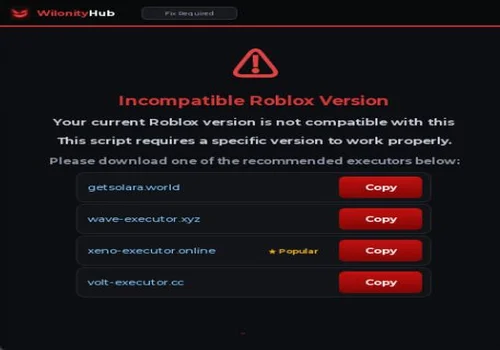
We ran into the same download-prompt problem while checking DOORS scripts. The screenshot below is from those earlier checks.
Using third-party scripts can lead to account restrictions. A successful gameplay check does not remove that risk.
![Скрипт Игра в Слова [🇷🇺] 2026 – (Автоподбор Слов)](https://robscript.com/wp-content/uploads/2026/10/ИграВСлова1-500x315.webp)