Article

Jujutsu Shenanigans scripts 2026 – NO KEY (Auto Parry, Black Flash)

Views: 44.7K

This page lists working scripts, key status, features, and update notes for this Roblox game.

Reviewed by RobScript Team Source status checked:

jujutsu shenanigans scripts

We ran all seven Jujutsu Shenanigans scripts on Potassium for PC in a public server at roughly 70–80 ms ping, using Honored One for the combat checks. Every loader reached its real menu within two to four seconds, while an iPhone joined as a second observer so we could separate local visual effects from changes another player can actually see.

Our current picks

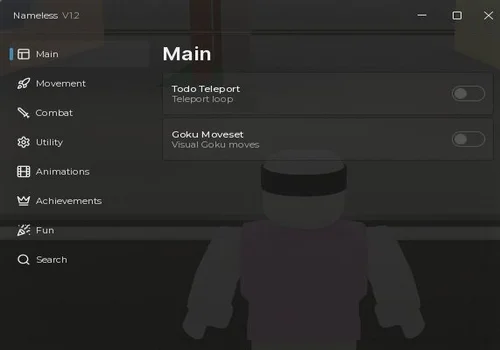
Culling Hub is our strongest all-round NO KEY choice: Auto Block, Auto Counter, Anti Ragdoll, Anti Stun, target locking, and config saving behaved correctly in our test. JujutsuerV2 is the more entertaining trolling option because its invisibility hid our PC character from the iPhone observer without removing our ability to deal damage. For a PC-focused Lock On, Nameless uses J to toggle the feature and right-click to select a target.

Jujutsu Shenanigans script comparison

Use the table to choose by access type and the result that matters, not by the number of toggles in a menu.

ScriptAccessBest forMain features
Culling HubNo KeyAll-round combat toolsAuto Block, Counter, anti-stun, lock-on, configs
jujutsuerV2No KeyTrolling playersWorking invisibility, Anti Parry, self knockback tools
Nameless v12No KeyPC Lock OnJ/RMB lock, Auto Block, replicated Small Hitbox
kktjss hub1No KeyMovement toolsFly, ESP, combat utilities
jjs legit hubNo KeyFocused assistsBlack Flash chain, dash assist, M1 punish
Custom move setNo Key / Open SourceVisual character conceptCustom moves, rain, sky, and music
Sho HubKey SystemDetailed parry settingsAuto Parry tuning, Black Flash, QTE tools

Jujutsu Shenanigans scripts — NO KEY / keyless

These six options open without a separate key process. Our hands-on notes cover only the functions we actually used; the shorter feature lists inside the cards also include tools visible in each script menu.
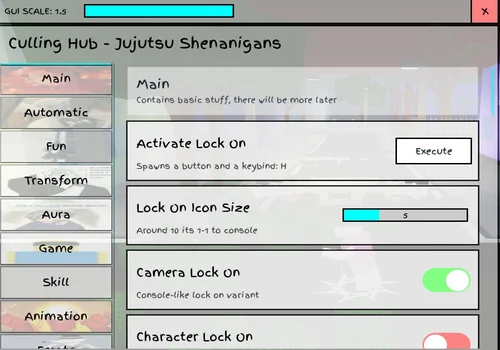
Culling Hub
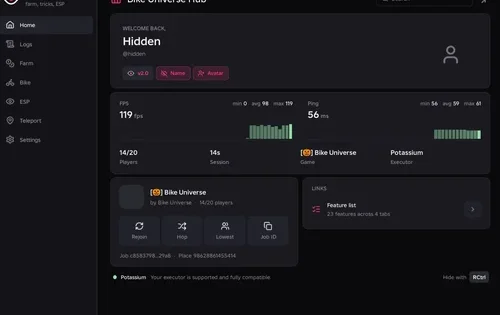
Culling Hub script preview

Culling Hub

Developer
Culling Hub
Created
Created
v2
NO KEY PC MOBILE
  • Auto Block and Block Range
  • Auto Counter and Counter Range
  • Auto Black Flash and World Cutting Slash
  • +9 more
Copies 60
Details

Functions

  • Auto Block and Block Range
  • Auto Counter and Counter Range
  • Auto Black Flash and World Cutting Slash
  • Auto Ratio and Auto Perfect Swap
  • Higuruma QTE tools
  • Target Lock On and Camera Lock
  • Anti Ragdoll and Anti Stun
  • Movement and Fly controls
  • Player, Item, and Charm ESP
  • Visual morphs, auras, and VFX
  • Config saving
  • Server Hop
Access
NO KEY
Tags
PC MOBILE
Languages
English
Compatibility
Delta Arceus X Codex Other

Change history

  • – Auto Block, Auto Counter, Anti Ragdoll, Anti Stun, Lock On, config saving, player morphs, and Spinner checked on PC. Player morphs were local-only.
Script code
loadstring(game:HttpGet("https://raw.githubusercontent.com/damir512/CullingHubv1.0/refs/heads/main/Cullingotoole.lua", true))()
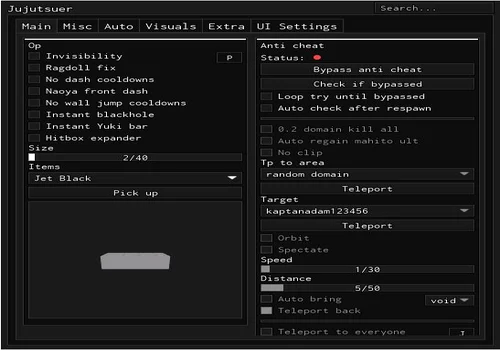
jujutsuerV2
jujutsuerV2 script preview

jujutsuerV2

Developer
solarastuff
Created
Created
v2
NO KEY PC MOBILE
  • Invisibility
  • Anti Parry
  • Auto Block and Auto Black Flash Chain
  • +8 more
Copies 31
Details

Functions

  • Invisibility
  • Anti Parry
  • Auto Block and Auto Black Flash Chain
  • Perfect Swap, Ratio, and QTE assists
  • Anti-cheat bypass status check
  • No Dash Cooldown
  • Knockback and Velocity multipliers
  • Lock On, Fly, and Speed controls
  • Anti Void and No Stun
  • Player and item ESP
  • Hitbox and target tools
Access
NO KEY
Tags
PC MOBILE
Languages
English
Compatibility
Delta Arceus X Codex Other

Change history

  • – Invisibility, Anti Parry, No Dash Cooldown, and knockback controls checked on PC. Invisibility replicated to our second observer; No Dash Cooldown felt jerky, while knockback and velocity multipliers affected our own character.
Script code
loadstring(game:HttpGet("https://raw.githubusercontent.com/solarastuff/tze/refs/heads/main/JujutsuerV2.lua"))()
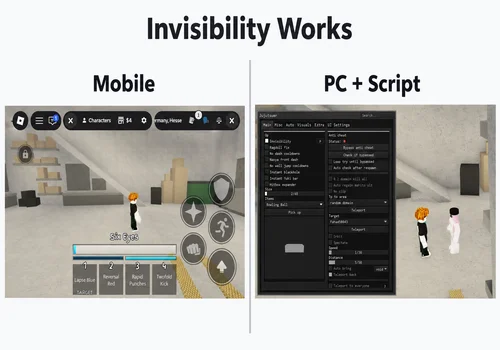
JujutsuerV2 invisibility test in Jujutsu Shenanigans viewed from a second account
JujutsuerV2 Invisibility check: our scripted PC character was missing from the iPhone observer’s view, while the character could still attack.
Nameless v12
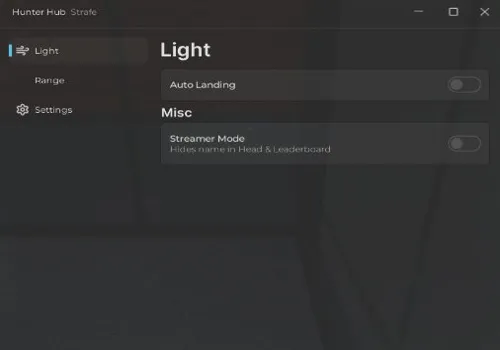
Nameless v12 script preview

Nameless v12

Developer
By NeziaReal
Created
Created
v2
NO KEY PC MOBILE
  • PC Lock On with J and right-click
  • Auto Block
  • Auto Black Flash
  • +8 more
Copies 23
Details

Functions

  • PC Lock On with J and right-click
  • Auto Block
  • Auto Black Flash
  • Small Hitbox
  • Perfect Swap and Auto Ratio
  • Combat Enhancer
  • Infinite Dash
  • Fly, Speed, and Drone controls
  • Dummy and Item ESP
  • Instant Interact
  • Animations (not working in our test)
Access
NO KEY
Tags
PC MOBILE
Languages
English
Compatibility
Delta Arceus X Codex Other

Change history

  • – Lock On, Auto Block, Small Hitbox, and animations checked on PC. Small Hitbox turned the character into a block that was also visible from our second account; animations did not work.
Script code
loadstring(game:HttpGet("https://raw.githubusercontent.com/NeziaReal/jjs/refs/heads/main/main.lua"))()
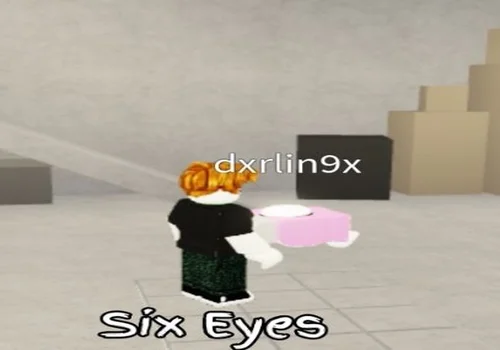
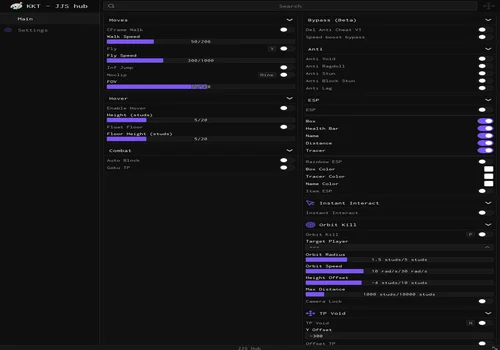
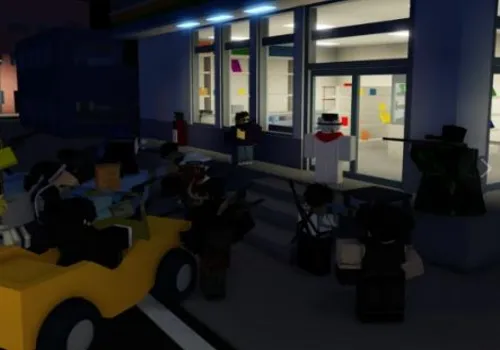
Nameless v12 Small Hitbox test visible from a second Jujutsu Shenanigans account
Nameless Small Hitbox test: Honored One became a strange block that was also visible from the nearby iPhone account, not only on the executor screen.
kktjss hub1
kktjss hub1 script preview

kktjss hub1

Developer
KKT Dev
Created
Created
v2
NO KEY PC MOBILE
  • Fly and Fly Speed
  • WalkSpeed and Jump controls
  • Player ESP
  • +4 more
Copies 21
Details

Functions

  • Fly and Fly Speed
  • WalkSpeed and Jump controls
  • Player ESP
  • Auto Block settings
  • Anti Ragdoll and Anti Stun
  • Target player tools
  • Combat alerts and sounds
Access
NO KEY
Tags
PC MOBILE
Languages
English
Compatibility
Delta Arceus X Codex Other

Change history

  • – Loader, menu, and Fly checked on PC. Fly worked and can be combined with Red and Blue for an airborne attack setup; the remaining menu tools were not retested individually.
Script code
--KKT JJS Hub v1.21
loadstring(game:HttpGet("https://raw.githubusercontent.com/KKT-Dev/KKT-JJS-hub/refs/heads/main/file/JJS%20Hub%20(New%20Vision)"))()
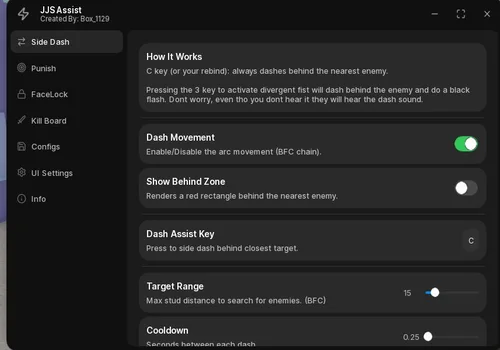
jjs legit hub
jjs legit hub script preview

jjs legit hub

Developer
BoxOfCotton
Created
Created
v2
NO KEY PC
  • Black Flash Chain
  • Side Dash Assist
  • Lock On Block
  • +5 more
Copies 25 Discord
Details

Functions

  • Black Flash Chain
  • Side Dash Assist
  • Lock On Block
  • M1 Auto Punish
  • FaceLock for Divergent Fist
  • Kill Board
  • Target range and cooldown settings
  • Config save, load, and autoload
Access
NO KEY
Tags
PC
Languages
English
Compatibility
Delta Arceus X Codex Other

Change history

  • – Loader and real menu opened during our PC check. The listed combat assists come from the developer interface and video; we have not independently tested them yet.
Script code
loadstring(game:HttpGet("https://raw.githubusercontent.com/DevoidedRing/jujutsupuhh/refs/heads/main/LegitHubMaybe",true))()
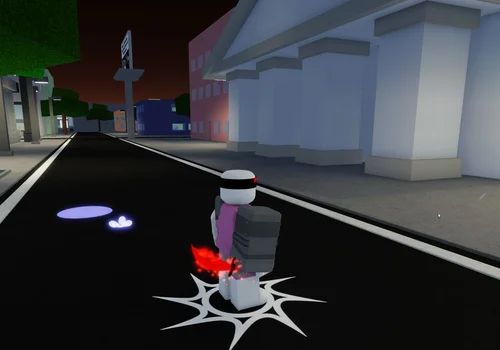
Custom move set
Custom move set script preview

Custom move set

Developer
soulshatters
Created
Created
v2
NO KEY PC MOBILE OPEN SOURCE
  • Fan-made visual moveset
  • Optional Move 5, Move 6, and Move 7
  • Custom rain and sky
  • +1 more
Copies 13 Source
Details

Functions

  • Fan-made visual moveset
  • Optional Move 5, Move 6, and Move 7
  • Custom rain and sky
  • Custom battle music
Access
NO KEY
Tags
PC MOBILE OPEN SOURCE
Languages
English
Compatibility
Delta Arceus X Codex Other

Change history

  • – Loader and fan-made moveset checked on PC. The character, skills, and presentation are a visual concept rather than an official Jujutsu Shenanigans character. The open source also downloads a Lindwurm MP3 into the executor workspace for its music.
Script code
--[[
join discord server plss
discord.gg/soulshatters
--]]
getgenv().Rain = true
getgenv().Move5 = true 
getgenv().Move6 = true 
getgenv().Move7 = true
loadstring(game:HttpGet('https://raw.githubusercontent.com/Reapvitalized/JJS/refs/heads/main/Lindwurm.lua'))()

Jujutsu Shenanigans script with a KEY SYSTEM

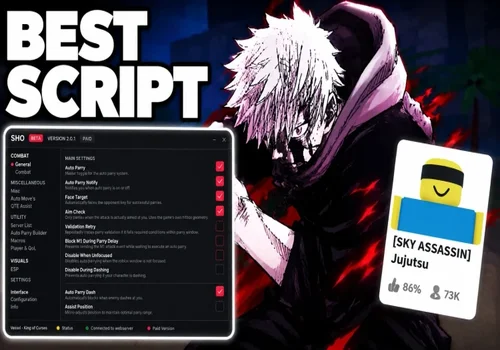
Sho Hub is the only key-system option kept in the current list. Its loader and real interface opened during our check, but we have not completed a hands-on test of its combat automation. The feature list below is therefore based on the developer’s own documentation rather than our result.
Sho Hub
Sho Hub script preview

Sho Hub

Developer
leftsided
Created
Created
v2
KEY SYSTEM PC MOBILE
  • Auto Parry V5 for M1 and skills
  • Dash and projectile parry
  • Response Delay, Parry Window, and Detection Range
  • +8 more
Copies 17 Source
Details

Functions

  • Auto Parry V5 for M1 and skills
  • Dash and projectile parry
  • Response Delay, Parry Window, and Detection Range
  • Motion prediction and target facing
  • Auto Black Flash and Black Flash Chain
  • Auto Counter and Perfect Clap
  • Auto Ratio, Final Judgement, and QTE assists
  • Camera Lock and ESP
  • No Stun and movement tools
  • Parry animation builder
  • Config and whitelist manager
Access
KEY SYSTEM
Tags
PC MOBILE
Languages
English
Compatibility
Delta Arceus X Codex Other

Change history

  • – Loader and real key-system menu opened in two to four seconds. Combat features are taken from the developer documentation and remain marked as not independently verified by our team.
Script code
script_key="get ur key at /shoo";
loadstring(game:HttpGet("https://api.luarmor.net/files/v4/loaders/58e444f5d41dbd1f8d17c465a1be0af2.lua"))()

What our hands-on test actually showed

The scripts ran on Potassium for PC in a public server at roughly 70–80 ms ping. The iPhone was used only as a second observer, not as the device running the scripts.

Culling combat tools
Auto Block, Auto Counter, Anti Ragdoll, and Anti Stun worked during the check. A selected Lock On target was retained through respawn, while universal Lock On moved to another available player.
Jujutsuer invisibility
Our character disappeared from the iPhone player’s view while remaining able to attack. It is not invulnerability. Anti Parry worked, but No Dash Cooldown produced jerky movement.
Nameless Small Hitbox
Small Hitbox turned the character into a strange block of flesh. The change was visible from the second account, so this specific effect was not merely a local model edit.
Local visual effects
Culling player transformations were visible only to the executor user. The Custom Move Set is also presented as a fan-made visual character concept, not an official playable character.
KKT movement
Fly worked correctly. Combined with Red and Blue, it feels less like normal battleground movement and more like dropping attacks on players from the air.

JJS Legit Hub video

The developer video demonstrates the focused assist interface and its intended combat flow. We verified that the current loader reaches the menu, but the demonstrated combat functions still need our own second test.

How to use a Jujutsu Shenanigans script

Run one hub at a time so overlapping block, dash, stun, and camera hooks do not interfere with each other.

  1. Join Jujutsu Shenanigans and wait for your character and combat controls to load.
  2. Open a compatible PC or mobile executor. Our own check used Potassium on Windows; the iPhone was only an observer.
  3. Choose a script from the NO KEY section, or complete Sho Hub’s key process if you specifically want its developer-described parry controls.
  4. Copy the card’s Lua code, paste it into the executor, and run it. Our seven menus appeared within two to four seconds, but loading time can change.
  5. Enable one combat feature first. Test Auto Block, Anti Stun, No Dash Cooldown, and Lock On separately before combining them.
  6. For Nameless Lock On on PC, press J to enable it and use the right mouse button to choose a target.
  7. Rejoin before switching to a different hub if movement, camera, hitbox, or character effects remain active.
Third-party scripts can violate Roblox rules and may expose an account to restrictions. A menu opening successfully does not make a script safe, undetected, or permanent.

Loader and key-system warning

A remote loader can be replaced after a page is published, so treat unexpected requests as a reason to stop rather than part of the normal setup.

Do not install a second executor
Close any script that claims your current executor is unsupported and then asks you to download its own program. A Lua loader should not need an unrelated installer.
Never enter Roblox credentials
Do not submit your Roblox password, cookie, email code, or two-factor code to a group page, key page, Discord bot, or copied Roblox login.
Check what changed
If a familiar loader suddenly opens a different interface, advertisement, file download, or login prompt, stop using it until the source is checked again.

Removed from the current list

Xenon Hub was removed after its own authentication window reported that the script no longer exists and may have been deleted by its owner. Xenith Hub, Humanoid Hub, Nexor Hub, and Ronix Hub were also retired from this page because their key-system access no longer justified keeping them above the stronger keyless choices. Removing them keeps the list focused on the seven loaders that reached a real menu during the current update.

Jujutsu Shenanigans script FAQ

Which Jujutsu Shenanigans script was the best in your test?
Culling Hub was our strongest all-round NO KEY option. Its Auto Block, Auto Counter, Anti Ragdoll, Anti Stun, Lock On behavior, and config saving worked during the PC check.
Which Jujutsu Shenanigans scripts are no key or keyless?
Culling Hub, jujutsuerV2, Nameless v12, kktjss hub1, jjs legit hub, and Custom move set are listed as NO KEY. Sho Hub is the only KEY SYSTEM script kept on this page.
Were these scripts tested on mobile?
No. Every script was executed on Potassium for PC. An iPhone joined only as a second observer, so the MOBILE labels describe advertised compatibility rather than a full mobile test. JJS Legit Hub is currently marked PC only.
Is Nameless Small Hitbox only a local visual effect?
Not in our test. The second account could also see the main character transformed into a block, unlike Culling Hub’s player morphs, which remained local to the executor user.
Does Jujutsuer invisibility make the player invulnerable?
No. It hid our character from the second player’s view, but the invisible character could still attack and should not be treated as Godmode.
Why does Nameless Lock On not select a player?
Its tested controls are PC-oriented: press J to enable Lock On, then use the right mouse button to select the target.
Did you test every function in all seven menus?
No. We opened every real menu and concentrated on the functions documented in the hands-on notes. Sho and JJS Legit Hub currently include developer-described features that still need a deeper independent combat test.

Core functions in Jujutsu Shenanigans scripts

The current collection focuses on combat timing, target control, defensive assists, movement, and visual trolling. Individual hubs support different parts of this list.

Auto Block & Parry
Reacts to nearby M1 attacks, skills, dashes, or projectiles when supported. Advanced hubs add block range, response delay, parry duration, facing, and ignore settings.
Auto Black Flash
Times Black Flash for supported characters and attacks. Some menus add chains, distance controls, timing shifts for ping, or Mahito and Itadori-specific modes.
Lock On & Target Control
Keeps the camera or character facing a selected player. Depending on the hub, it can switch targets, wait for a chosen player to respawn, orbit, spectate, or dash behind them.
Counters, Ratio & QTE Assists
Automates character-specific timing such as counters, Nanami’s Ratio, Todo swaps, Higuruma’s Final Judgement, beam clashes, and other reaction-based skills.
Anti Stun & Anti Ragdoll
Reduces interruptions from stun, ragdoll, slow, or forced movement. Related tools include combat enhancers, ragdoll cancel, Anti Void, and recovery helpers.
Dash, Fly & Movement
Changes dash cooldowns and multipliers or adds speed, flight, gravity, infinite jump, noclip, glide, and target movement. Extreme values can make control jerky.
ESP & Hitbox Tools
Highlights players, dummies, items, health, awakening, cash, or ragdoll state. Hitbox tools can change target size or alter the user’s own character model.
Invisibility, Morphs & Visuals
Includes invisibility, player morphs, auras, animation packs, custom VFX, kill sounds, damage numbers, custom skies, music, and complete fan-made movesets.